Archived topic
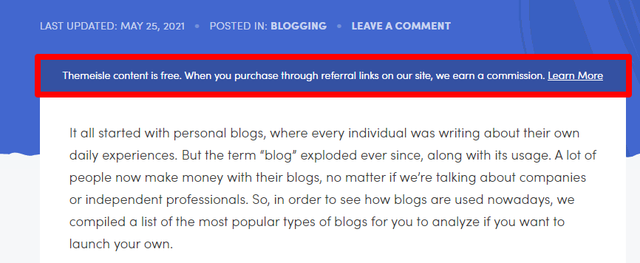
Affiliate Disclosure at the top of the container
11 replies · Started by Sanu Kumar on May 25, 2021
Can I replicate like this at the top of the container, with different background and font that should be small than the body text?
 <br />2015 mustang 0 60 mph<br />
This website is using: https://themeisle.com/blog/how-much-does-a-website-cost/
Hi there,
use a Block Element to create that container - ie. a Container Block for the background, and a Headline Block for the text - you can change its font size etc in the block settings.
Then select the before_main_content hook and set it the Display Rules to Posts all Posts
It may take a little CSS to remove the space between that block and the content - but let us know when you have it setup.
Published and the I set the priority to 10
Which hook did you use?
It should be the generate_before_main_content
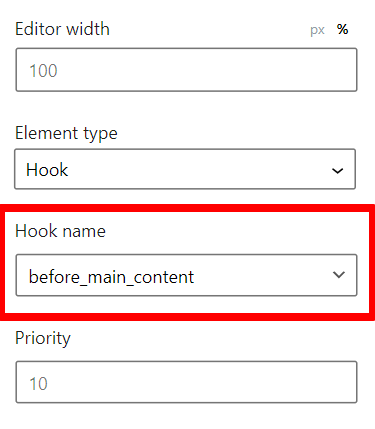
This hook I used.
That's weird, this hook should've inserted the content before the entire post.
If possible, could you provide credentials with admin access so we can have a look at the back end?
I tried to add generate_before_main_content using custom hook
I changed the page area background color to transparent to have a better look at the article itself, so actually the Hook is at where it should be, there's no issue with it.
https://www.screencast.com/t/2pBuQ73iK
It's visually not there because the background color of #pageis set to white as well.
In this case, try inside_site_container hook instead.
Let me know :)
It worked but there is space between that block and the content so how to remove it
Give this CSS a try:
.gb-container.gb-container-c35d440f {
    margin-top: -10px;
    margin-bottom: -39px;
}Worked. Thanks!!
No problem :)