Archived topic
Add second button to list post + display custom list post after main content
5 replies · Started by Michele on March 10, 2023
Hi everyone,
I'm trying to figure out how to insert a second button on specific list post based on tag. What I want to get is something like this:
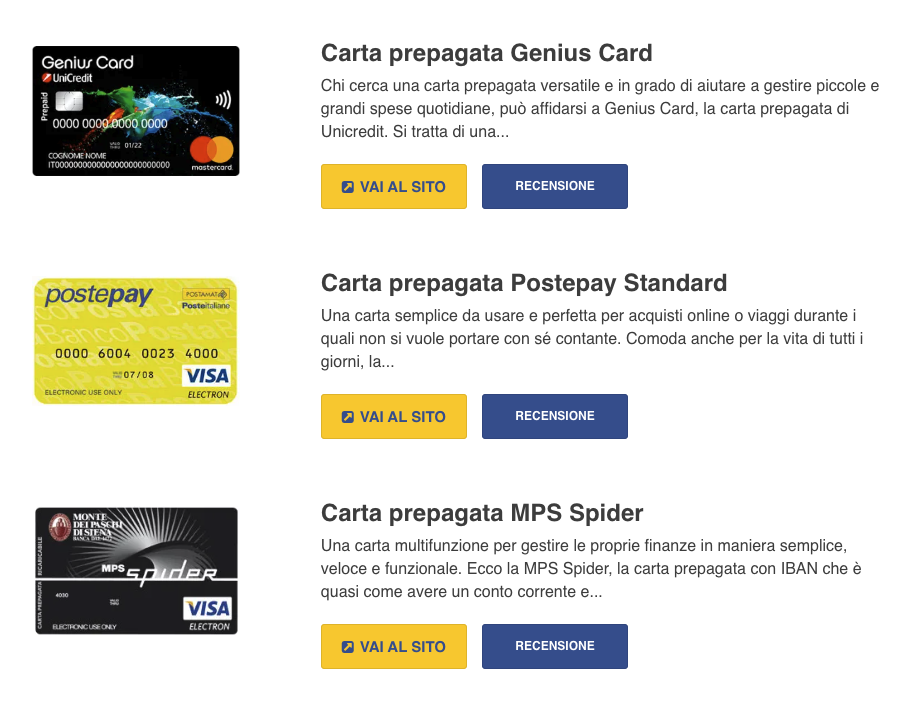
After that I want to show custom post list (with the two buttons) at the and of specific post, with this layout from mobile: 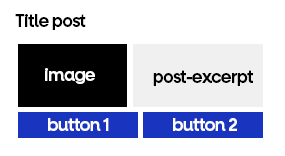
Can you please help me?
Thank you so much!
Hi there,
how is the list being displayed ? Is it using the GenerateBlocks Query Loop block ?
Hi David,
I need it for category post list and also for GenerateBlocks Query Loop.
Thank you!
Not easy :)
Can you build the design as you want it for mobile?
Then we can look at how to move the image to the left on wider screens - which will take CSS
Hi David,
I'm trying to insert the second button after the "read more" button. I tried this code and it works but it puts the second button outside the "read-more-container" paragraph.
add_action( 'generate_after_content', function() {
    $button_label = get_post_meta( get_the_ID(), 'your_button_custom_field_name', true );
    $button_link = get_post_meta( get_the_ID(), 'your_button_link_custom_field_name', true );
    echo '<a class="button" href="' . $button_link . '">' . $button_label . '</a>';
} );
This way I can't show the two buttons in line with the "display" attribute. How can I fix?
Here's the link to the archive page in question: https://migliorcarta.it/category/revolut-bank-uab/
You can use the generate_content_more_link_output filter.
See here:
https://docs.generatepress.com/article/generate_content_more_link_output/