Archived topic
Add label area on the link
5 replies · Started by bourigault on April 6, 2023
Hello
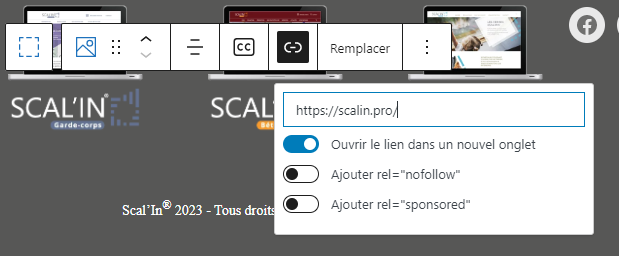
I would like to know if it is possible to ad a label area when I add a link on a picture.
Exemple
Thank you for your response,
Laurent
Hi there,
Not sure if I fully understand.
Can you provide an example of what you are trying to achieve?
Ok
It is the generated code withe generate bloc and gutenberg.I would like to add a label area on the balise but there isn't field to add "label area"
<figure class="gb-block-image gb-block-image-a72ea84b">
<a href="https://scalin.pro/" target="_blank" rel="noopener noreferrer">
<img decoding="async" loading="lazy" width="289" height="106" class="gb-image gb-image-a72ea84b" src="https://refonte.scalin.fr/wp-content/uploads/2023/03/scalin_garde-corps-1.png" alt="Site Garde-coprs" title="lien vers le site Scal'in Garde-corps">
</a>
</figure>Sorry I'm still confused.
Are you referring to adding a caption?
If not, can you provide an actual example of what you are trying to achieve?
No problem,
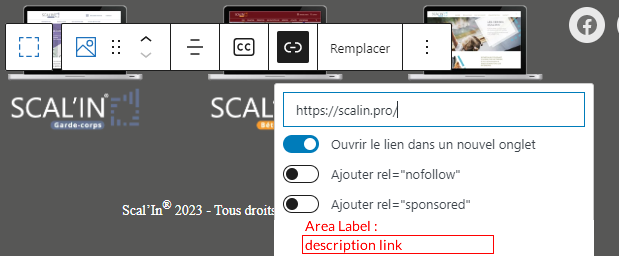
I just want to add an area label for accessibility on the balise link a :
My source code will be like this :
<a href="https://scalin.pro/" aria-label="link description">[IMAGE]</a>
With the widget image in gutemberg and generateblock, when I add a link, I have not the possibility to fill this field.
window with link I would like
Hmm that's an uncommon request so neither GB image block or WP image block don't support.
You would need to use a custom HTML block if you want special markup for your image.