
- This topic has 11 replies, 6 voices, and was last updated 6 years, 4 months ago by
David.
-
AuthorPosts
-
July 13, 2017 at 2:17 am #348681
Anonymous
Hi Tom!
I would like to align add to cart button on my WooCommerce. There’s a lot of CSS codes that it fixes on others themes, but I’ve tried on GeneratePress and they don’t work.

My WooCommerce is: https://biolieve.net
July 13, 2017 at 7:55 am #348816David
StaffCustomer SupportHi Joel,
simple fix is to always display a maximum of 2 lines in the title whether there is 2 lines or not. This forces all content to be the same size and makes all fields align including the button. Heres my CSS:
/* Force 2 line title inclusve */
.woocommerce ul.products li.product h2 {
  line-height: 2.5ex;
  height: 5ex; /* 2.5ex for each visible line */
  overflow: hidden;
}
July 13, 2017 at 7:58 am #348818Leo
StaffCustomer SupportHi Joel,
There is actually no easy way to do this.
A work around would be to increase the product title font size (Typography > WooCommerce) so they are all two rows.
Let me know if this works for you.
July 13, 2017 at 9:14 am #348882Hi David and Leo
David’s code has fixed this issue! Thank you very much for your support 🙂
Joel
July 13, 2017 at 9:30 am #348893Tom
Lead DeveloperLead DeveloperNice code, David!
July 13, 2017 at 10:27 am #348933StaffCustomer SupportThanks Tom, glad i could be of assistance. Idea came from a solution i used back in my days of printing……
April 19, 2019 at 6:16 am #873374aquafortis
We have just tested our latest version of “Woo Align Buttons” plugin on GP, and it seems to work fine.
It looks after the titles as well as the buttons.
April 19, 2019 at 6:22 am #873377StaffCustomer SupportHi there,
thanks for sharing – we have just made some major improvements to Woo in the upcoming GP Premium 1.8 that should alleviate some alignment issues. If you want to test it out you can download the Release Candidate from your Accounts > Downloads. Be good to hear how your plugin works on that version.
April 19, 2019 at 7:13 am #873535Just tested our plugin with version 1.8.0-rc.2 and it helps with the titles.
The Flex you are using seems to look after the buttons.
Plugin Activated Image

Plugin Deactivated Image
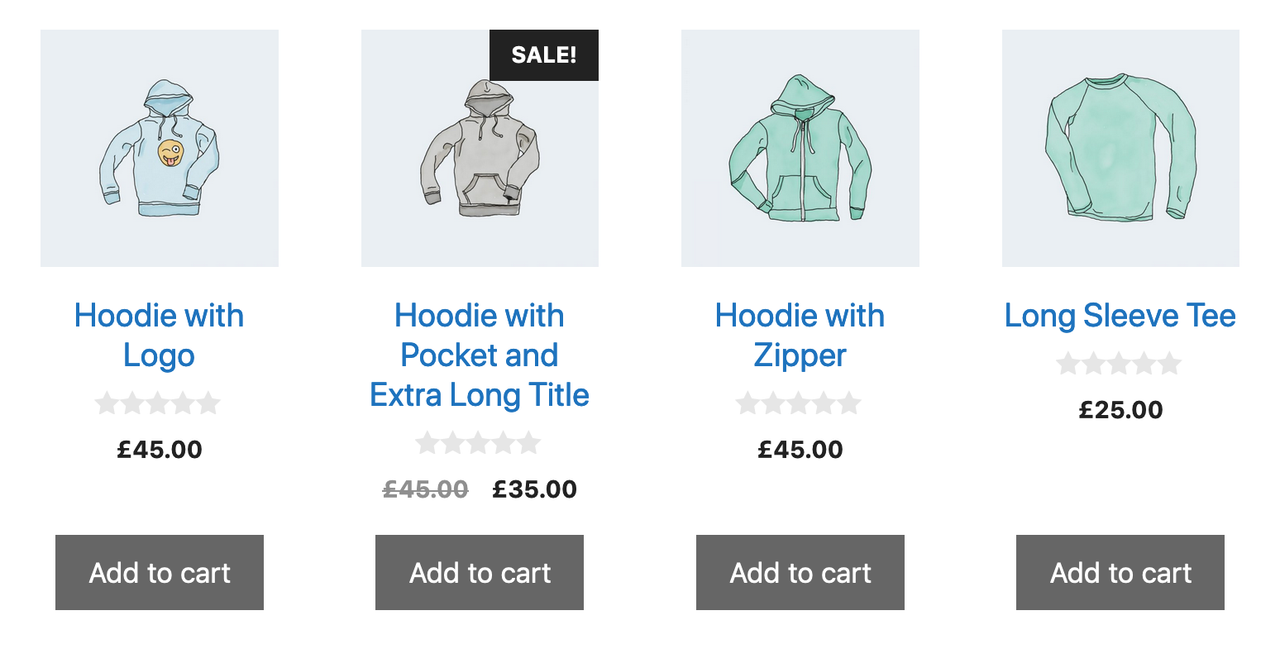
You are welcome to use some of our code if you wish.
April 19, 2019 at 7:15 am #873539StaffCustomer SupportNice – thanks for sharing. I’ll make sure Tom gets to see it 🙂
November 12, 2019 at 1:05 am #1060182Roberto Enrique
In 1.8.x it align the buttons perfectly in the shop archive.
It doesn’t on the woocommerce products shortcode.
Is there a workaround for this?
Thanks in advance
November 12, 2019 at 5:59 am #1060372StaffCustomer SupportHi there,
Woo loves to change classes – give this a shot:
.woocommerce ul.products li.product .woocommerce-LoopProduct-link h2 { line-height: 2.5ex; height: 5ex; /* 2.5ex for each visible line */ overflow: hidden; } -
AuthorPosts
- You must be logged in to reply to this topic.
