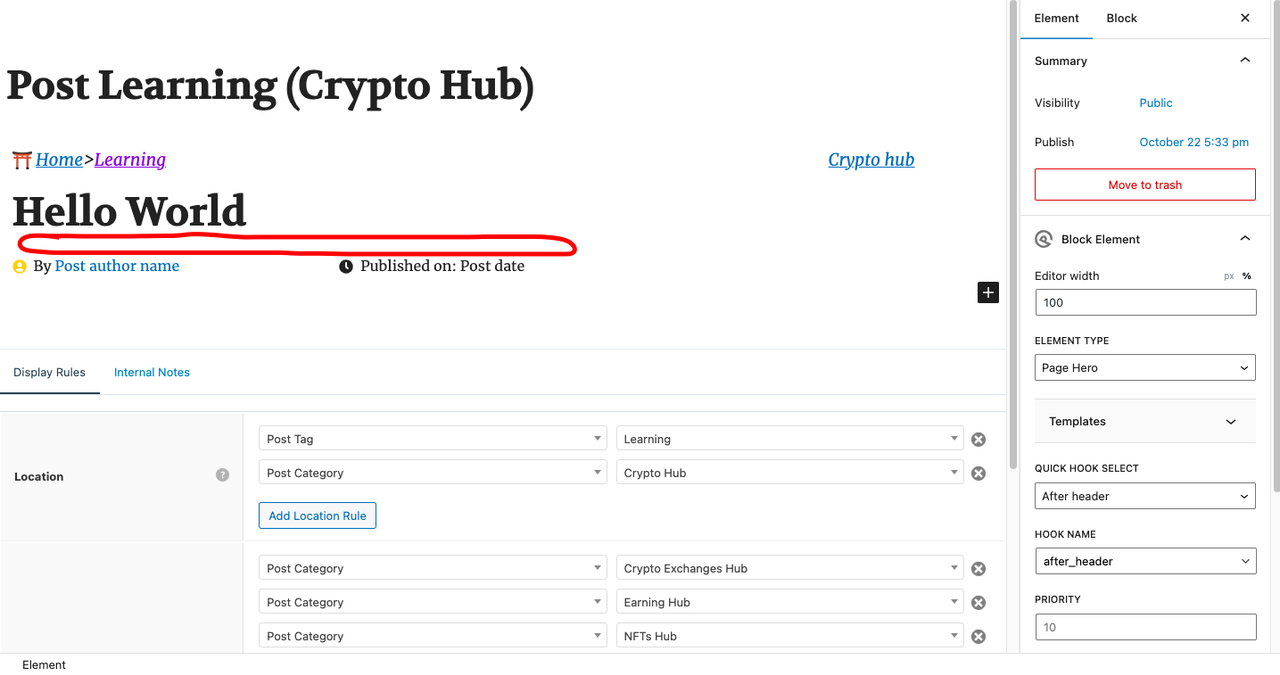
Home › Forums › Support › Generate custom text block This topic has 1 reply, 2 voices, and was last updated 3 years, 4 months ago by Fernando. Viewing 2 posts - 1 through 2 (of 2 total) Author Posts December 4, 2022 at 5:08 pm #2449569 baidy Hi Everyone, So I created a block element to design my post and would like to generate a custom text that will, of course, be different from each post: like a little introduction to the article. Where I want to put the text: https://i.postimg.cc/3wS27zSt/text.png thanks for the help December 4, 2022 at 8:40 pm #2449683 Fernando Customer Support Hi Baidy, You can use the ACF plugin to create a custom field for a custom text. Then you can use a GB Headline Block to retrieve this post meta. Reference: https://www.advancedcustomfields.com/resources/getting-started-with-acf/ Once you’ve created you’re custom ACF text field, you can create a Block Element – Page Hero, then add a GB Headline Block for that custom text. Just set the Content Source to Post meta, and the field name to the field name you set in ACF. Reference: https://docs.generateblocks.com/article/headline-overview/#dynamic-data Page Hero: https://docs.generatepress.com/article/block-element-page-hero/ Post Meta: https://docs.generatepress.com/article/block-element-post-meta-template/ Author Posts Viewing 2 posts - 1 through 2 (of 2 total) You must be logged in to reply to this topic. Log In Username: Password: Keep me signed in Log In