Site logo

[Support request] Create an archive tag page for some tag

Home Forums Support [Support request] Create an archive tag page for some tag

Home Forums Support Create an archive tag page for some tag

Viewing 6 posts - 1 through 6 (of 6 total)
  • Author
    Posts
  • #2033994
    Marco

    Hi guys.

    I’m looking a solution for show into a specific page an archive tag of a specific tag.

    I have a category with more of 100 posts that have attached a restrict kind of tag. All other post was show into classical archive template, but this post, this this category are show with new query loop bock as a simple title list.
    In a side column are listed all tags relative at that posts. When I click on this tags, it show me the relative posts but into a classical archive template.
    I want that this posts are showed into same page where it list the specified category.

    Do you have any suggestions?

    #2034337
    Ying
    Staff
    Customer Support

    Hi Marco,

    Not sure I understand what you are looking for.

    Can you link us to examples pages and explain a bit more?

    #2035210
    Marco

    I can’t link becouse is local website for learning.
    As you can see from this image
    image
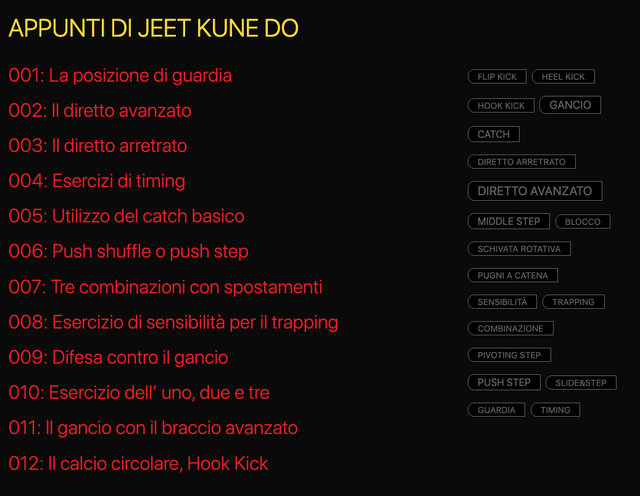
    I have a page with post title and tag cloud.
    This is a custom page, create by the new WP query loop block.
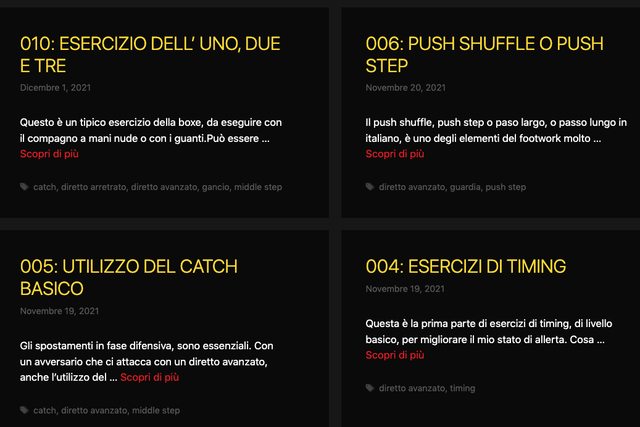
    When I click on tag, it show me the result on standar list like each other posts.
    image
    My goal is to show the result as a simple list like first image, using same template.

    #2035216
    Elvin
    Staff
    Customer Support

    Hi there,

    To clarify: You want the generated tag archive page of a specific tag to be in list form? (meaning it only displays the post title?)

    If that’s the case then I believe that’s doable with Block Element – Content Template.

    You can create a Block element – Content template and set it’s display rule location to the specific tag archive you want to apply this on.

    And then on the editor, add only a GB Headline element and set it’s dynamic setting to “Post Title”.

    Like this – https://share.getcloudapp.com/E0uKQY5L

    #2035920
    Marco

    Thankyou Elvin.

    #2036522
    Elvin
    Staff
    Customer Support

    No problem. 😀

Viewing 6 posts - 1 through 6 (of 6 total)
  • You must be logged in to reply to this topic.