Site logo

[Support request] Need Advices: Improve/Optimize CLS

Home Forums Support [Support request] Need Advices: Improve/Optimize CLS

Home Forums Support Need Advices: Improve/Optimize CLS

Viewing 10 posts - 1 through 10 (of 10 total)
  • Author
    Posts
  • #1524677
    Danar Virdaus

    Hi,

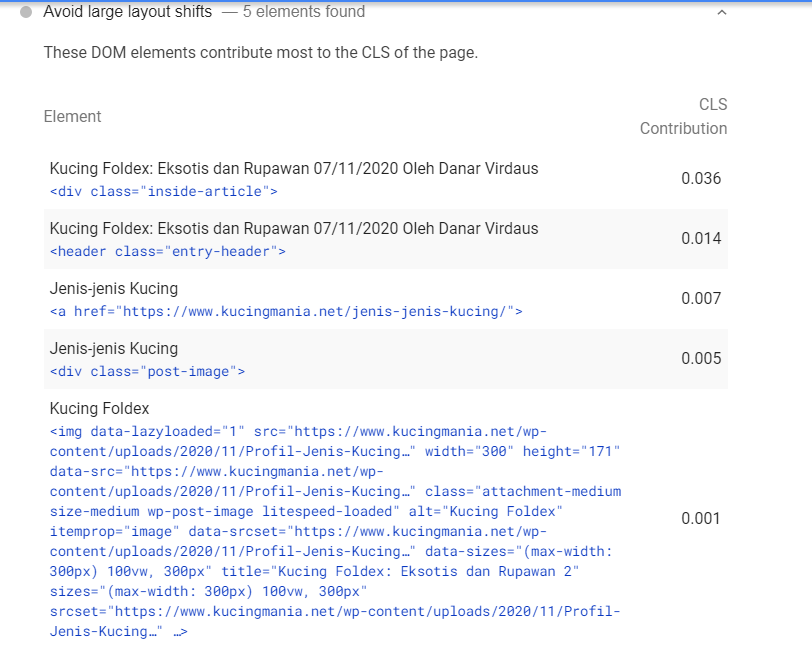
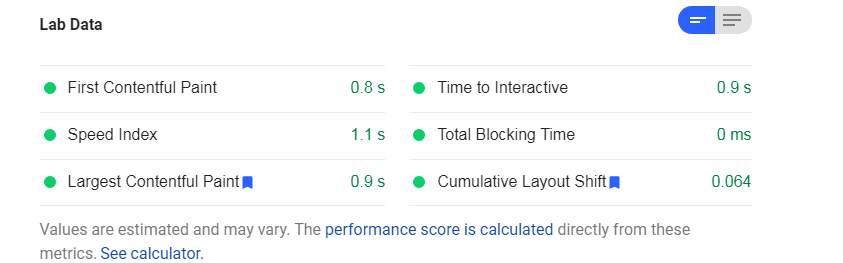
    Hello team, i need your advice to improve CLS on my site (for mobile). I want to achieve 0 ms in CLS 🙂 at this point my site’s CLS is “enough”. So, what else i can do to achieved that? Thanks 🙂
    *I use Litespeed cache

    01
    02

    #1524680
    Leo
    Staff
    Customer Support

    Hi there,

    If you run your site through PageSpeed Insights tool:
    https://developers.google.com/speed/pagespeed/insights/

    Then you can see what’s causing the CLS:
    https://www.screencast.com/t/IIRJ3V217

    I’m guessing that LiteSpeed is lazy loading the logo and the featured image.

    Can you try excluding them?

    #1524726
    Danar Virdaus

    Hi Leo,

    Logo excluded (by insert logo URL), but how to exclude featured images? there are class name box in litespeed, how to add featured image class name ? Thanks
    box

    wp-post-image ?

    #1524982
    David
    Staff
    Customer Support

    Hi there,

    GP logos class:is-logo-image
    Featured Post (yes): wp-post-image

    Before you do that – what happens if you reduce the Customizer > Layout > Container – left and right padding to 25px on mobile?

    #1525058
    Danar Virdaus

    1. Container – left and right padding to 25px on mobile.
    01

    2. Default container + lazy load excluded for is-logo-image + wp-post-image
    02

    #1525096
    David
    Staff
    Customer Support

    Can you share the link to the post you’re testing ?

    #1525116
    Danar Virdaus

    kucingmania.net

    #1525160
    David
    Staff
    Customer Support

    One of the issues is the Inter Font used on the site is being deferred.
    If you open the site in Chrome, open the dev tools ( right click > inspect ). Switch to Mobile view ( icon in the top bar ). Go to the Network tab, Check Disable Cache, and change Online to Slow 3G. With the dev tools still open Refresh the page.
    You will see the font is first loading the system font and then later the Inter Font replaces causing it to change its height.

    #1525176
    Danar Virdaus

    Oke sir, i will check it 🙂

    #1525178
    David
    Staff
    Customer Support

    You’re welcome

Viewing 10 posts - 1 through 10 (of 10 total)
  • You must be logged in to reply to this topic.