
Archived topic
Woocommerce "Shipping" to "Shipping and Handling"
8 replies · Started by Brent Wilson on October 22, 2018
I want to change the text in WooCommerce cart and checkout, etc., from “Shipping” to “Shipping and Handling”. I have added the following php code, and it changed some instances. But in the cart table and the checkout table, it still says “Shipping” as the line title. Is this something coming from GeneratePress or WooCommerce? Any idea how I can get this issue fixed?
The site is https://outdoorgreetingcards.com.
// change shipping text
add_filter('gettext', 'translate_reply');
add_filter('ngettext', 'translate_reply');
function translate_reply($translated) {
$translated = str_ireplace('Shipping', 'Shipping and Handling', $translated);
return $translated;
}
Hi there,
try this filter:
add_filter( 'woocommerce_shipping_package_name', 'custom_shipping_package_name' );
function custom_shipping_package_name( $name ) {
  return 'Your Text';
}Where should I place this filter? In the same place as the other code? Do I keep the other php code that I have already placed? And is it the "Your Text" portion where I would put "Shipping and Handling"?
So remove the old code and add the new one with either method mentioned here:
https://docs.generatepress.com/article/adding-php/
And yes - Your Text gets changed to what you want in its place.
So now on the initial card page, it still says "Shipping" and the link to "Calculate Shipping" (see screenshot here: 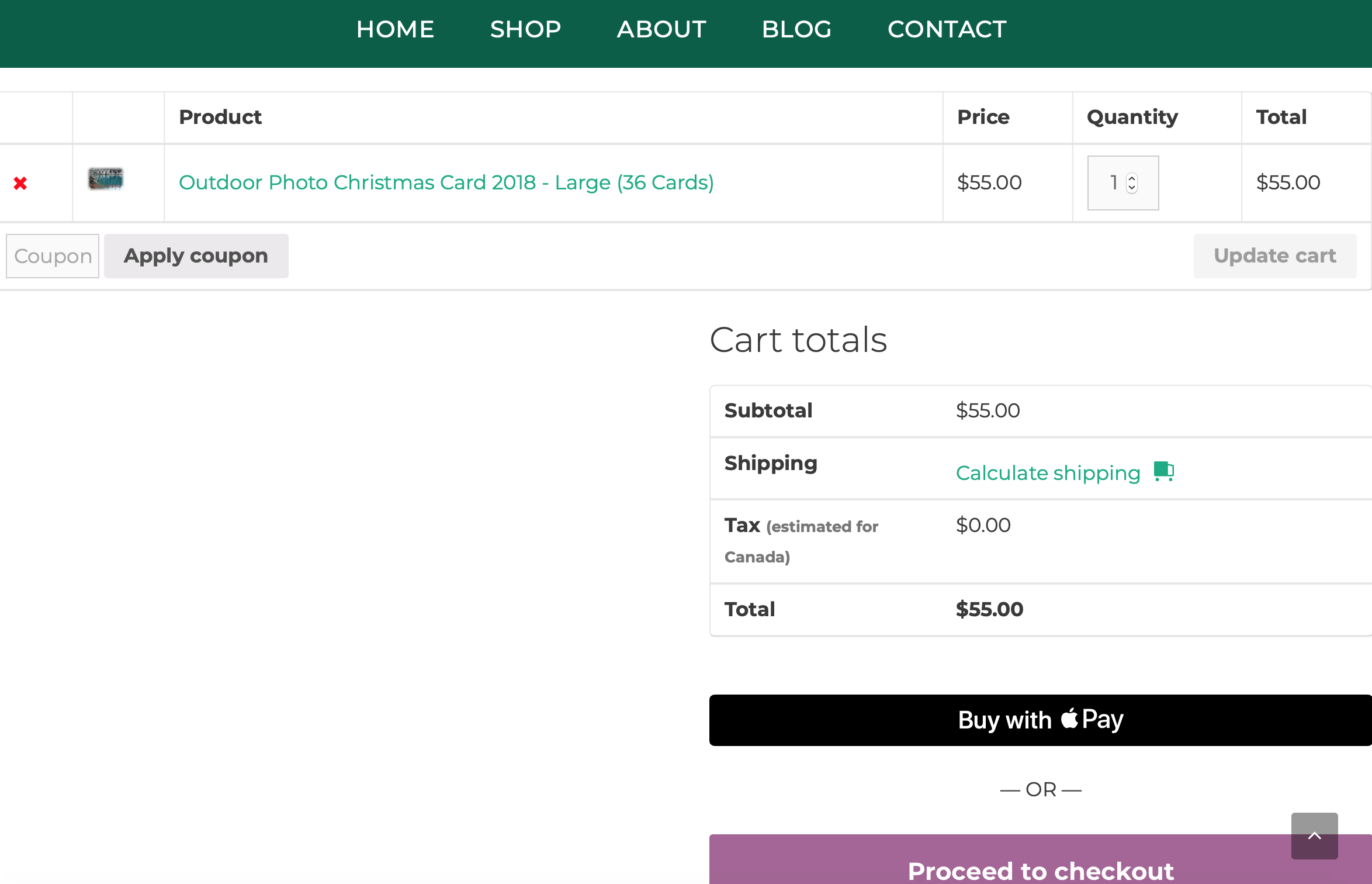
But after calculating shipping or going to the checkout page, it now says "Shipping and Handling".
I want the two instances in the screenshot above to also be changed from Shipping to Shipping and Handling. How can I do that? The previous code I had in changed the "Calculate Shipping" to "Calculate Shipping and Handling"
So what happens if you add back the code you had as well?
Now that code I had does not seem to be changing the shipping calculation link.
I am not sure what the solution is to cover both the Titles and the link, aside of setting up a child theme and editing those templates directly. All of the output is being created by Woo templates, so might be something you want to take up with them.
The code in your initial post is what I would have suggested. It looks like it should work.
Have you checked with WooCommerce support? They may have a better idea.