Archived topic
Will GP create this
4 replies · Started by Mark on January 3, 2015
I am creating a single page to mimick a storefront site.
The entire purpose is to draw users and guide them to the storefront.
So that when the user gets transferred to the storefront they wont feel shock.
Not asking for any design.
Just asking before I begin.
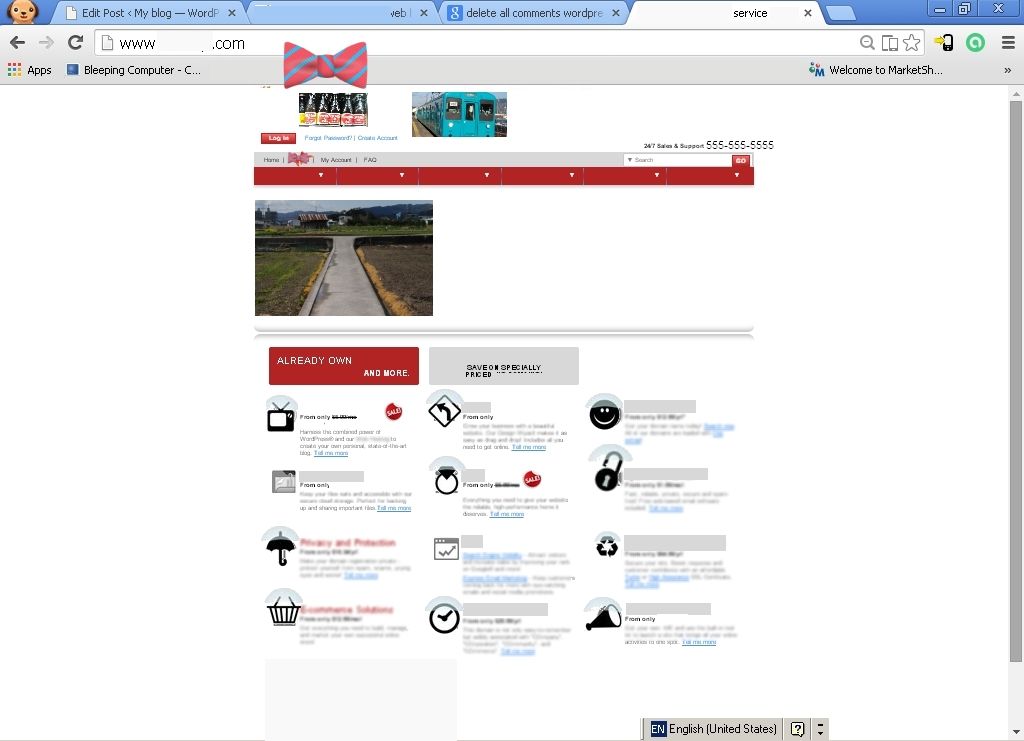
Forgot to ask the question.
The Question is "Can I do this with GP"?
What exactly are you trying to do in that screenshot? The columns?
linkable Header at the top
The nav bar I want to make it thinner
The row below the nav bar is a picture left open area right
the 3 columns
1. In the newest version of GP (releasing this week) - there's a filter that allows you to change the URL of the logo/header. However, you can also remove the header set in the Customizer, and add your own using GP Hooks in the "Before Header Content" hook. This allows you to add your own HTML as the header, so you can specify your own link.
2. The Spacing add-on allows you to make the navigation thinner - look for the "Element Spacing" area in the Customizer, and then adjust the Menu height.
3. You can use the Page Header add-on to add an image below your navigation.
4. This is a great plugin to display columns: https://wordpress.org/plugins/lightweight-grid-columns/
Hope this helps :)