Archived topic
Using picture as header without navigation
11 replies · Started by Linda on February 27, 2022
I removed the Header by going into Elements and created Disable Header. That worked fine. Now I want to have a picture in the place of the header. I can't figure out how to do it.
Hi Linda,
If you don't want the default header, you can create a block element - site header to completely replace the default header:
https://docs.generatepress.com/article/block-element-site-header/
The layout element would not be required in this case.
I created a new block element and called it "Site Header". Now what do I do? I tried adding a picture for the header but it doesn't show up.
1. Choose site header as element type.
2. Set entire site as location.
Let me know if this works.
I don't see Site Header as an option. Only see Block, Hook, Layout and Header.
Choose block first, then in this block element, do the 2 steps of my last reply.
I choose Block. Then do I give it the name "Site Header"? I don't see an option to select "Site Header". I am new to this and really struggling.
On the right side of the element editor, you can see the option:
https://www.screencast.com/t/vAd3VJkkpkl
Once the block element is created and it's set to entire site, how do I get to the element to select Site Header as in the photograph you provided. If I could just get one page done I think I will be able to do the site.
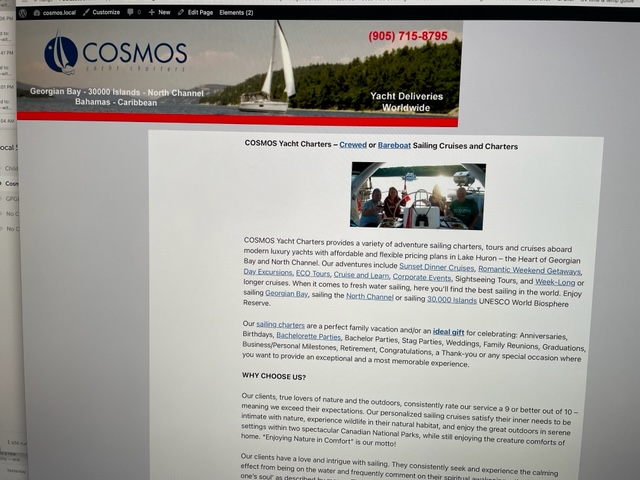
UPDATE: I managed to get the picture into the header but is there a way to center it above the Content?
https://i.postimg.cc/pTX9SpCm/IMG-0357.jpg
You should be able to center the image within the image block's setting:
https://wordpress.com/support/wordpress-editor/blocks/image-block/#align-images
Ying: Thanks you so much. I've learned a lot today. Thanks for working with me. I think that's it for today.
You are welcome :)
There's a lot more to learn!
We'll be happy to guide you through it.