
Archived topic
Slideout Site
6 replies · Started by mrbishwork on January 9, 2019
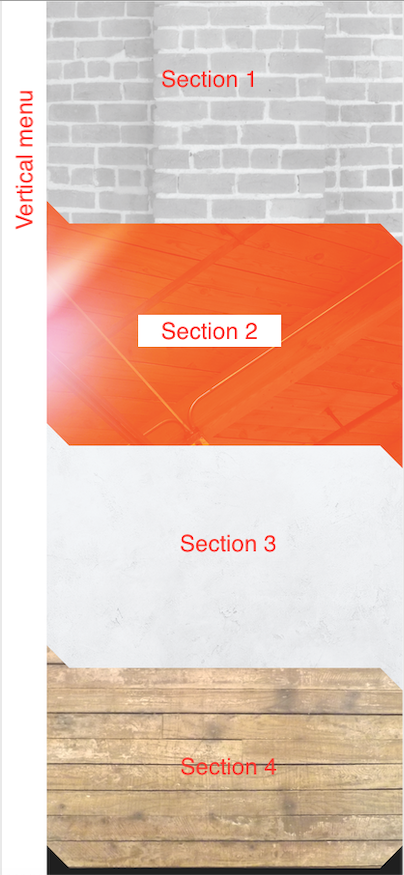
Is there a way to adjust the page builder container of the slideout site. Im trying to recreate the page with the background image for each section. Please advise thanks
Hi there,
I'm not quite sure if I understand.
What do you mean by adjusting?
GP's page builder container option simply removes all padding and let the page builder takes overall control for the content.
The option you are looking for should be full width:
https://docs.generatepress.com/article/page-builder-container/
Let me know if this helps :)
Thanks for your reply. I tried to do setting full width using elements the page builder content area still have padding.
So you are using this?
https://docs.generatepress.com/article/layout-element-overview/#container
What do you have for the Display Rules?
Ahh it's working on the About Me page.
Remove this CSS in the Additional CSS field in the customizer as well:
#content {
	padding: 40px;
}yes it works is there a way to adjust the section width 90% of the content area ? so that the slideout will not cover the parts of the section and the background ?
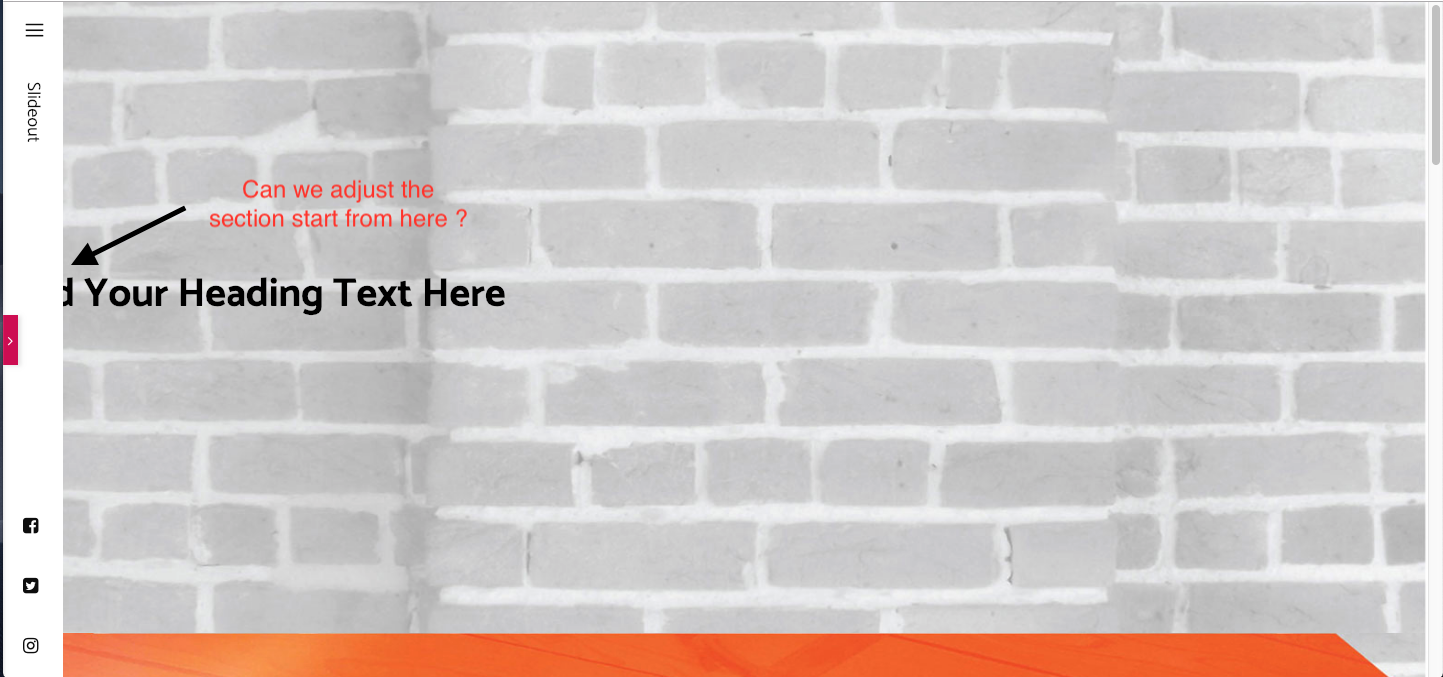
You can try CSS like this:
.full-width-content .container.grid-container {
    max-width: 90%;
}