Archived topic
Shape in container on the Side, possible?
7 replies · Started by nomadiceman on May 30, 2021
I love the shapes that can be added to the bottom or top of containers using Generateblocks. But was wondering is it possible to get a shape on the side?
Im trying to get a container at the side of an image to be arrow shaped, here is an example
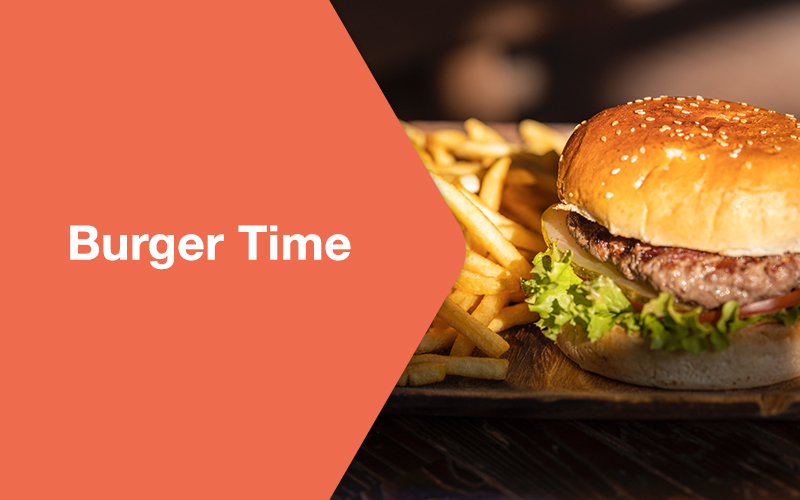
So the left part will be a container with text and the right will be an image
Was thinking that I ca do this with a shape on the right side of the container, but this isn't an option.
Is there any other way to achieve this?
Hi there,
While there's no shape like this within the defaults of GenerateBlocks, I believe we can do something similar with Grid Blocks with applied background + a column with clip path.
Any specific layout within your site you want this applied on? If we can check the layout we can help you plan out how to implement it.
Ok great, sounds good. Ive sent the link to the site. I'd like the header area, with the test to the left and image to the right to have the triangle/arrow shape as in the original question
If you're fine with a non-rounded triangle shape then clippath should do it.
Try this CSS for the homepage's header:
.gb-container.gb-container-b646afd2 {
    clip-path:polygon(10% 0, 100% 0%, 100% 100%, 10% 100%, 25% 50%);
}
This is how it would look like. [link redacted by request of user]
You can edit the clippath values if you want. There's actually a clippath generator for this here - https://bennettfeely.com/clippy/
Thats great thank you, I will try that
Thank you
No problem. :)
Please can you remove the link to my image
Link removed.