
Archived topic
Remove "Posts" from Blog Page
11 replies · Started by Sanu Kumar on July 24, 2021
Hi,
On this blog page: https://www.masteryblogging.com/blog/ , I want to remove this part:
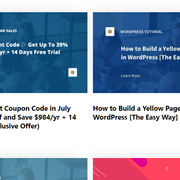
How can I do that? I only want to show Stackable's post block.
Hi there,
The better solution would be to create a static page with the Stackable post blocks and use that page as your blog page.
Let me know if this helps :)
how to create static page
Just add a new page like you normally do.
I tried but can't figured it out yet
What issue are you having?
Just create a static page with the Stackable post blocks then link the Blog menu item to that page should work.
Here's what I did:
Settings » Reading » Post Page » Blogs
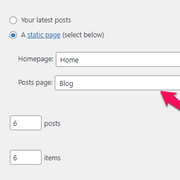
I already have a blog page. I added articles with the help of Stackable List Post Blocks
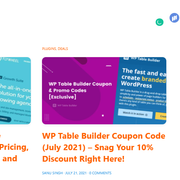
and published the page. Then when I saw live that page, nothing changed.
Hi there,
Here's what Leo meant (in details).
First, we need to create a page. (Created in Dashboard > Pages > Add new).
We then add the Stackable List Post Blocks inside the container of this newly created page.
We then go to Appearance > Menu and change the link of the menu item "Blog" to point to the newly created page.
If you already did this but you've set it up as the blog index page on Settings » Reading, please revert this setting and keep the "post page" empty.
Having a static page set as the post page in Settings » Reading will turn the static page into a blog index page, completely disregarding it's contents.
This is actually why your Stackable List Post Blocks wasn't working. It got replaced with the default post loop of the theme.
Thanks Elvin, I did as you said and it worked. but here's one thing. I don't want to show the H1 title.
On the blog page, right sidebar - I select "content title" under disable elements to hide the title but it didn't work. How can I hide this? Any solution.
Do you mean this:
https://www.screencast.com/t/5vAEbpHN5wY7
If so you just need to remove the Header Element you have assigned to that page.
got it.
Glad we could be of help