
Archived topic
Primary Navigation Color Presets
11 replies · Started by Adam on July 1, 2021
When I change the Primary Navigation background color, the menu items are all white. What am I missing here?
I'd like to make a black or gray solid background across the site
Here's what it lokos like:
https://www.adamdukes.com/wp-content/uploads/2021/07/2021-07-01_12-13-26.png
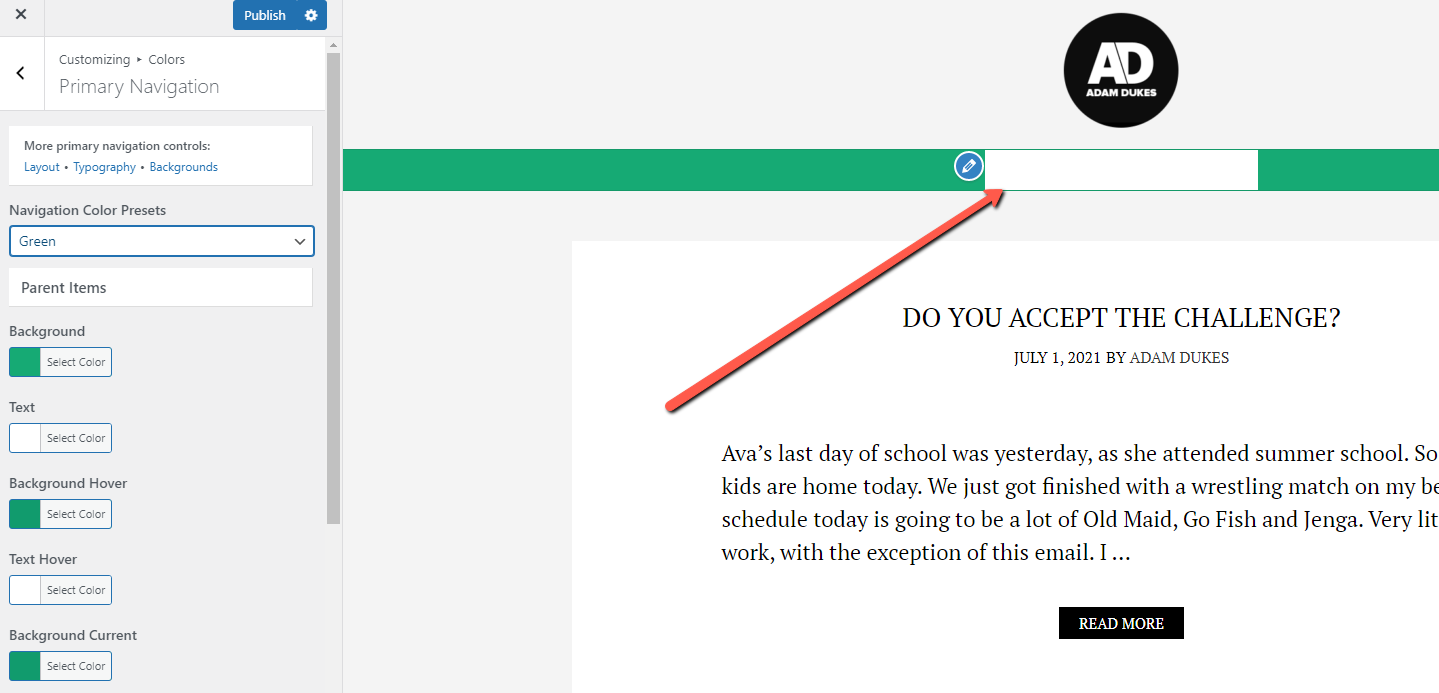
Hi Adam,
Any chance you can link us to the site in question?
You can use the private information field.
Let me know :)
Sure!
Hi Adam,
Change the value of these settings - https://share.getcloudapp.com/v1uYPB4G
It's under Appearance > customize > Color > Primary Navigation.
That's what I did, and it's still not working. (Been on vacation, so have not had time to check this until now).
That's weird, we can't replicate the same issue on our end.
It looks like your background is set to white and text is set to black.
https://www.screencast.com/t/42Tpq6CkTh
If that's not what you've set, we might need temporary access to your dashboard to inspect from the backend, you can use the private info field for this.
Let me know :)
Please see private submission
So you have this CSS added in your additional CSS which is overriding the customizer settings:
https://www.screencast.com/t/vE89vsff6F
Disable it should fix the issue :)
And don't forget to purge cache once changes are made.
I am so sorry for the late reply. How do I disable it? I am allergic to tech :D
Hi there,
go to Customizer > Additional CSS - look for the code that Ying highlighted in the image.
Select that code, as if it were just ordinary text and delete it.
Then Publish changes in the Customizer
That worked! Thank you so much David and everyone else! Greatly appreciated.
Glad we could be of help