
Archived topic
Padding Top not possible between 1 and 20px ?
5 replies · Started by Sven on August 11, 2021
Hello,
i try a lot right now to understand Generatepress better.
I now created an Element to use different Headers on my Posts (from your video: https://www.youtube.com/watch?v=PYb5OClrRaE).
I wanted my text in the container start higher. So i activated the "Spacing" Module.
But there is no way to get my text at 12px from top.
At 0px spacing from top, it looks like this:
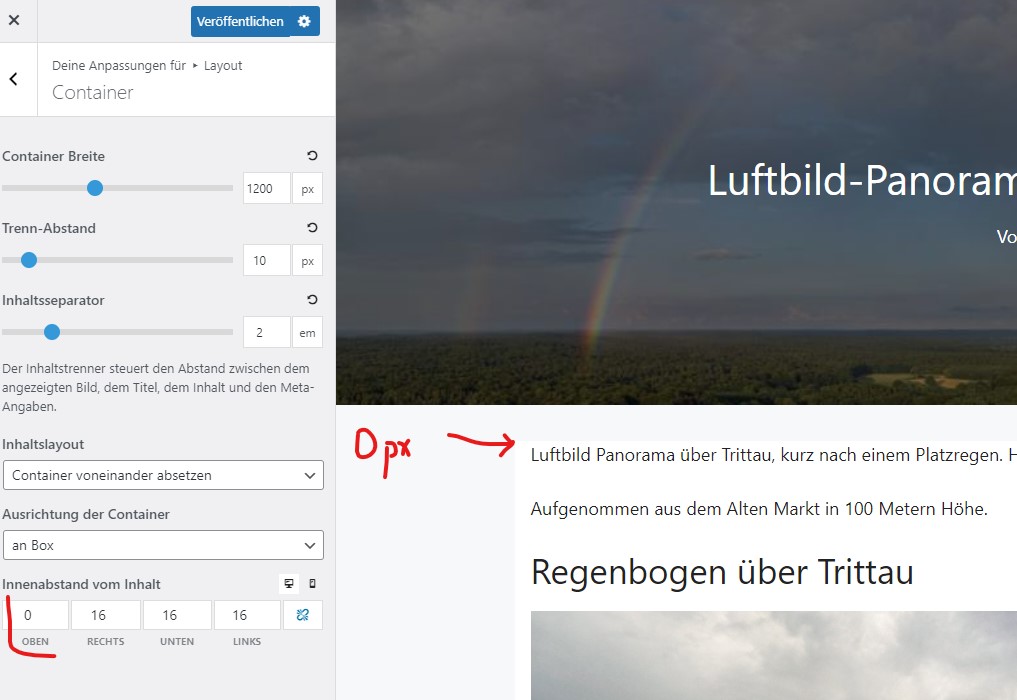
But at 0px Spacing the Text jumps ~20px "lower":

I would like to use something around 12px. I also deactivated the block to see, if it had something to do with the generated Block.
Can you see something i could have done wrong? Or do you have any idea how to get the text higher to the top?
Best regards and thanks for all your fast and qualified support! Really great.
Sven
Hi Sven,
The reasons that it doesn't show as the value you entered are:
1. There's an entry-header by default, when you are using the Header element and disabled the default post meta and title, the entry-header becomes empty, but it's still there and occupies some space.
2. There's a default top margin set to entry-content to separate the default entry header and entry-content.
Try to add this CSS (only for post that has a page hero), then you should be able to control the padding in customizer.
.single-post .page-hero + #page .entry-header {
   display: none;
}
.single-post .page-hero + #page .entry-content {
    margin-top: 0;
}
Adding CSS: https://docs.generatepress.com/article/adding-css/
Let me know if you need further assistance :)
Thank you Ying, that worked.
I've put the CSS to the "Simple CSS" Plugin. Do you have an idea, how i can use this only for posts with page hero? Do i have to put the CSS into my Elements Header-Block?
Best regards, Sven
Hi there,
the CSS that Ying provided only applies to a Post if there is a Page Hero present.
If it is applying when there is no page hero then please share a link to where i can see the issue.
Oh, ok. Thanks David. I see, that all my pages look fine now. I misunderstood the answer at the second point.
Everything looks fine now. Thanks for the fast support.
Sven
Glad we could be of help