
Archived topic
Mobile View with Buddy Press
9 replies · Started by mzsstade on May 14, 2018
Hi there.
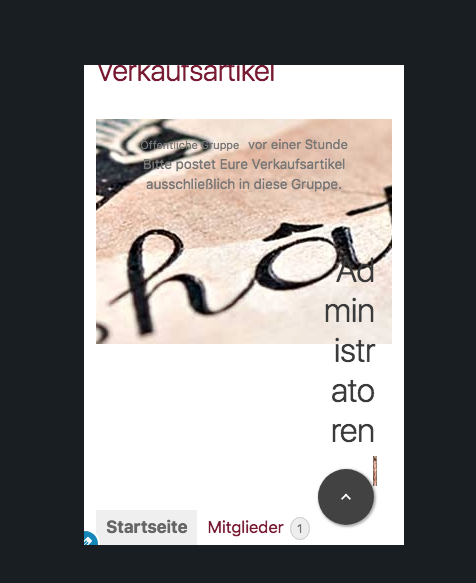
how can i fix this for the mobile view with Buddy Press?
The fond-size for „Administrators" is too big, and it would be nice to have Group-Descriptions and „Administrators" under the Group-image.
Hi, i cannot access the site due to an invalid security certificate.
Ah ok. my Webhoster didn't install it. may you can have a look here: http://testserver.mzs-stade.de/wp-content/uploads/2018/05/Bildschirmfoto-2018-05-14-um-11.11.40.png

Hi, can you fix the certificate on the site? I will need to access the site to advise
hi David, I'am sorry, thats not in my hands. But it is the same situation on my testserver.
http://testserver.mzs-stade.de/
Please log in with user and pass: demo
Navigate to this side: http://testserver.mzs-stade.de/gruppen/verkaufsartikel/
and turn on the mobile view.
Hi, i cannot access with the log in details provided.
i just logged in it works. However, i changed the group to public. Now you can go direct to: http://testserver.mzs-stade.de/gruppen/verkaufsartikel/
you don't need a login now.
You can try this, it will increase the width of the container to 50% and you can adjust the H2 font size to suit:
@media (max-width: 768px) {
    #buddypress #item-actions {
        width: 50% !important;
    }
    #buddypress #item-actions h2 {
        font-size: 12px !important;
    }
}hi David, thanks. That will work for me at this time.
Your welcome, glad we got something fixed. Let us know if you need a hand styling it differently.