Archived topic
Masonry featured image problem
11 replies · Started by xepace on November 20, 2017
Hello. I have a problem with featured image on home page with masonry. At the first page it’s working well but when you press “load more” posts appear without image.
Already tried: clean cache, rebuild thumbnails. Doesn’t work. Please help.
Hi there,
I'm not seeing the issue? http://www.screencast.com/t/Hro4IwbrL
What browser are you using? Can you try a different one?
Thanks!
Hi Leo. Sorry I forgot to tell that it’s happening only on mobile devices. Tried different devices and browsers. With desktop is everything ok.
Just tried on my Pixel using Chrome and your featured images loaded for each post after clicking the load more button.
What browser on your phone are you using?
I'm using Safari. I just checked it on iPad - doesn't show too.
iPhone - 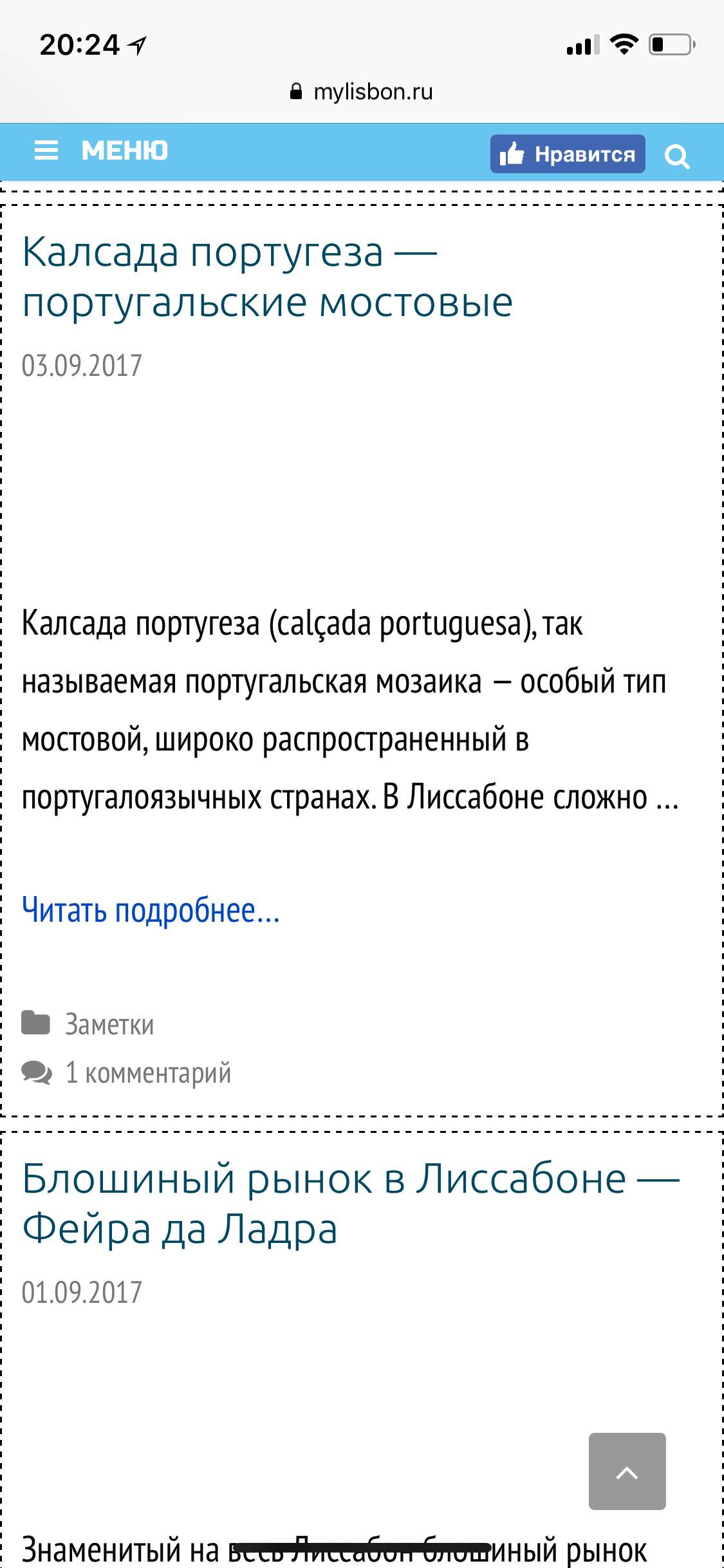
iPad - 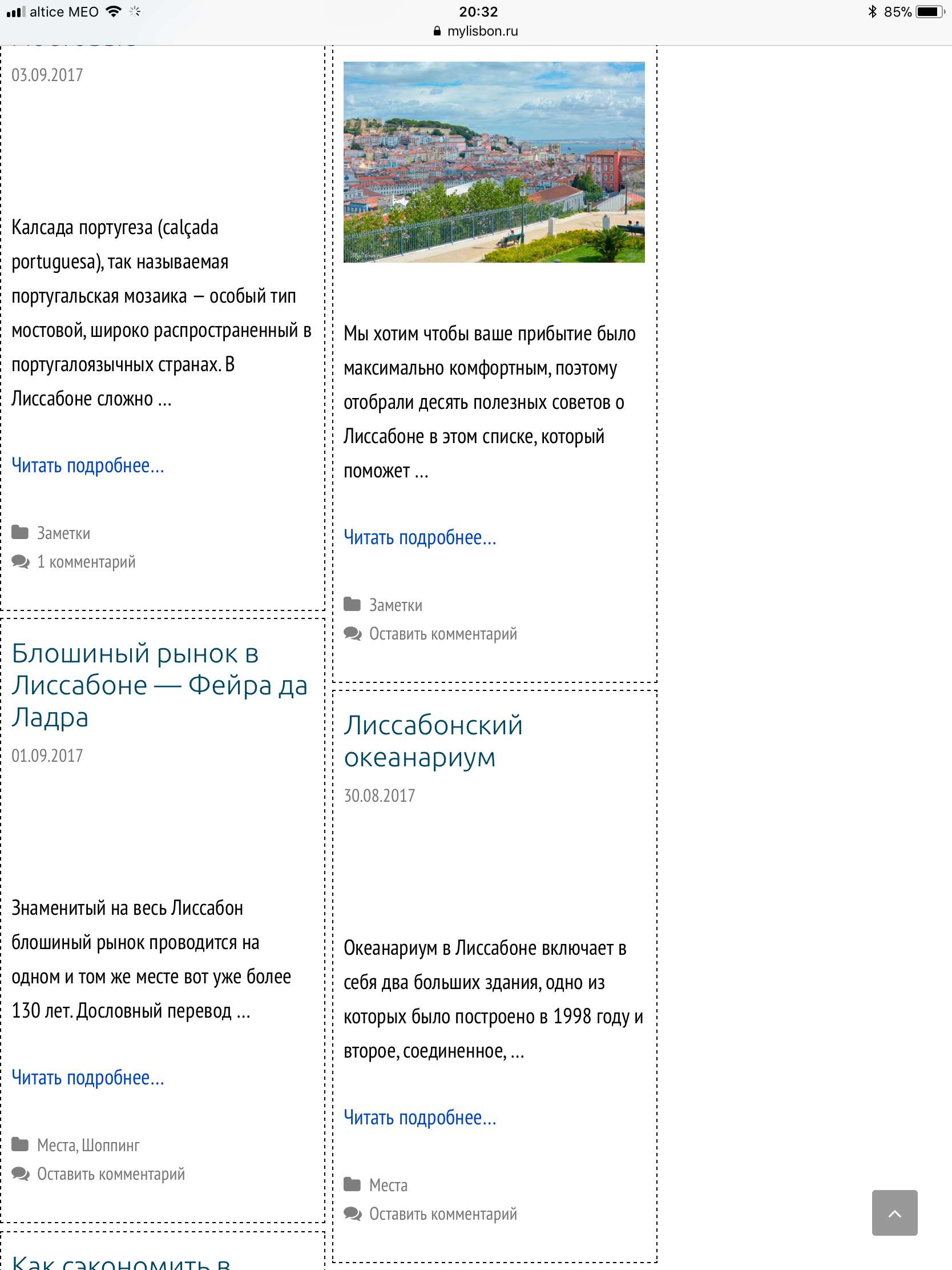
Any plugins dealing with featured images? Lazy loading maybe?
Can you try disabling your other plugins to see if the issue is being caused by one of them?
Already tried to disable all plugins and it still happens. I do not instal something new a lot of time. The problem appeared after some updates. And only on mobile version. Also I tried with chrome - all the same :(
Hmm strange - let me get my hands on a iOS device so I can take a look. I'll get back to you ASAP.
Hello. Do you have some news there? Maybe I can try to add some css code? But I don't know what. Something like .post-image {
display:(pleaseshowit) !important;} :)
I have this bug patched - I'll be releasing an update today :)
Thanks a lot 👍
I just released GPP 1.5.5 which fixes this.
Thanks!