
Archived topic
Make Page Full Width Gone
5 replies · Started by Charles on October 27, 2021
Hi In the last day or so the feature "Make page full width" has disappeared. Seems to disappear when one applies the latest update.
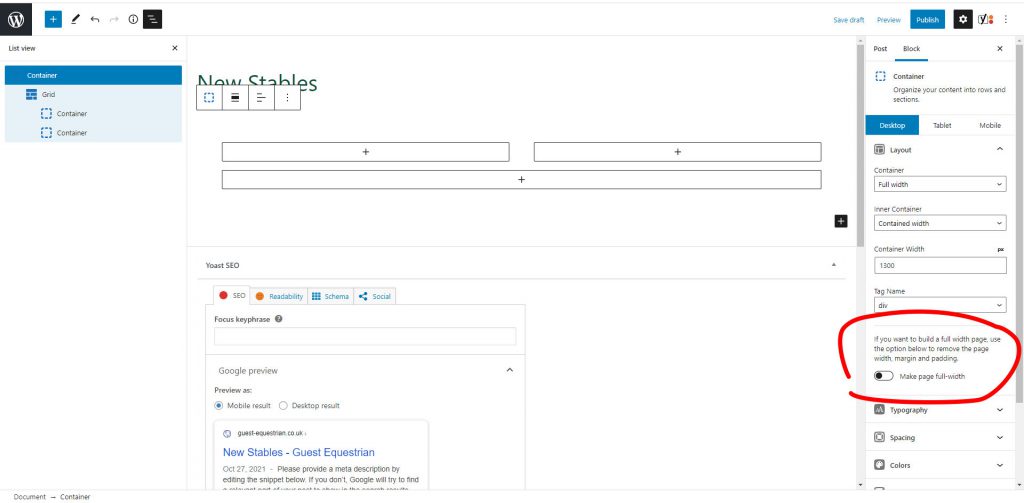 shows the button which has disappeared.
Anyone else had the same issue?
Hi there,
yes it was removed as it was simply a short cut to the Layout Meta boxes Content Container > Full Width option in the theme:
Hi David,
OK - many thanks
Essentially it is just lower down the page now.
Kind regards
Charles
Esentially - it was always lower down the page in GeneratePress.
We added the Make the Page Full option only appear in GB Blocks when GP was the active theme as a shortcut. We decided to remove that option as it could create confusion if a GP user had to use GB with another theme.
Glad to be of help.
Hi! After the update I can not figure it out how to create a page like this on my website: https://www.abeauty.ro/epilare/
If I select a container or not, if I select full width or not, I am not able to position the content like before. Thsi is what I get: https://www.abeauty.ro/bf/
Maybe I dont understand what to do. Can you explain more detailed please?
Thank you!
Can you open a new topic for your question?
Thanks.