
Archived topic
Logo image
11 replies · Started by Ernesto on July 6, 2021
Hi!
I have a little problem, I changed the image of my site logo by modifying the theme from Wordpress. In the preview I see the new image, I publish it, but the previous image is still visible on the site (even after reloading the page). In fact if I delete the image of the logo and publish, the same thing keeps appearing. Why?
Thankfully,
Ernesto.
Hi Ernesto,
Can you provide any screenshots of what you're seeing and what should be displaying on the site?
Here's what I see on my end - https://share.getcloudapp.com/jkuP6Nzo
The logo chosen when customizing the theme is not the same that is later seen on the site

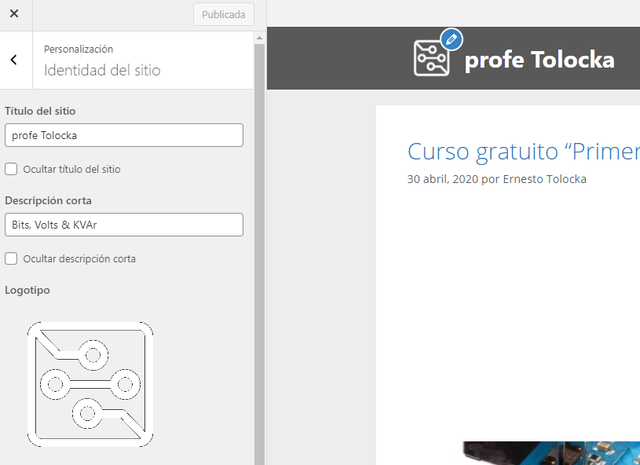
Are you using any CDN? If so, can you try clearing it's cache? The img src link seemed unusual. It's likely that the site is serving a cached version of the logo.
Hi
I already disabled the Jetpack CDN (ex Proton) and a plugin that also included image cache functions, but the image is still not updated.
Regards,
Ernesto.
Any chance you can link us to the page in question with all plugins disabled except GP Premium?
Leo, the link is http://www.profetolocka.com.ar, but I can´t disable all plugins.
Regards,
Ernesto.
Not sure how we can help to debug if you can't disable all plugins to test - it's step #1 in solving issues like these.
Can you start a staging site so we can go through the necessary steps?
Thanks!
Hello
I installed the "WP Super cache" Plugin and used it to clear the site cache, but I still get the previous image of the logo.
Any other tips to fix this problem?
Regards,
Ernesto.
Hi there,
when you go into the Customizer > Site Identity - it it showing the correct Logo?
If so can you confirm that those changes are published?
Hello
When entering Customizer> Site Identity now, I saw the old logo again, although it had already changed as you can see in the screenshots that accompany previous forum messages. The Publish button setting was always configured for changes to be published. I changed the logo again and after publishing it looks updated. (with cache disabled).
Thank you!
Glad to hear you got it resolved.