
Archived topic
Links Colour not Updating with Elementor?
9 replies · Started by enviedbymost on September 17, 2018
Yo guys,
I'm probably doing something (stupid) wrong, but for some reason, the link colour isn't updating across the site. It's updated some places (like the footer), but not the body of some posts.
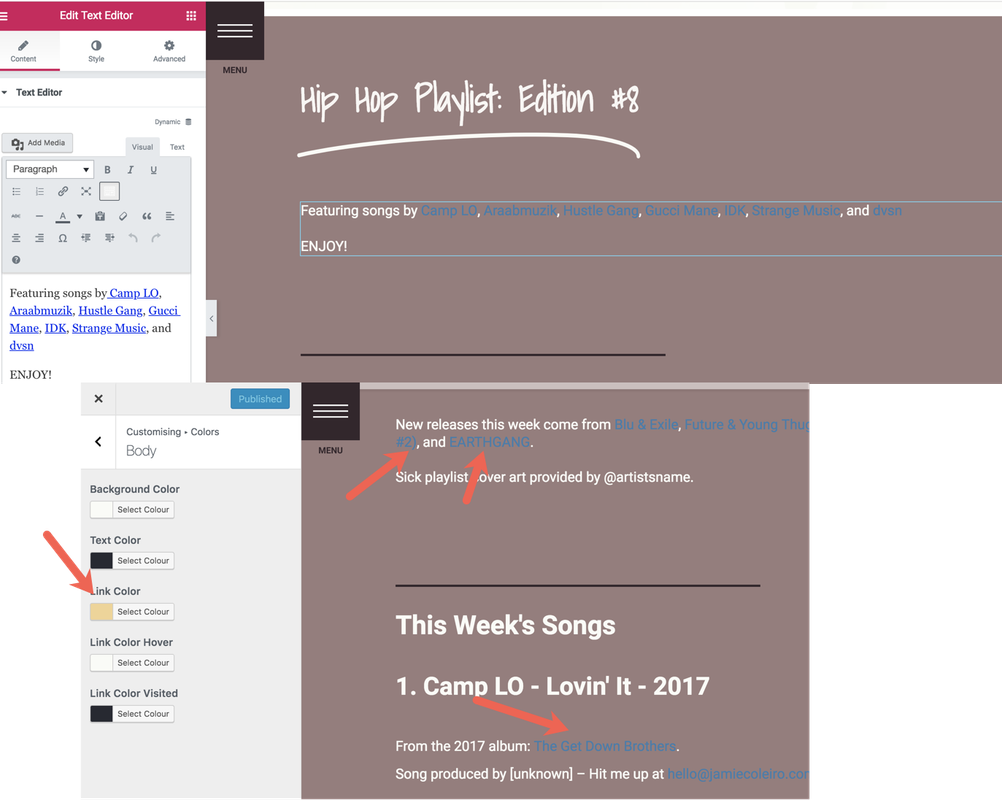
I've tried all the usual goodies like clearing cache and deactivating these plugins
Also, do you know why/how to set the underline to be the link colour, too? That'd be awesome!
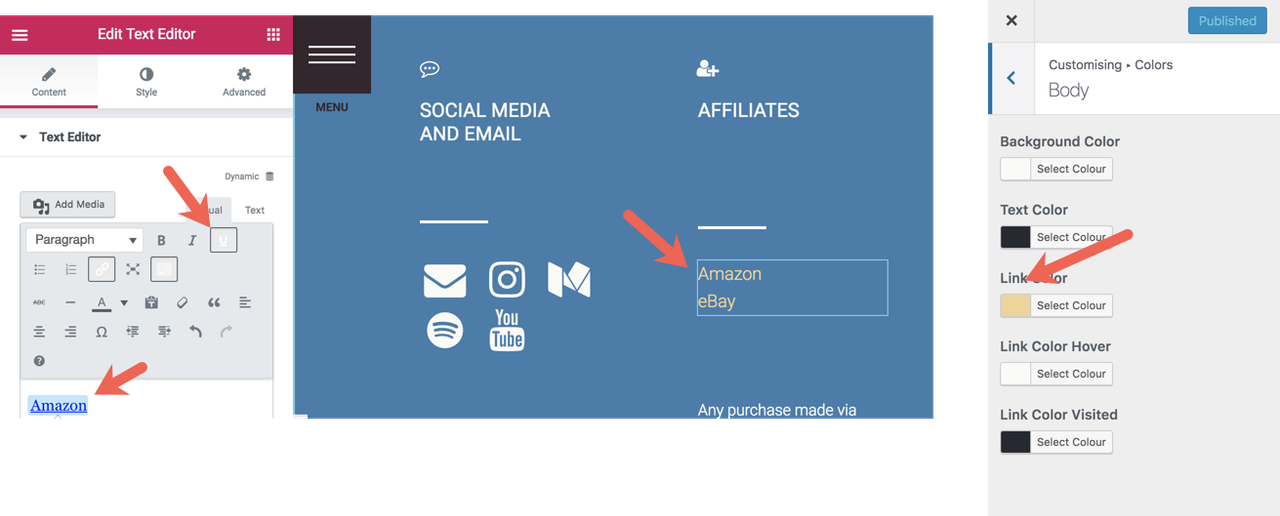
Any ideas, please?
Thanksss.
Hi there,
have you disabled Global Colors in Elementor?
Hey David,
I have indeed!
Are you able to share a link to a problem page? Elementor straps in a lot of additional classes so would need to see what is overwriting the customiser styles.
Sure, no problem, David.
Here's an example. https://www.jamiecoleiro.com/hip-hop-playlists/dope-hiphop-playlist-8/
Quite a few links scattered throughout the page.
OK, can you try Customiser > Colors > Content and change the link color there.
Woohoo. That fixed it, thanks David! :)
The last thing was around setting links to be underlined by default.
Using the same page above, the hover state underlines the text— I'm looking to switch this logic around.
Thanks again for helping me with the color change :)
So you have added this CSS:
.inside-article a:hover {
    text-decoration: underline;
}
You could do this instead:
.inside-article a:hover {
    text-decoration: none;
}
.inside-article a {
    text-decoration: underline;
}This worked too! Thanks so much for your help, David. Really appreciate it. 😍
Glad to be of help :)