
Archived topic
Link to larger images
8 replies · Started by Richard on August 19, 2019
Hi, I'm using GeneratePress/Elementor to tweak the Luxedo 'theme.' One pesky issue is I can't seem to add links that open to larger images in new tabs. Instead, the links go to smaller auto resized images. (These are images that are uploaded to the WordPress image library.)
For example, on this pages: https://redwoodcoastparks.com/directions
if someone clicks from the text in the third item called "Once You're Here," they get a tiny image rather than this one: https://redwoodcoastparks.com/wp-content/uploads/2019/08/NoHum_Map-square.100-922x1024.jpg
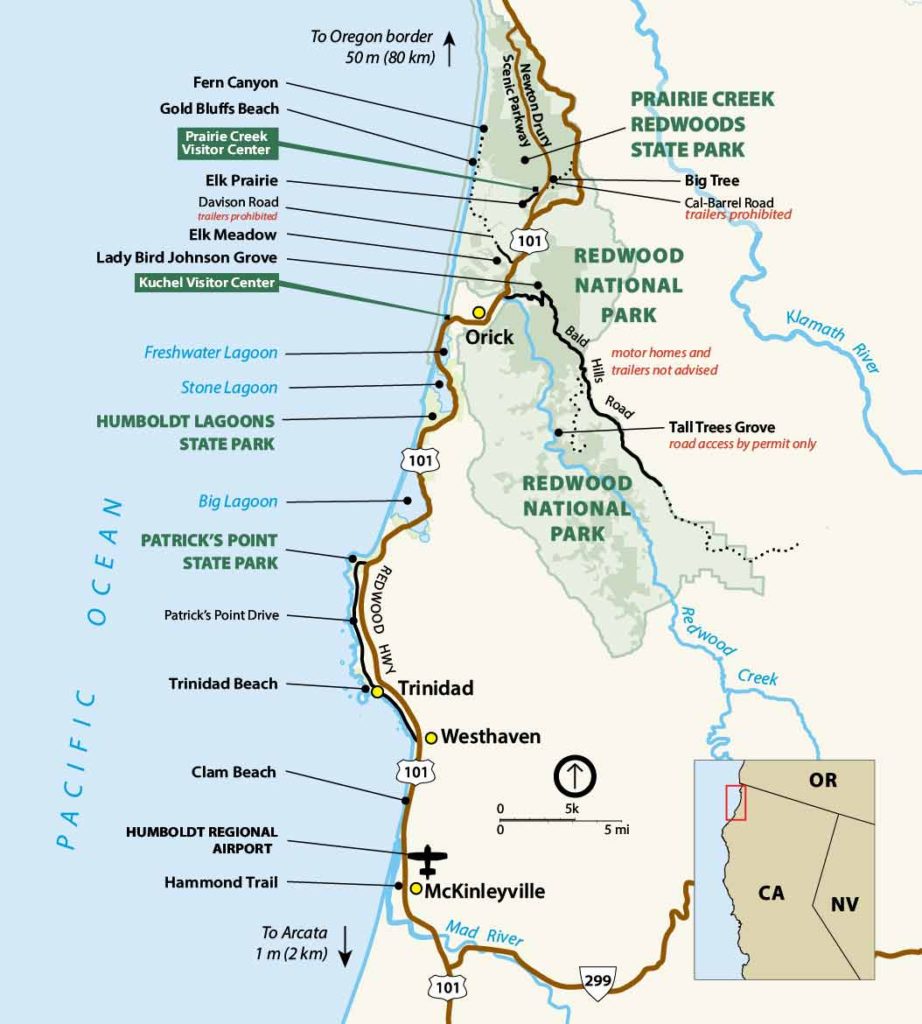
Any thoughts or advice would be most appreciated. Thanks.
R
Hi there,
Looks like you've figured out? I'm seeing a large image when clicking on the map link:
https://www.screencast.com/t/xfOjqxk5OtP
Let me know :)
Hi Leo,
I appreciate your response. The clicked on image, for me, leads to a slightly larger image, but still the same one. I'm aiming to show the original image, which is much, much larger and not cropped.
I can't see your link because it's flash. Is this the image you see?
https://redwoodcoastparks.com/wp-content/uploads/2019/08/NoHum_Map-square.100-922x1024.jpg
Richard
P.S. I was able to see your flash grab, thank you. That's not the image I'm hoping for. See this link for what I'm aiming for:
https://redwoodcoastparks.com/wp-content/uploads/2019/08/NoHum_Map-square.100-922×1024.jpg

R
Hmm can you check with Elementor's support to see if they have any default lightbox feature activated?
When I add the exact HTML you are using:
<a href="https://redwoodcoastparks.com/wp-content/uploads/2019/08/NoHum_Map-square.100-922x1024.jpg" target="_blank" rel="noreferrer noopener">map</a>
The result is correct. You can test the map link at the top of this page:
https://leohsiang.com/gptest/2019/06/17/cat-child-test/
Let me know :)
Thanks, Leo. Looks like the default light box is on. I couldn't find a way to turn off. Any workarounds? R
Never mind. That's on me to figure out! : ) R
Awesome :)
No problem :)