Archived topic
KC - How to place featured image as background and title as overlay?
3 replies · Started by Sascha on April 11, 2022
Hi
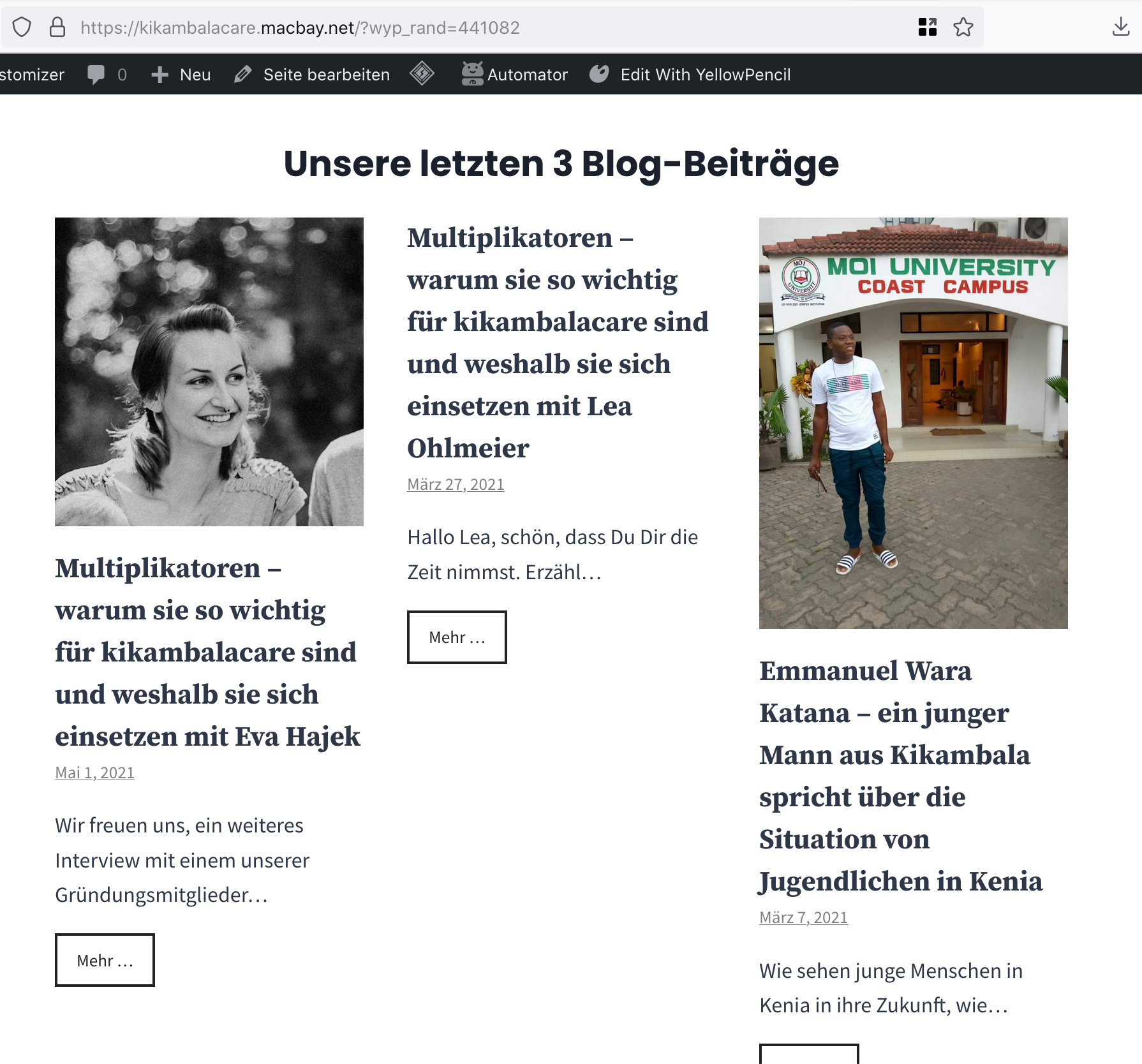
I use "WP Show Posts" on this dev-site in order to display the 3 latest posts on the startpage, as you can see on this screenshot.
I have added some styling via CSS, but would like to have more options, e.g. center the "Mehr …" (read more) button and lower its border-with to 0.5 or max to 1.
Even better it would be to add an overlay color to the featured image and also place the titles over the image instead of above or below.
I wonder, if the Pro-Versions of GP or GB would help me to accomplish this more easily? Otherwise, can you help me to apply the css required here?
Kind regards,
Sascha
Hi there,
reducing the read more border weight and centering the button is easy enough with this CSS:
.wpsp-read-more {
    width: 100%;
    text-align: center;
}
a.wp-show-posts-read-more, a.wp-show-posts-read-more:visited {
    border: 1px solid #222;
    width: 100%;
}
Overlaying text on images is much more complicated, in the next week or so we will be releasing the alpha version of GenerateBlocks 1.5 which will have its own Query Loop to replace WP Show Posts and it will allow for text over images.
Thanks David 🙏
Looks better now. Can you also share the CSS to align the "read more" buttons to the bottom of each post card?
Kind regards,
Sascha
Add this CSS:
.wp-show-posts-columns .wp-show-posts-inner {
    display: flex;
    flex-direction: column;
}
.wp-show-posts-columns .wp-show-posts-inner :last-child {
    margin-top: auto;
}