
Archived topic
Issue customizer settings mason
15 replies · Started by Silvia De Angelis on July 9, 2021
Hi,
I have some trouble changing some default settings of the mason starter site. Thereby my biggest issue is related to the fact that the default menu is displayed despite me having set up a customized menu through the customizer. This leads to the fact the color is still red and my logo is not displayed within the header. I dont use any caching plugins.
Could you please tell me how I can resolve this issue.
Best
Hi there,
can you share a link to the site so i can see what is happening?
The site would be https://ksi-gruppe.de/. Is it possible to share two screenshots with you?
You can share screenshots, you will need to save your images in a share drive or the WP Media Library and provide us a URL to those files. Or use a service like Imgur
Hi,
thank you for your reply find below the two screenshoots:
Defult menu: https://ksi-gruppe.de/wp-content/uploads/2021/07/Screenshot_Menu_2.png
Menu how it should look like according to customizer: https://ksi-gruppe.de/wp-content/uploads/2021/07/Screenshot-Menu.png
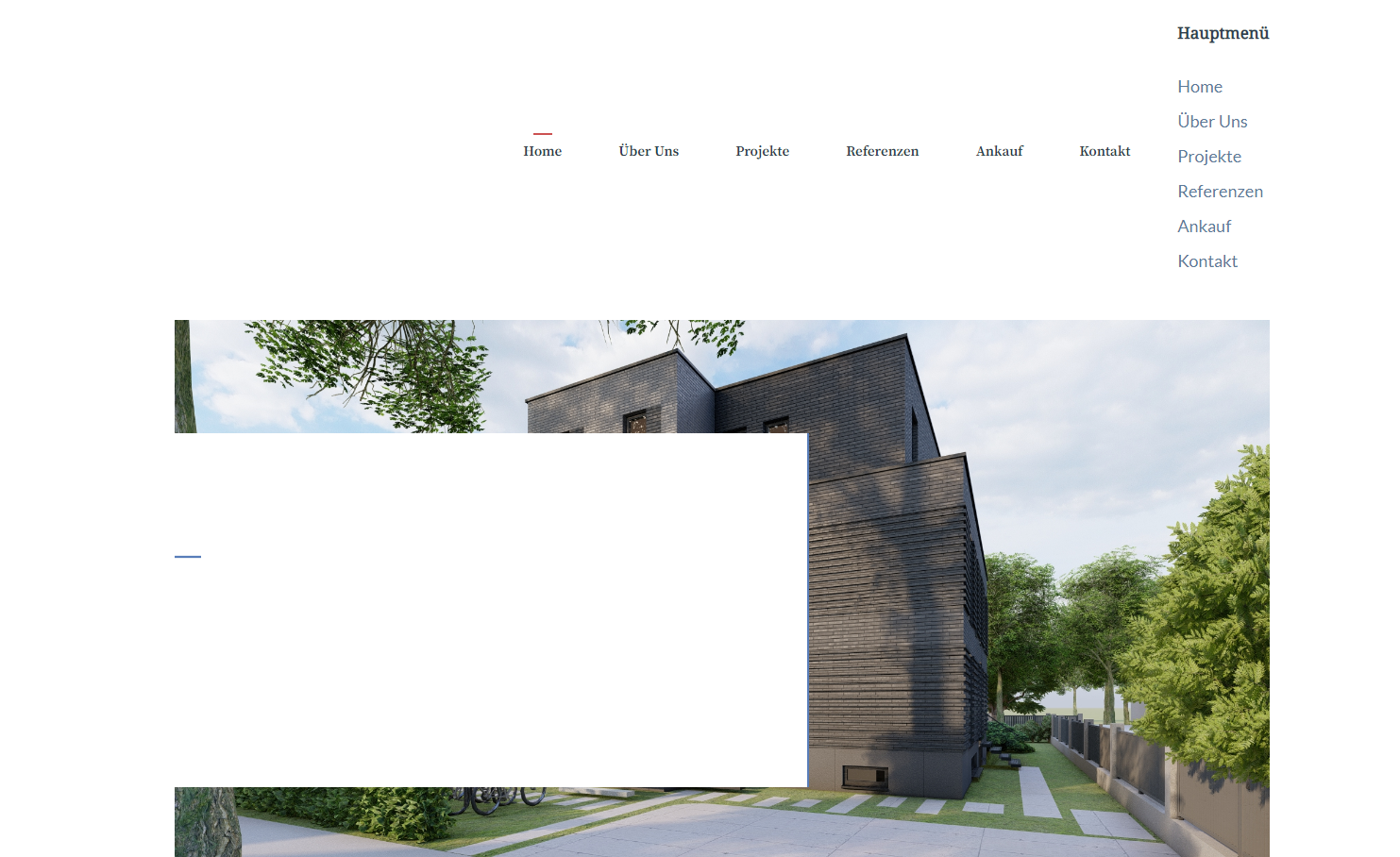
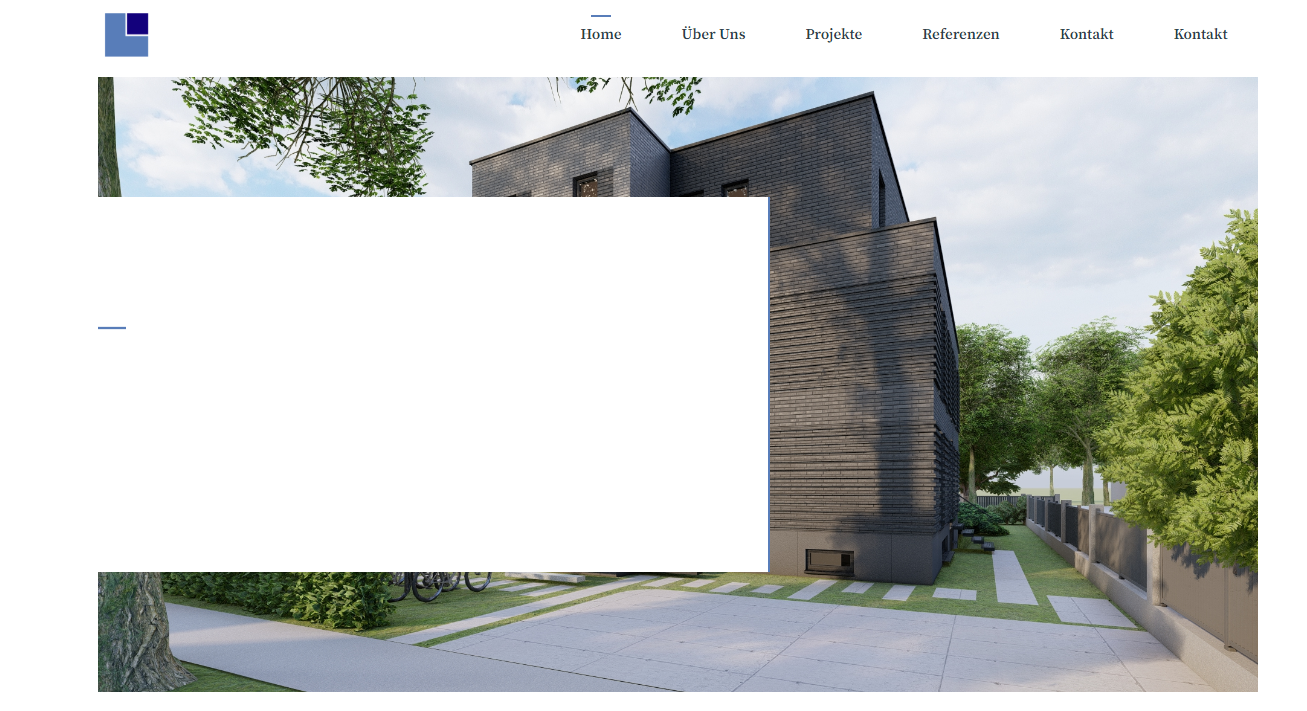
As an alternative you could also tell me how to replace the content within the "main-navigation sub-menu-right" with the content created in the "header-widget".
Thanks
Your site is under maintenance mode.
Can you disable it so we can see?
Hi,
I have disabled maintenance mode. It would be great if you could have another look.
Best
Do you have anything added in the header widget area?
I have not added any code. I have just modified the settings within the wordpress customizer and added a header widget afterwards. Is there a way to disable to default header or do you have another solution to fix this issue?
Hi there,
1. remove the Header Widget.
2. Go to Dashboard > Appearance > Menus - edit your menu and set the Location to Primary Navigation - this should replace the one added by the Site Library Import.
Hi,
unfortunatelly it does not work as you can see within the attached screenshot https://ksi-gruppe.de/wp-admin/upload.php?item=4274. The button still has the red mason default colour and the logo of the company is not displayed. Is there anything else that I can do?
Can you share a temporary admin login to the site so i can see whats happening?
You can share the login username and password in the Private Information field.
That would be great
In Customizer - the changes you made have been Saved as Draft. Change that to Publish by clicking the Cog Icon:
Thank you very much