Archived topic
Image in Category, full width and above title
9 replies · Started by Jeroen on October 15, 2020
Hi Guys,
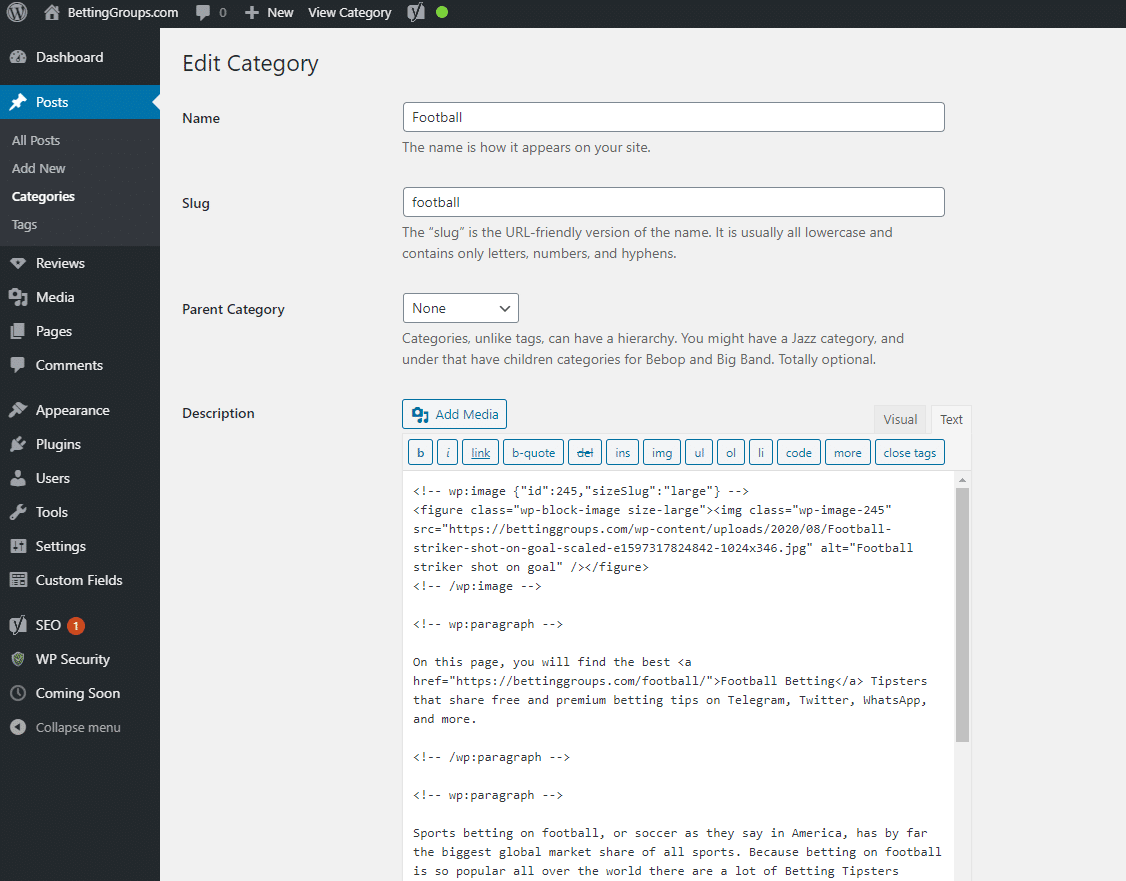
I have created category pages. I would love to have the image in full width above the title. Any options you would recomend?
This is how i coded the catogory:
https://bettinggroups.com/wp-content/uploads/2020/10/Screenshot.png
Hi there,
A header element/page hero should be what you are looking for:
https://docs.generatepress.com/article/header-element-overview/
https://docs.generatepress.com/article/page-hero-examples/
https://docs.generatepress.com/article/how-to-create-a-page-hero/
Let me know :)
Yes i have seen this.. But the thing is it is a category page. So the image is in the content. There no options as there are for posts. If you want i can remove the coming soon and share
Hi,
As Leo mentioned, you'll be best served w/ a Header Element.
And I believe you'll need ACF for this too.
Check this answer.
https://generatepress.com/forums/topic/how-do-i-get-the-header-on-the-category-pages/#post-1440100
What happens here is we basically add a field for image on the category. We then use it for display on the page hero.
Ok thx... Will give it a try first thing tomorrow.. (kinda late on Amsterdam time no)
Will let you know the outcome asap
No problem.
Let us know how it goes. :)
Great stuff guys... Once you get the hang of it...
Changed the header homepage while we where add it :)
Just needed to add some:
to get is to show..
I am happy :)
style="height:400px" aria-hidden="true" class="wp-block-spacer"
Great stuff guys… Once you get the hang of it…
Nice one.
No problem.:)