
Archived topic
How to fix content area padding on mobile?
3 replies · Started by Jim on March 12, 2022
I'm having the hardest time fixing something that seems it should be so simple...
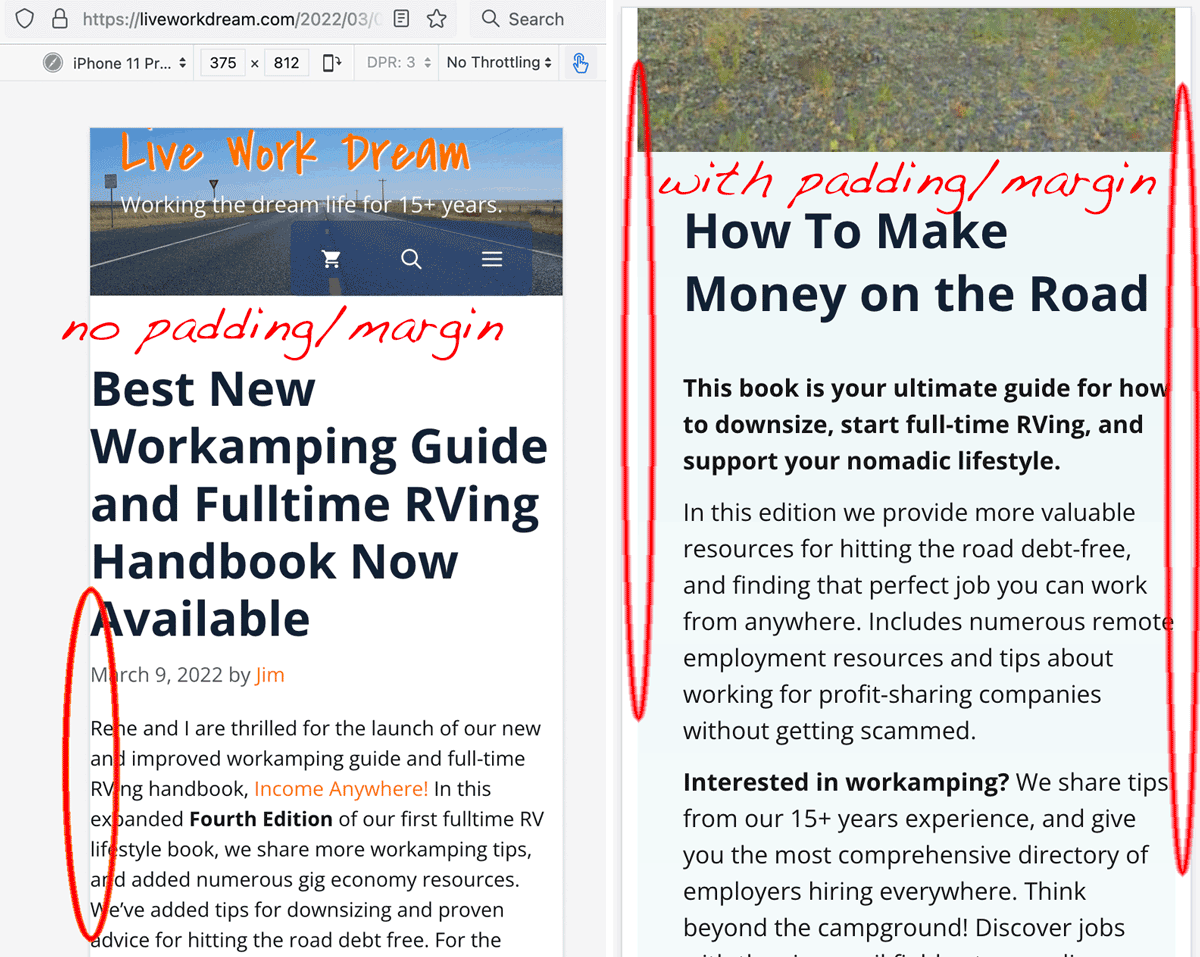
On mobile devices and smaller browser windows, single post titles, content, and metastuff etc. have no padding or margin, most noticeable on the left side. This is not such an issue on pages I've built with containers to manage spacing and backgrounds.
My problem is, when I target various different styles adding margin or padding to the fix the posts it creates unwanted white space around background images and colors assigned to full width blocks on pages.
I hope I'm making sense. Please see the screenshot and view the sample post/page below on mobile or resize the window.
What custom CSS do I need to add so blog post content has 8± px space on the left/right without affecting full-width background images and colors in containers on posts or pages? I do not want to add containers to every blog post. We need this display issue fixed by default for less GP-savvy authors on the site.
Or, can/should this be done with a Hook or Layout element?
Thanks in advance for the good help!
Hi Jim,
Seems your posts are set to contained width, the setting can be found at 2 places:
1. In the post editor's layout metabox > content container, if it's set to contained there, switch it back to default.
https://docs.generatepress.com/article/layout-metabox-overview/
2. Go to appearance > elements, check if there's a layout element has posts as its location, and if the content container is set to contained there, if so, switch it back to default or exclude posts from its location.
Then you can adjust the paddings at customizer > layout > container.
Let me know if this helps :)
Thank you for the prompt response! I knew this should be simple.
When editing a post, the Layout Content Container option was greyed out. I then noticed a "Post Body Width" Layout element was set to contained. Setting that to Default fixed the issue and opened the Layout option back up in the Post Editor.
I forget which site I imported from the Site Library which included this element and the setting causing the issue.
Glad you figured it out :)