Archived topic
How to create a "Menu" post type template & display custom fields?
4 replies · Started by Sascha on September 6, 2022
Hey there,
using the MetaBox-Plugin-Suite, I have created a CPT "Menü" (for a Restaurant Menu) and added a few custom nestable fields:
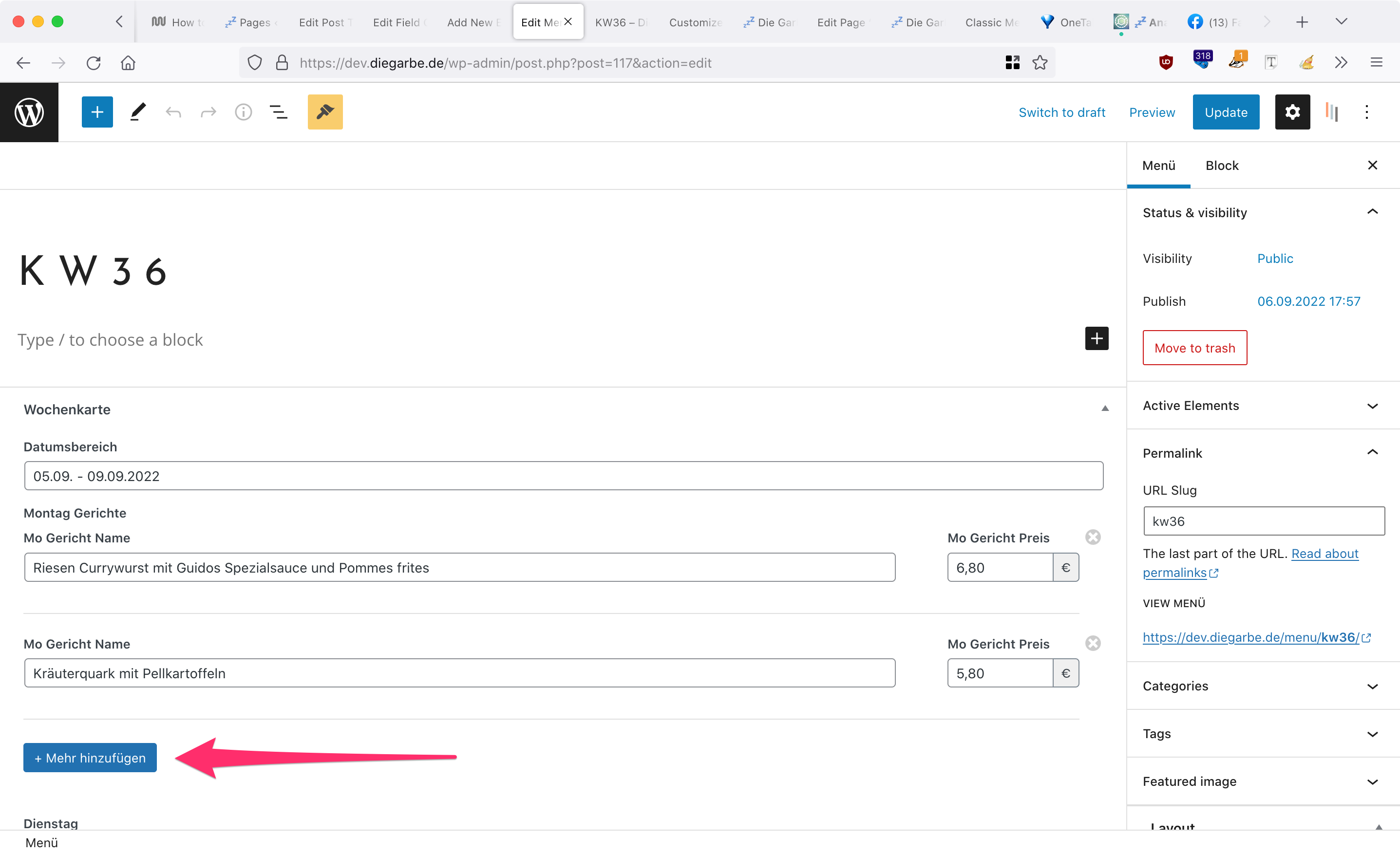
The restaurant is changing their menu every week, and each weekday (Mo-Fr only) they have varying number of "meal of the day" (one or many meals per day).
So the custom fields inside the menu-post-type are structured this way:
cf1 (text): Weekdays (e.g. 05.09. - 09.09.2022)
cf2 (group, clonable/nestable): Monday Meals (id=montag_gerichte)
cf2-subfield1: Monday Meal Name (id=mo_gericht_name)
cf2-subfield2: Monday Meal Price (id=mo_gericht_preis)
cf3 (group, clonable/nestable): Tuesday Meals (id=dienstag_gerichte)
cf3-subfield1: Tuesday Meal Name (id=dienstag_gericht_name)
cf3-subfield2: Tuesday Meal Price (id=dienstag_gericht_preis)
cf4 (group, clonable/nestable): Wednesday Meals (id=mittwoch_gerichte)
cf4-subfield1: Wednesday Meal Name (id=mittwoch_gericht_name)
cf4-subfield2: Wednesday Meal Price (id=mittwoch_gericht_preis)
and the same for Thu & Fri.
If the restaurant has more than one meal on Monday, the owner only needs to press "+ Mehr hinzufügen" and the cf-group will create a new item, as you can see on this screenshot: http://media.macbay.net/_support/dev_diegarbe-custom-fields-in-CPT-issue2_28C7ACE4.png
Now I want to create the template for these "Menü" post-type incl. all custom fields, which are created or filled per post in the frontend. There are 4 occurrences I need to display the Menü in the upcoming version of this site (https://dev.diegarbe.de/):
1. Frontpage, similar to this section: https://diegarbe.de/#karte
2. Menü-Page, similar to this page: https://diegarbe.de/menue/
3. Single for Menü-Posts, so that Menüs from past weeks will be accessible
4. Archive for Menü-Posts
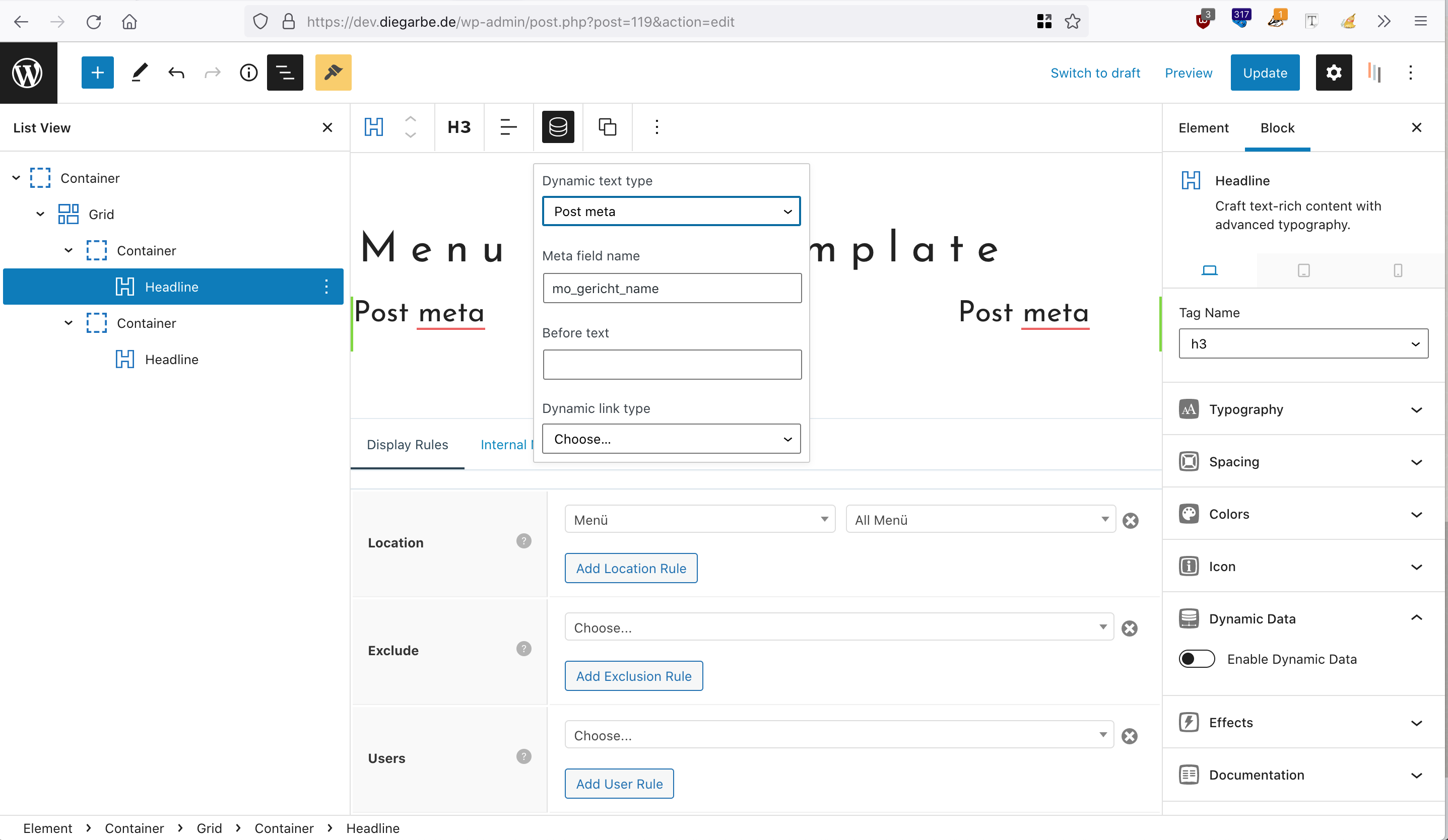
In GP-Elements I have created a "Menu Items Template" in order to show the Menüs on Single-Menü-Post (3.), here's a screenshot of the settings: https://media.macbay.net/_support/dev_diegarbe-custom-fields-in-CPT-issue_28C7A9C2.png
The 2 Headlines should display the cf-subfields1 & cf-subfields2, repeating only if required due to the amount of cf-groups for each day.
I'm aware, that the nested-fields will have different IDs and therefore difficult to display 🙈 So if you can help me implementing the requirements as stated above, I would be more than thankful 🙏
I have already tried to follow your instructions
here https://generatepress.com/introducing-the-gp-theme-builder/
here https://docs.generatepress.com/article/block-element-post-meta-template/
and here https://docs.generatepress.com/article/block-element-content-template/
but none of these articles were helping me to accomplish this use-case.
Looking forward to hearing from you …
Thank you in advance and kind regards,
Sascha
Hi there,
our dynamic data options ( in GP and GB ) only handle simple single fields at this time.
To loop through repeater fields or sub-fields / nested fields, isn't something it can do today. It will be a future feature.
For today you would need to use the Meta Box docs to create the output you require.
For example:
https://docs.metabox.io/extensions/meta-box-group/#sub-field-values
Hi David, thanks.
So I will not use dynamic nested/repeater fields, but would like to use the normal subfields:
I have created a CF-Group "Menüs" which contains 4 custom subfields (text) inside the groud-field "montag_gerichte" with the following IDs:
mo_gericht_name1
mo_gericht_preis1
mo_gericht_name2
mo_gericht_preis2
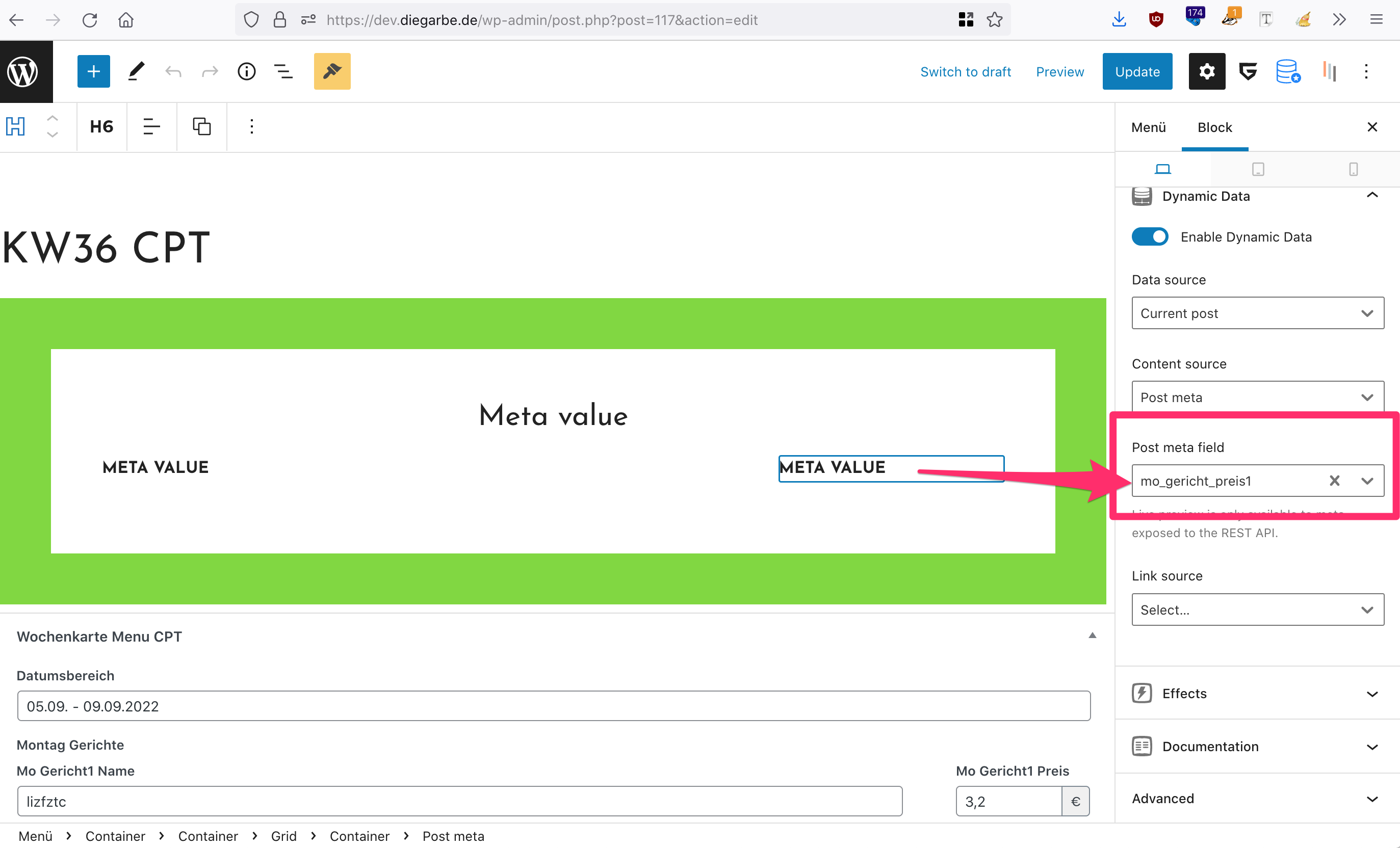
Now I try to display these subfields using the Headline-block, but when I add any of the above mentioned subfield-IDs to a headline, nothing will be displayed.
On this screenshot you can see, how I tried to apply.
So now that there's no repeater, which would allow the editor to create additional nested items, I wonder we still cannot display these subfield-ids?
Can you please help me with this?
Thank you in advance and kind regards,
Sascha
It won't work with Meta Box sub-fields.
We haven't added integration for it yet.
We're currently focused on ACF integration - see here:
https://generateblocks.com/generateblocks-pro-1-4-0/
We will move onto Metabox and PODs afterwards
For now you would need to use metabox shortcodes
"We will move onto Metabox and PODs afterwards"
👍💛