
Archived topic
How to break/split a long word in a headline?
1 reply · Started by Sascha on January 7, 2022
Hi
in tablet view, the headline word "Anwendungsbereiche" does not split to "Anwendungs-bereiche" on this page, as you can see on this screenshot.Similar issue with the headline "Galvanisierungstechnologie", as seen on the same screenshot.
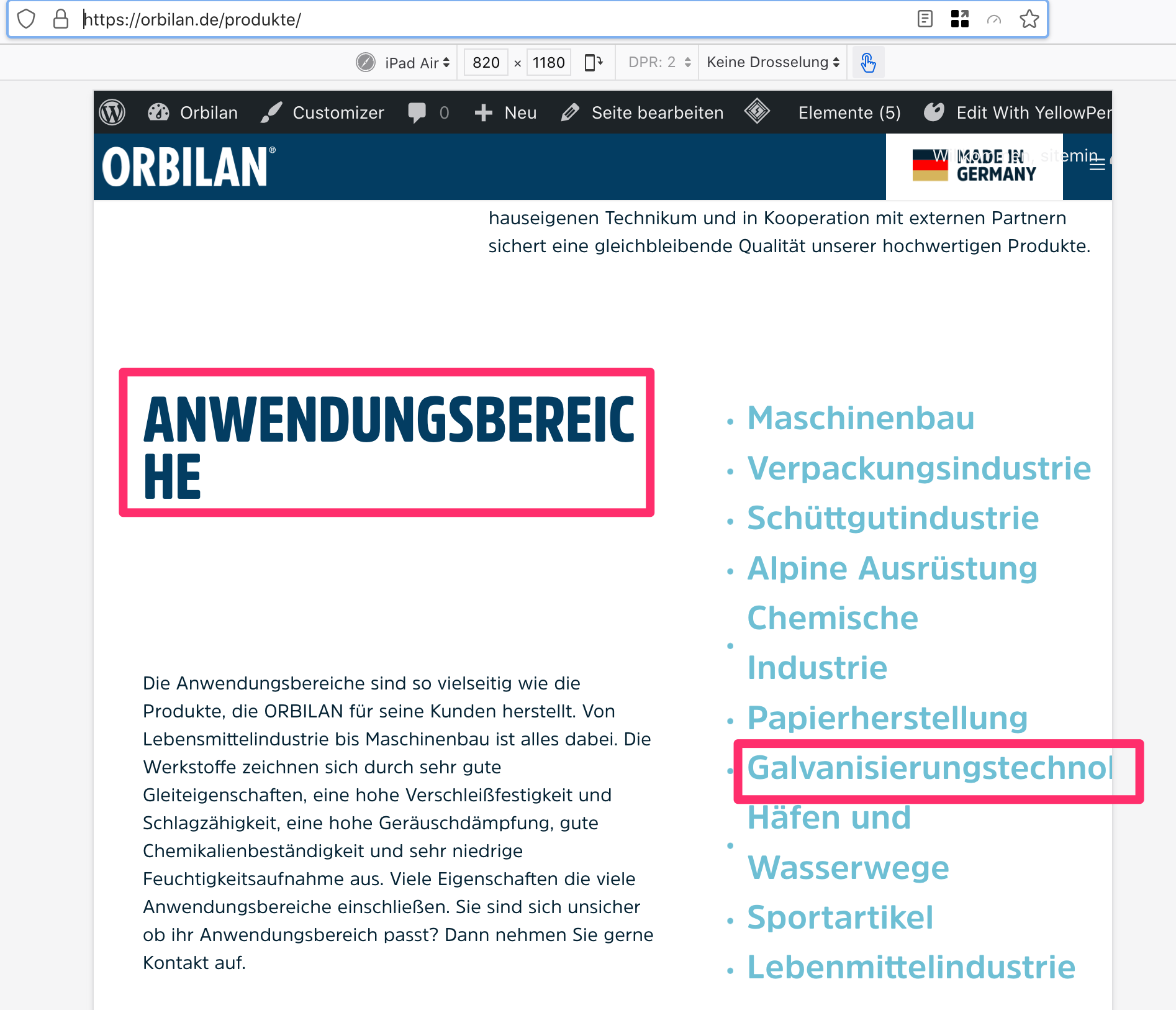
How can I force such a word break on a long word using the GB headline block?
Thank you in advance and kind regards,
Sascha
Hi there,
Browser support of hyphenation is pretty poor... more info here
What you can try is adding a soft-hyphen to your headline text using this unicode: ­
First select the Headline, and from the Block Toolbar 3 dot menu select Edit as HTML and insert the soft hyphen eg.
Anwendungs­bereiche
Then from the 3 dot menu select Edit Visually.
Then see how the browser deals with it on the front end.