
Archived topic
How to apply GB Global Styles to Headline Icons?
15 replies · Started by Sascha on March 8, 2022
Hi
I have created a few headline-blocks and want to centralize the icons, so it looks like a list, check this page (check each slide, as they contain the headlines inside containers).
I have also created a global style for these headlines, so that the "dot" icon will have the same styling on each headline.
But obviously, it's not working. Please see this mockup for reference.

Can you please help me fixing this?
I have licence for both GP & GB Pro and need my tickets on one place: here ;-)
Please find credentials below.
GB-Docs are lacking appropriate documentation about if the icon-styling can be defined globally :/ I wish I can also apply the icon-code only once. Currently using one of the defaults:
<svg aria-hidden="true" role="img" height="1em" width="1em" viewbox="0 0 512 512" xmlns="http://www.w3.org/2000/svg"><path fill="currentColor" d="M256 8C119 8 8 119 8 256s111 248 248 248 248-111 248-248S393 8 256 8z"></path></svg>
Please help me 🙏
Thank you in advance and kind regards,
Sascha
Hi Sascha,
When you add the headline block in a page or post, can you make sure the icon size field is cleared? So that the global style can kick in.
Let me know :)
Thanks, that's what I did already, but whenever I hit "Update" to save changes of other elements (any blocks below the header), the Headline Block Icon Size will be set to "1" automatically, as you can see on this screenshot.
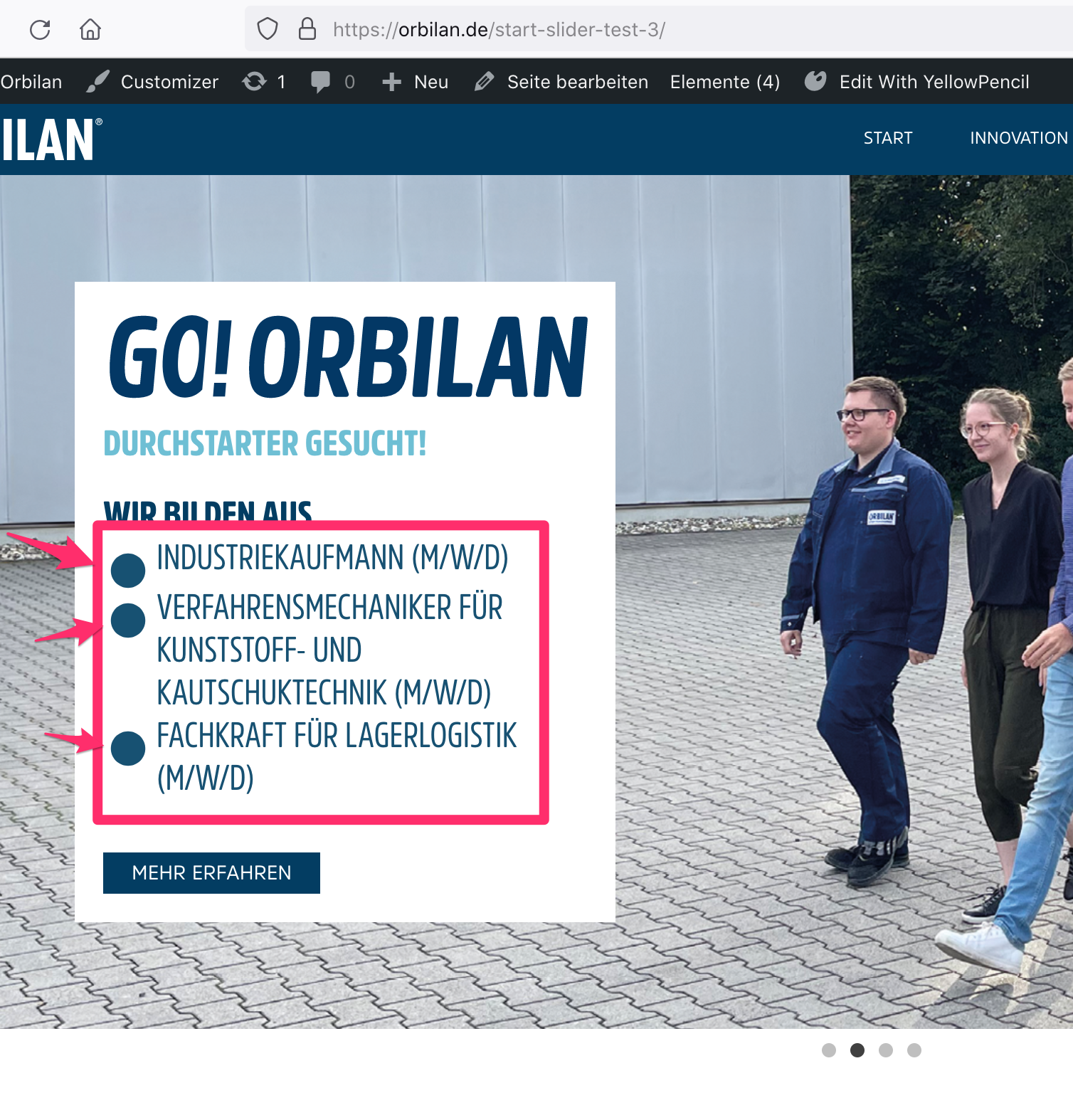
Is it a bug? Feel free to access the page directly, you find the URL in my initial message and credentials in the "Private information" field :)
Thank you in advance and kind regards,
Sascha
Where can I edit the slider content? The slider is not activated right now.
Let me know :)
The GB-headline-blocks are nested inside the "Advanced Slider" block, as you can see on this screenshot:
http://media.macbay.net/_support/orbilan-slider_27DA1705.png
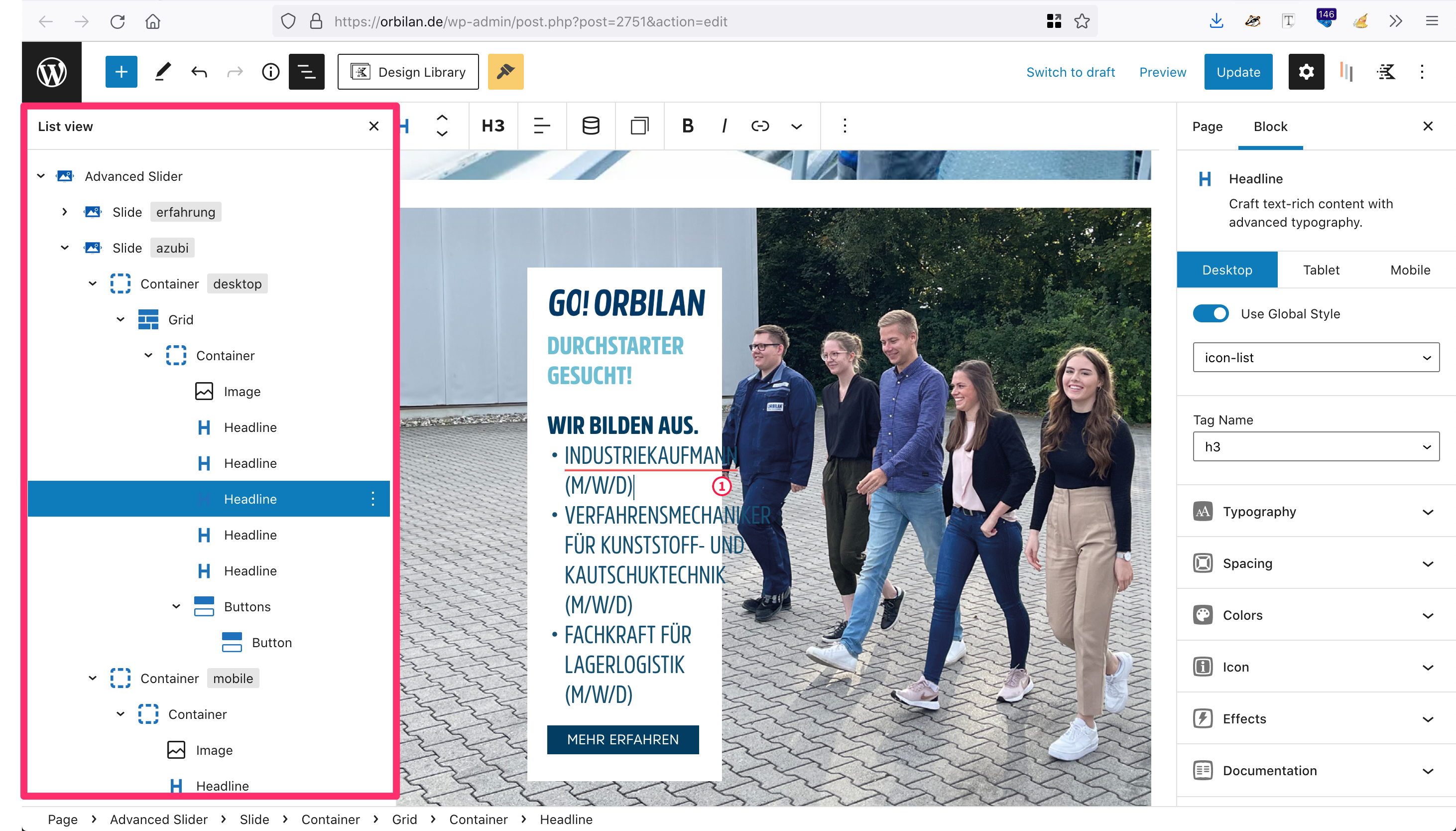
Thanks :)
Hi there,
can you share a link to the post/page where we can see this ?
As mentioned in my initial message, you find the page here:
You are currently editing the page, can I take over to have a look?
Ass we're actively working on this page, I have duplicated the page here: https://orbilan.de/start-slider-test-4/
So there are even more issues, like the white color in Container is missing. Compare to https://orbilan.de/start-slider-test-3 (our current dev page)
In your slider-test-3 page, the white background is added to the actual container, not from global style( gb-container-slider-white).
https://www.screencast.com/t/DOwX4isfR82N
The slider-white global style doesn't have a background color set:
https://www.screencast.com/t/PqhkeVHh
In the test 4 page, I remove the headline's icon size, and now it works well:
https://www.screencast.com/t/siDhnrjYwW
Thanks, but I still don't understand, why the white container on https://orbilan.de/start-slider-test-3/ the second slide has a height of almost 390, although all containers should have a height of max 360 and how to modify the global styles accordingly.
Can you help me further please? All Containers should be square. Please note, that some CSS is added to this page via Simple CSS
I don’t think there’s a max height setting in GB, so how come all the containers should be shorter than 360px?
360px as per clients definition / requirement
You can reduce the top/bottom padding of the container.
If you apply a max height, what will happen to the content exceeds the height limit?
Have a look at the max height css property and let us know!
I did that, but still too much space