
Archived topic
How to add SkyScrapper Ads (Picture Added) ?
7 replies · Started by Sharon on November 13, 2020
This is a plugin of betterstudio, I used their theme before i bought GP, now this option is needed for me, any solution ?
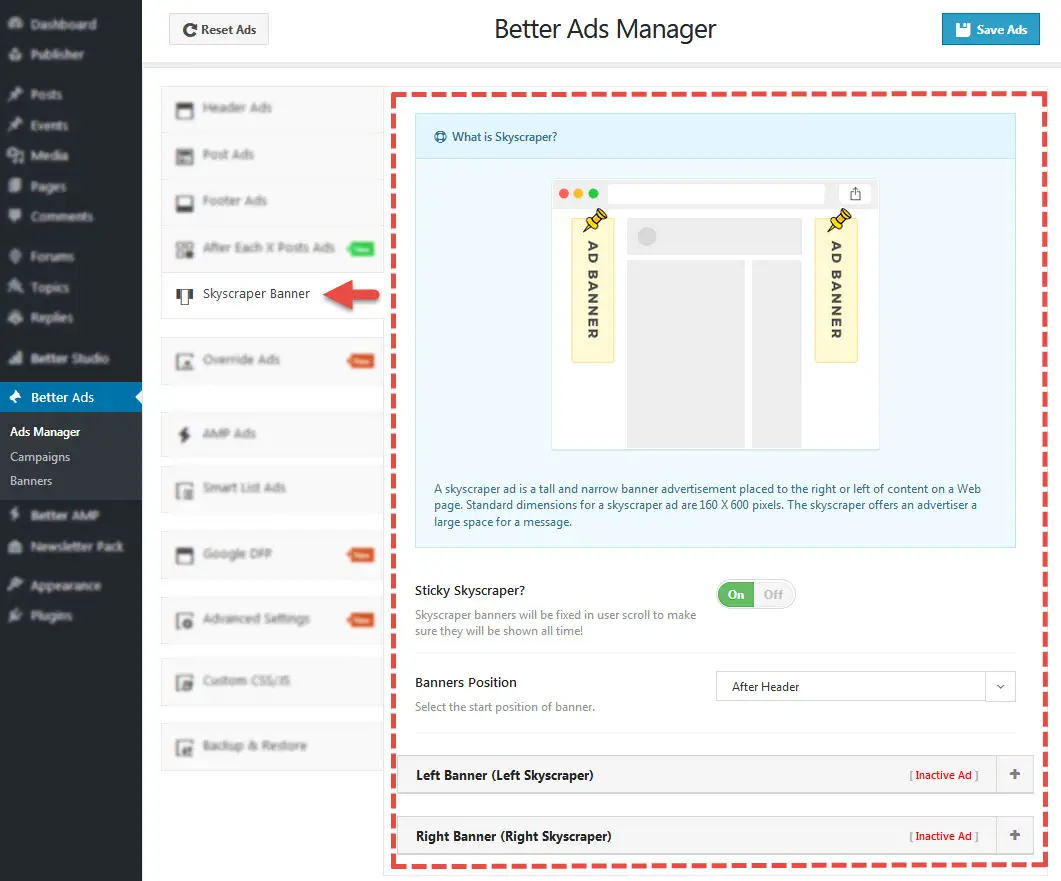
Hi there,
Did the plugin provide any instructions on how to add their content into a WordPress theme that's not their theme?
Let me know :)
No, but i can send you the full theme with all the plugins or just the plugin itself, im sure youl be on it in a second.
Can you check with the plugin support on how to implement their content first?
If they can provide a solution that works with all WordPress themes, then we can make it work in GP.
The problem is that if I install the plugin apart from the theme, I dont even have all the options in the picture above, I only have this options, and I dont even figure why.

Can you check with their support team first?
Perhaps their plugin is only built to work with their themes.
You should see the same issue when you activate a twenty series WP theme.
my support sub is over.
I remember i had a code problem that the skyscrapper was far, so they gave ms short custom css:
.bf-breadcrumb-item{float:right;
padding-left:20px;
padding-right:20px;
list-style:none;}
.bf-breadcrumb .bf-breadcrumb-item {
display: inline-block;
font-size: 12px;
line-height: 22px;}
maybe you can see something that can implement inside the GP.
I tried to add it on custom CSS, but nothing shows, because probably i dont have the SkyScrapper option like in the pictures i added.
That CSS is not theme-specific.
Can you check with their support team first?
Another test you can do is to activate a twenty series WP theme - does the ad shows there?
