
Archived topic
GerenateBlocks with out any options
5 replies · Started by Robert on November 4, 2021
Hi
I installed Your GerenateBlocks on my website and I try to build the top bar
but I don't have any option to change te colors, layout ect like You show on the movie on https://generateblocks.com/
https://snipboard.io/GkNOiu.jpg
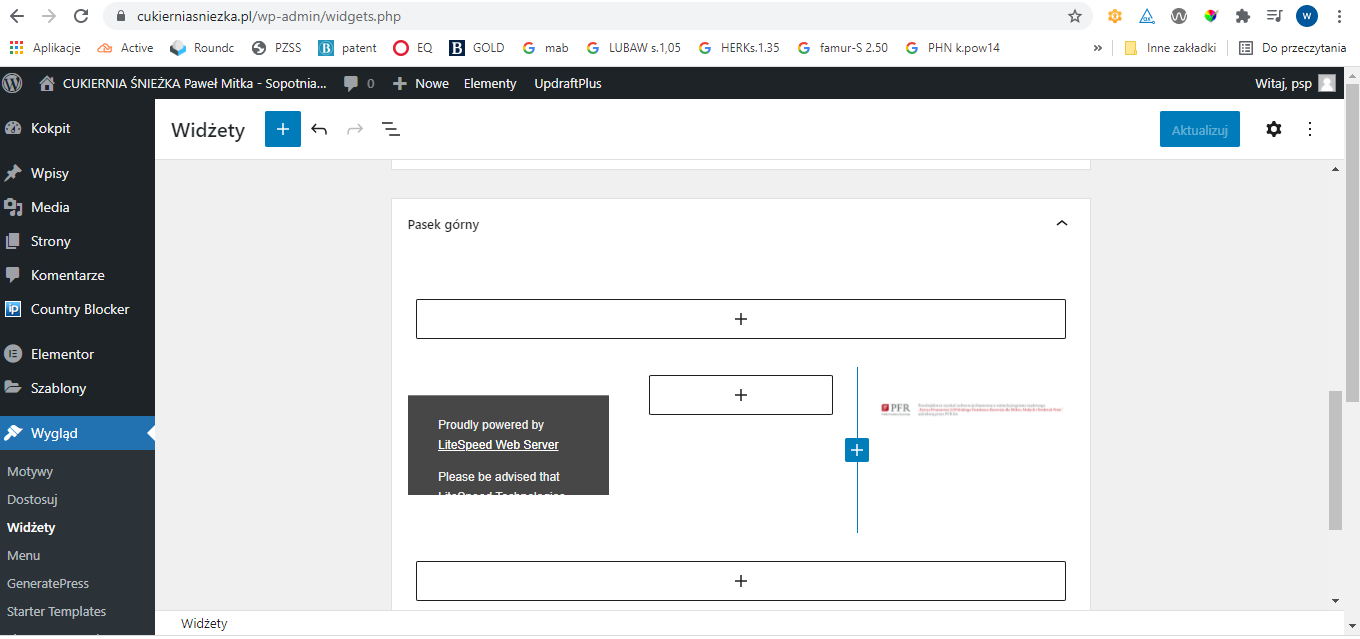
Do You know maybe why?
I have in my block now 3 collumns: how can I change the size from it to: 30/10/60 ?
and my top bar is to height - how can I set up it to just 40px height?
Kr
RObert
Hi Robert,
I installed Your GerenateBlocks on my website and I try to build the top bar
but I don’t have any option to change te colors, layout ect like You show on the movie on https://generateblocks.com/https://snipboard.io/GkNOiu.jpg
Do You know maybe why?
You'll have to open the settings sidebar panel. You can open it by clicking the gear icon on your UI.
It's this one - https://share.getcloudapp.com/d5u6Rld7
I have in my block now 3 collumns: how can I change the size from it to: 30/10/60 ?
You have to select the columns and assign different size for them on the settings on the sidebar panel.
and my top bar is to height – how can I set up it to just 40px height?
The height will be dependent on the height of the content of the sidebar + the paddings. :)
Hi
I change the size of the 3 collumns but I can't change the height paddings
https://snipboard.io/tyfvXR.jpg

I dont see any options to do it, I just have this only 3 options:
https://snipboard.io/de4Exm.jpg

Kr
R
Hi there,
you need to make sure you're selecting the right block, use the List View to make that easier:
Hi
I set the padding in the Container to 0px for the buttom, but notging happend
https://snipboard.io/gJkIc4.jpg

Kr
R
Instead of using the core Columns Block to create your row, use the GB Grid Block that will eliminate the addiitonal spacing.
OR you can add this CSS:
.top-bar .wp-block-columns {
    margin-bottom: 0
}