
Archived topic
Excerpt not showing (shows full article)
7 replies · Started by Varun on August 19, 2019
The category archives are showing full length of the article instead of excerpts. I tried the option of Excerpt to show only 25 words but it shows full length. I also tried deactivating all plugins but it still doesn't work...
Please see screenshot attached...site under construction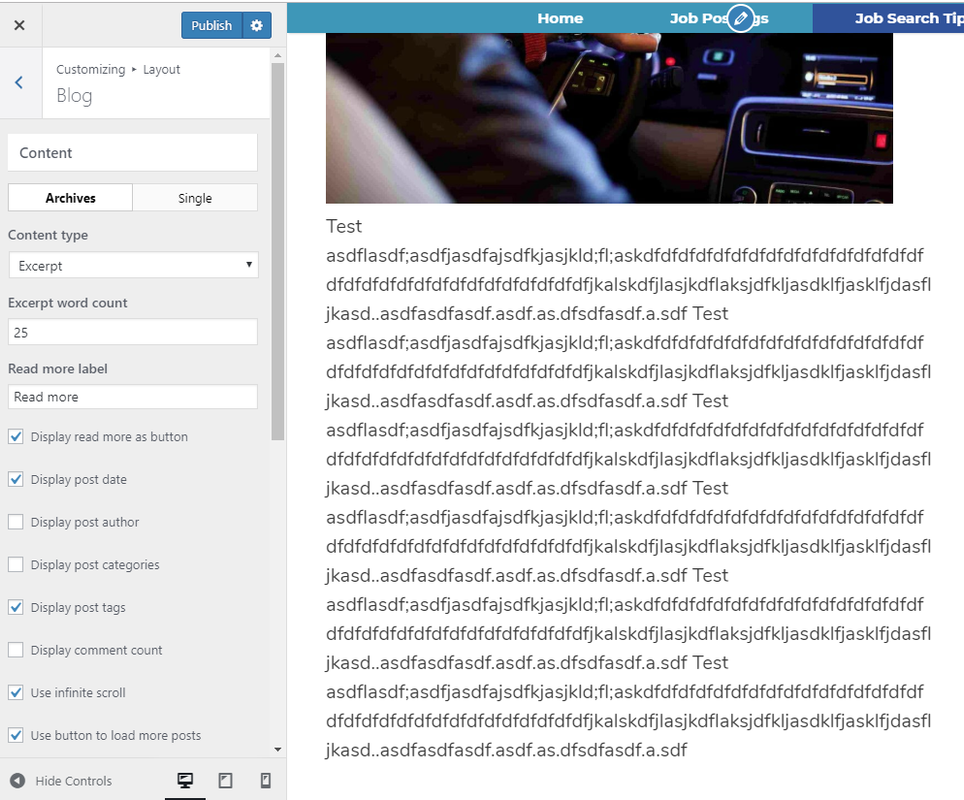
Also the Read more button doesn't get displayed...not sure what's wrong...thanks in advance.
Hi there,
are you adding a Custom Excerpt in the Post Editor?
Nope I wasn't using that...After your reply I tried using custom excerpt that using Gutenberg and it worked but it shows the excerpt on the side of the image...how do I change the excerpt location to the bottom of the image?
Also is it possible to do this without Gutenberg?
OK - the the Excerpt Word Count is the number of words. Those dummy articles have less then 55 words hence the entire post is displaying and no Read More shows because its effectively showing the full post.
It worked...I tried with more than 55 words and it shows the read more button...
Is there anyway to show the excerpt below the image instead of right side of the image? Do I need to change any settings?
You can change the position of the image from aligned left to centered in the Customizer > Layout > Blog --> Featured Images > Alignment - you will see there are separate tabs for selecting archive / post / page.
Also make sure your image is large enough to fill the column and container width.
All set now...Thanks a ton for the quick resolution. Really appreciate.
Happy to be of help