Archived topic
Drop down menu for sub pages and sub sub pages
9 replies · Started by Linda on February 24, 2022
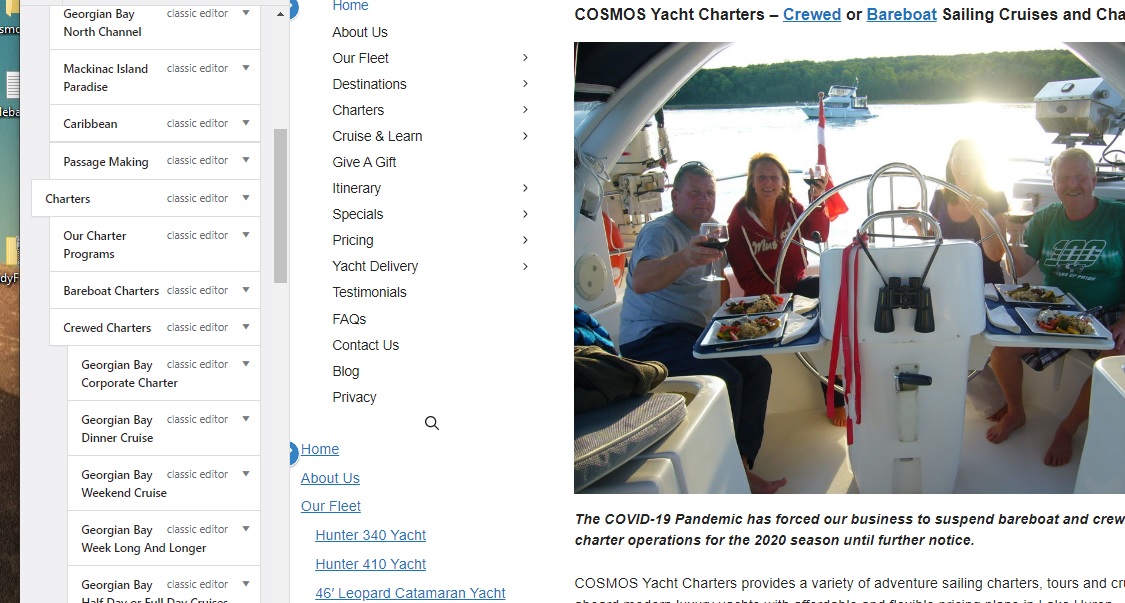
I created a sidebar menu and have sub pages and sub sub pages indented in the Customizer.
https://i.postimg.cc/XqzGWCCc/Sidebar.jpg shows the menu.
This below shows the design of the current site done in XsitePro
How do I fix this?
Hi Linda,
Are you using a Navigation Menu Widget? Can you try setting the Navigation Location of either the Primary Nav or Secondary Nav to Left Sidebar instead?
This can be done through Appearance > Customize > Layout > Primary/Secondary Navigation
See: https://share.getcloudapp.com/YEuBLzP7
Kindly let us know how it goes. :)
I have it set up exactly as shown in your message and now there are two menus. The correct menu is at the top and the original expanded menu is below.
Hi there,
can you share a link to the GP Site ?
I can't share because is is built local on my computer.
Can you:
1. remove any Widgets from the sidebar.
2. make sure the Customizer > Layout > Primary Navigation >>> Location is set to Left Sidebar.
David, that fixed it! Many thanks. Is there a way to make it sticky so when scrolling down the page it stays in place?
Try adding this CSS:
@media(min-width: 769px) {
    .inside-left-sidebar {
        position: -webkit-sticky;
        position: sticky;
        top: 40px;
    }
}
Change the 40px value to adjust the top offset position when sticky.
That worked! Thanks David.
Glad to hear that!