Archived topic
Dash not working in page header
5 replies · Started by William on June 3, 2021
Viewing posts 1–6 of 6
Hi there,
I noticed that the dash in my header stopped working:
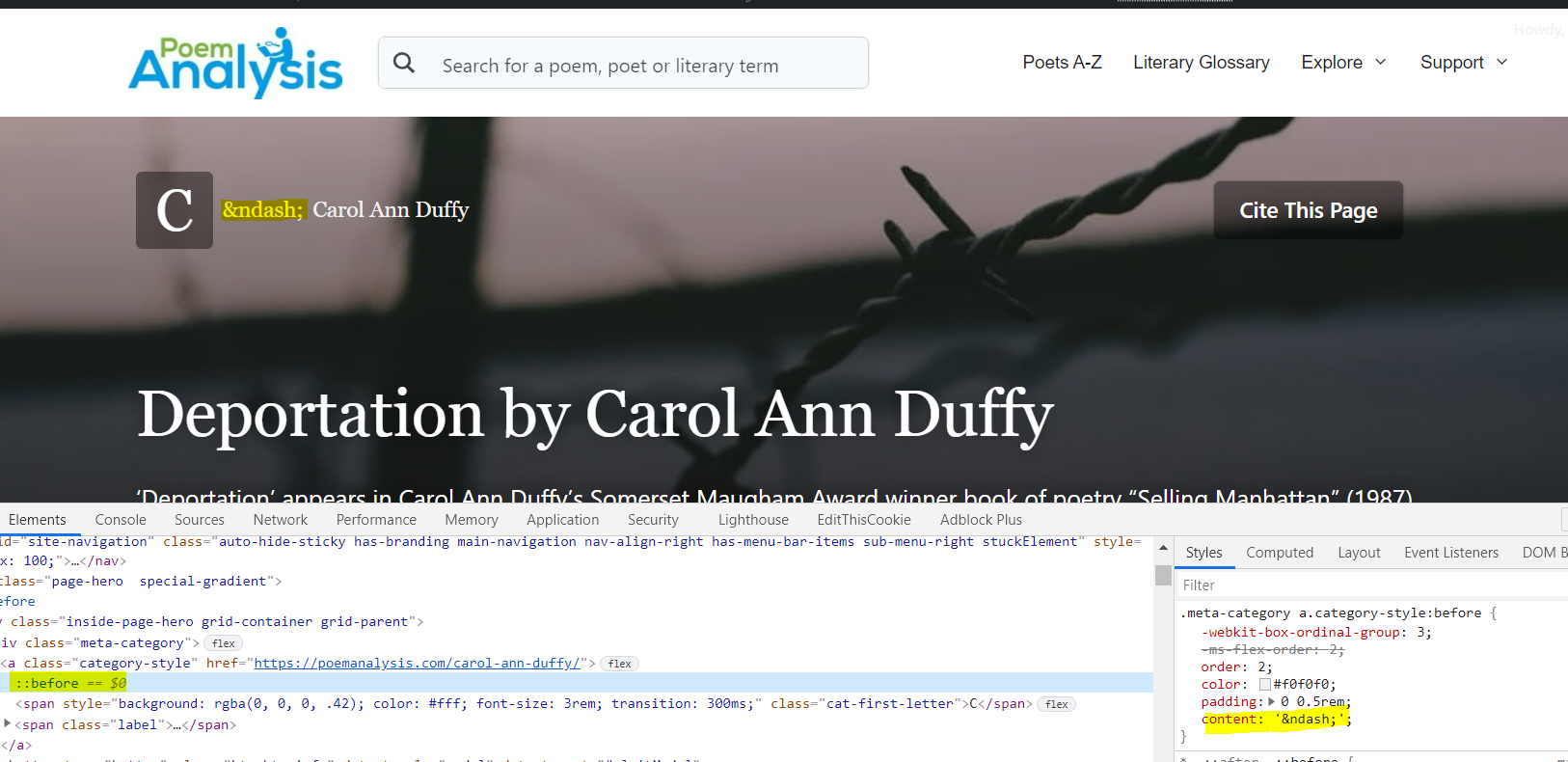
The CSS was:
.meta-category a.category-style:before {
	-webkit-box-ordinal-group: 3;
	-ms-flex-order: 2;
	order: 2;
	color: #f0f0f0;
	padding: 0 0.5rem;
	content: '-';
}
Where the content was an en dash, but I had to change it to a '-' for it to show correctly - just a '-' is too short.
Is there a reason for this, as it suddenly stopped working?
Kind regards,
Will
Hi Will,
You can try this instead:
.meta-category a.category-style .label:before {
    order: 2;
    -webkit-box-ordinal-group: 3;
    -ms-flex-order: 2;
    content: '';
    height: 2px;
    left: 10px;
    background-color: #f0f0f0;
    position: absolute;
    bottom: 50%;
    width: 30px;
}
.meta-category a.category-style .label {
    padding-left: 50px;
}
Free free to adjust the height(thickness)/left(horizontal position)/width/bottom(vertical position).
Hi there, I added that code and nothing appears, with the dash disappearing?
Hi Will,
Remove the CSS Ying provided
And in your CSS change the content property to:
content: '\2014';
Ah that's great! Thank you
Glad to be of help
This archived topic is closed to new replies.