
Archived topic
Custom sidebar and css
3 replies · Started by Kishor on March 30, 2022
Viewing posts 1–4 of 4
Hi,
I have created a custom sidebar for my site circuitgeeks.com using custom HTML and CSS. It looks good on desktop
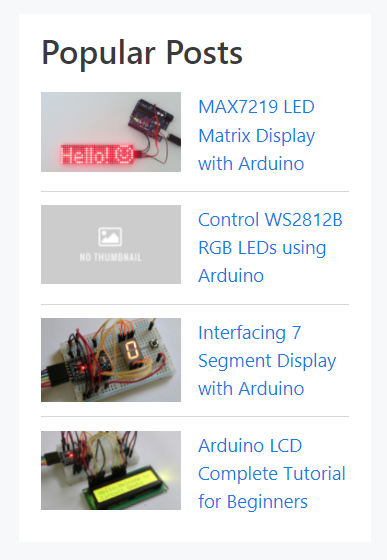
but on mobille it breaks
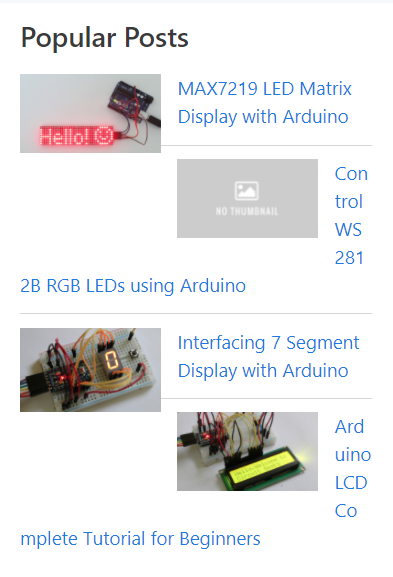
custom HTML I have used -
<div class="popular-post-sidebar">
<h2 id="popular-post">Popular Posts</h2>
<ul class="popular-post-list">
<li class="pp-single-post-item">
<div class="pp-thumbnail">
                <a href="https://www.circuitgeeks.com/arduino-max7219-led-matrix-display/"><img width="128" height="72" src="https://www.circuitgeeks.com/wp-content/uploads/2021/09/MAX7219-LED-Matrix-Display-with-Arduino.jpg" /></a>
            </div>
<div class="pp-body">
                <a href="https://www.circuitgeeks.com/arduino-max7219-led-matrix-display/">MAX7219 LED Matrix Display with Arduino</a>
            </div>
</li>
<li class="pp-single-post-item">
<div class="pp-thumbnail">
                <a href="https://www.circuitgeeks.com/ws2812b-addressable-rgb-led-strip-with-arduino/"><img width="128" height="72" src="https://www.circuitgeeks.com/wp-content/uploads/2021/12/no-thumbnail.jpg" /></a>
            </div>
<div class="pp-body">
                <a href="https://www.circuitgeeks.com/ws2812b-addressable-rgb-led-strip-with-arduino/">Control WS2812B RGB LEDs using Arduino</a>
            </div>
</li>
<li class="pp-single-post-item">
<div class="pp-thumbnail">
                <a href="https://www.circuitgeeks.com/arduino-7-segment-display-tutorial/"><img width="128" height="72" src="https://www.circuitgeeks.com/wp-content/uploads/2021/03/Arduino-7-Segment-Display-with-Push-Button.jpg" /></a>
            </div>
<div class="pp-body">
                <a href="https://www.circuitgeeks.com/arduino-7-segment-display-tutorial/">Interfacing 7 Segment Display with Arduino</a>
            </div>
</li>
<li class="pp-single-post-item">
<div class="pp-thumbnail">
                <a href="https://www.circuitgeeks.com/arduino-lcd-tutorial/"><img width="128" height="72" src="https://www.circuitgeeks.com/wp-content/uploads/2021/03/Arduino-pro-mini-with-lcd.jpg" /></a>
            </div>
<div class="pp-body">
                <a href="https://www.circuitgeeks.com/arduino-lcd-tutorial/">Arduino LCD Complete Tutorial for Beginners</a>
            </div>
</li>
</ul>
</div>
and the CSS is -
<style>
.pp-thumbnail {
    float: left;
    margin-right: 15px;
    position: relative;
}

div.popular-post-sidebar li:not(:last-child) {
    padding-bottom: 13px;
    margin-bottom: 12px;
    border-bottom: 1px solid #d6d6d6;
}
I have used the HTML widget to insert the HTML and the Code Snippets plugin to insert the CSS.
please help me to solve this issue
Hi Kishor,
Can you try replacing this part of your CSS:
.pp-thumbnail {
    float: left;
    margin-right: 15px;
    position: relative;
}
with this:
li.pp-single-post-item {
    display: flex;
}

li.pp-single-post-item > .pp-body {
    width: 50%;
    margin-left: 15px;
}
Kindly let us know how it goes. :)
It works. Thank you very much!
You’re welcome Kishor! Glad that worked. Feel free to reach out anytime you’ll need assistance with anything else. :)
This archived topic is closed to new replies.
