
Archived topic
Custom header. Maybe have template?
5 replies · Started by Mihail on July 13, 2021
Hello everyone ;)
Please tell me how can I create such a header?
Perhaps you already have ready-made solutions (templates).
Here's an example of the header I want:
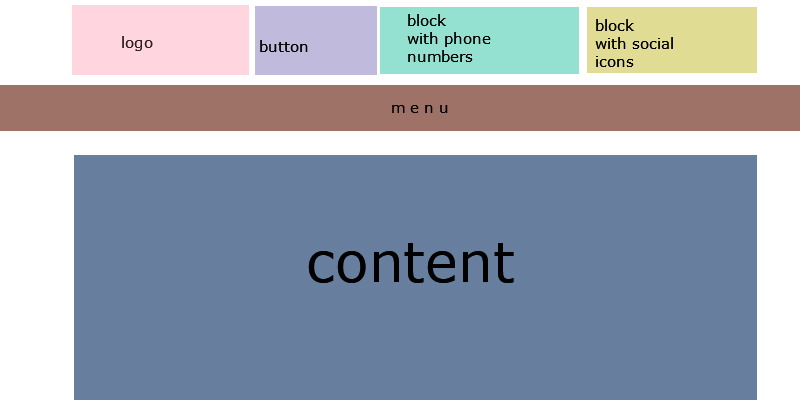
Thanks in advance!
Hi there,
You can use a block hook element with the Site Header type:
https://docs.generatepress.com/article/block-element-overview/
https://docs.generatepress.com/article/block-element-overview/#site-header-type
Then build the desired layout with the grid, container and buttons block from GenerateBlocks:
https://docs.generateblocks.com/article/grid-overview/
https://docs.generateblocks.com/article/container-overview/
https://docs.generateblocks.com/article/buttons-overview/
Okay, then I have a question.
If I create a BLOCK. I will choose HEADER as the type. How can I add a site logo to this block?
This is my block:
https://prnt.sc/1b29e0n
https://prnt.sc/1b29fu2
Thx for answer ;)
Hi there,
you would use a Grid Block, to create a column for your logo and one for your links.
In the column for the logo you can add a core Image Block.
Thanks for the answer.
How does this affect the SEO if you use just a picture as a logo?
If I'm not mistaken, the logo now has its own tag.
You should be able to do this:
https://www.wpbeginner.com/plugins/how-to-easily-add-title-attribute-to-images-in-wordpress/