
Archived topic
Conflict with MetaSlider
13 replies · Started by Lenny on May 29, 2019
Hi there,
GeneratePress Premium causes a display glitch on Metaslider plugin settings screen.
If I disable GP it works fine.
Here's a screenshot of the issue.
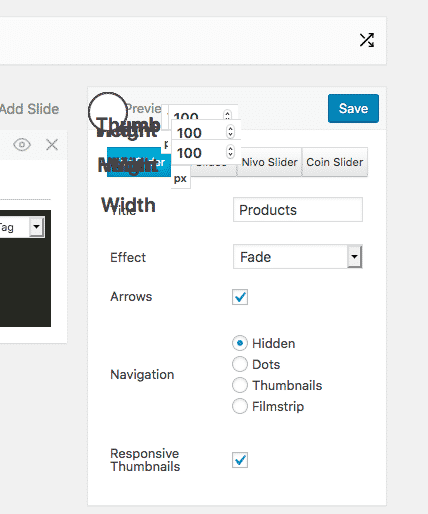
Any thoughts?
Hi there,
Does the issue exist with only GP Premium and Meta Slider as the activated plugin?
I just downloaded and installed Meta Slider but not sure how to get to the screen you are looking at?
Let me know :)
Yes, deactivate every plugin,then just activate Metaslider, all fine, activate GP Premium and i get the glitch above.
Strangely, other domains with same plugins are all fine, just this one is playing up...
Hmm then I'm gonna guess there is something going on with this specific install.
Can you de-activate each module one by one and see which one is causing the issue?
https://docs.generatepress.com/article/installing-gp-premium/#activate-your-modules
Make sure you are using the latest GPP 1.8.2 as well.
It's Site Library that is breaking it...
What does that one do?
Using latest GPP
It's for downloading these pre-built templates:
https://generatepress.com/site-library/
Should just disable that for now if you aren't using it.
Is it not enabled in the other installs that aren't experiencing the issues?
Aha,my other installs didn't have Site Library activated, when I do, I get the same glitch.
Som definetly the Site LIbrary module.
Ok disable that for now - never a bad idea since you aren't using it.
We'll take a closer look.
Thanks! :)
Thank you, really appreciated.
No problem :)
Tom informed me that this should be fixed in the next version of GPP :)
Ideal, many thanks.
No problem :)