
Archived topic
Cannot 301 redirect in "product" page affiliate url?
22 replies · Started by robchanoi on September 27, 2018
You're right - it's not the theme, same happens in twenty 15, have submitted ticket to WC. Any other thoughts on why this may occur? Presumably there are 1000's of people using 301 redirects and not having this issue? So maybe a plugin issue.
I can't think of any reason why this would be happening. The form action looks correct, but it's simply not firing for some reason. Hopefully, they're able to pinpoint it.
I think it may have to with https. I havent switched across yet from http.
When I altered the link to https it seemed to pick up the redirect but as I havent switched across to https it takes me to a warning page with the redirect link followed by a question mark.
https://menspleasures.com/kiiroo-onyx?
I'll need to speak to namecheap my host about switching over.
It may well then succeed or refresh, I'll post back to inform.
No joy from WC support as it's not a paid for plugin - I've obtained it through purchasing GP so updated here fyi:
https://wordpress.org/support/topic/301-redirect-not-firing-in-wc-product-url-box/
Actually, with the 301 redirect plugin deactivated and with http://cnn.com in the url box it does in fact go to the cnn website. I’ve tried 2 other different redirect plugins. It says to the side of the box that the link must be “external” so I cannot include an internal redirect url to an external aff url?
So I would need an external redirect tool – this would be the only way is that correct?
Just a bit pain staking to input aff urls individually then take them all out individually if you get me.
Thanks
I'm not sure I'm afraid. I don't have a lot of experience with that particular field in WooCommerce - especially when 301 redirects are involved.
Hi - well, I seem to have "accidentally" found one way to resolve the issue.
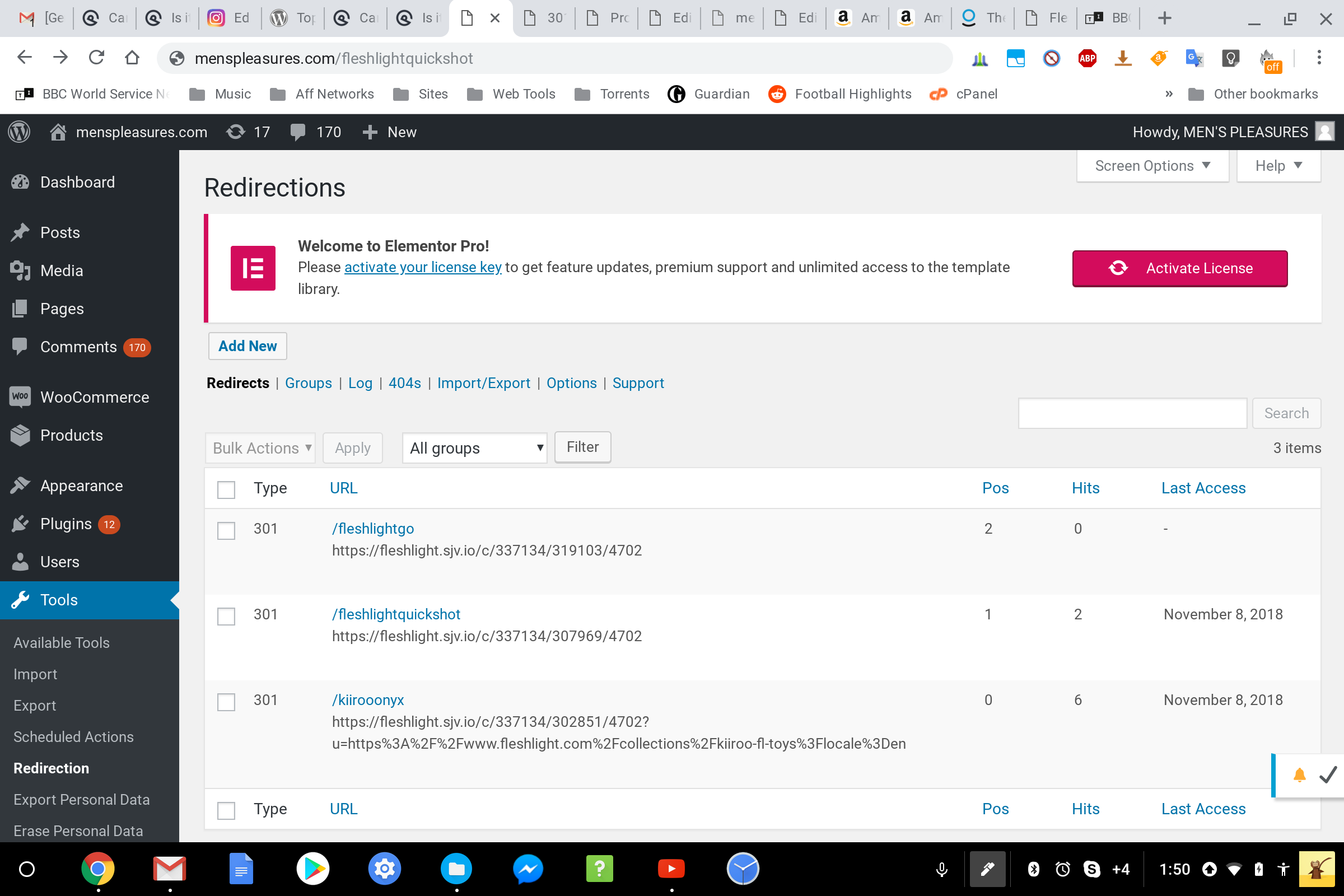
I've tried various 301 redirect plugins and by using this Redirection plugin and as follows seems to work - however to have the option to be able to choose to enable the link to open in a new tab would be good plus it's not possible to right click on the button and open in a new tab as by right clicking the normal options don't appear ie open in new tab or open in new window etc.
This is what works:
Redirection screen shot:
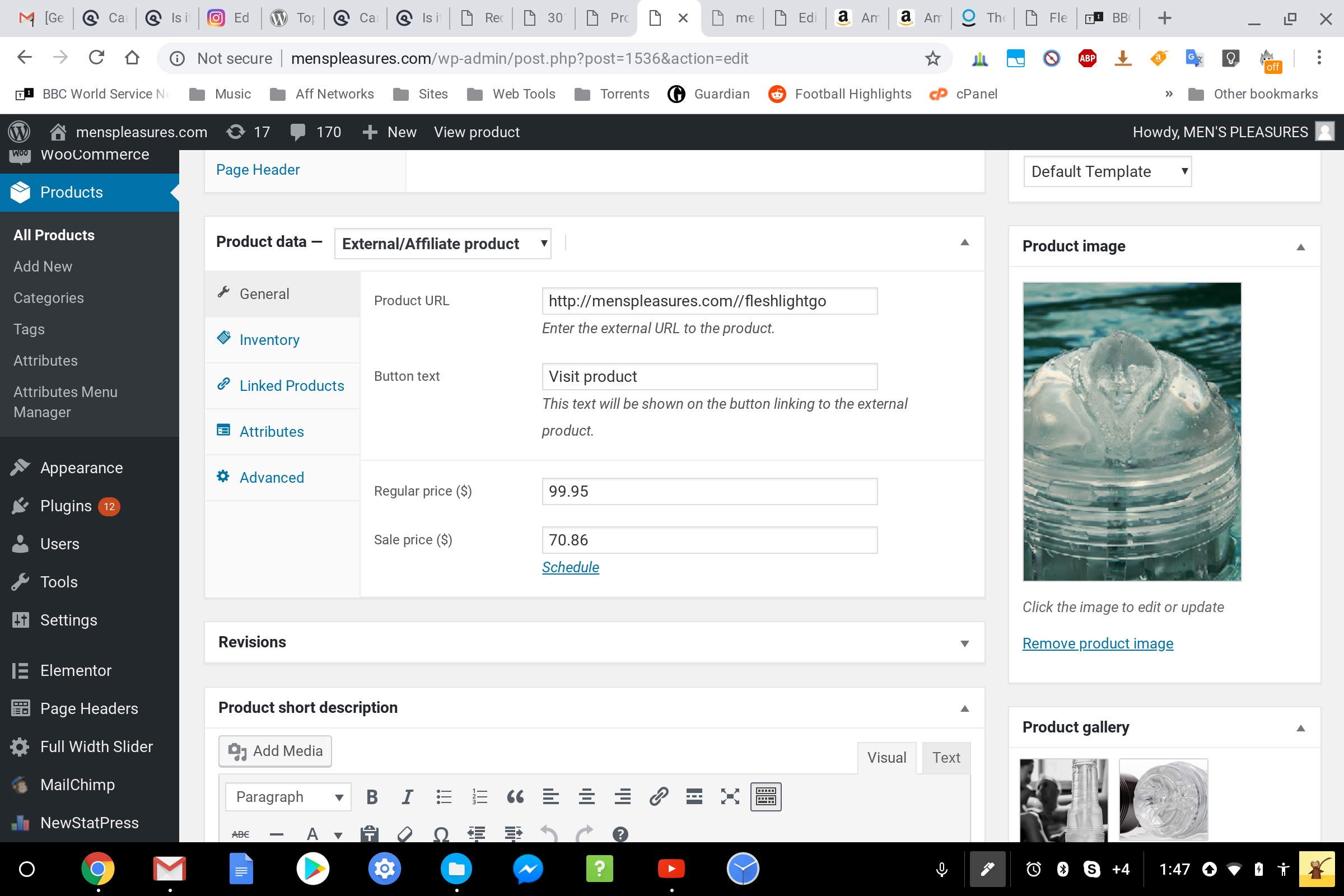
And Most Importantly where the WC affiliate/external link should be placed in WP editor - the redirect url Must contain two forward slashes - //
And also, the redirect link must not contain any numbers or special characters.
So:
Hope this helps someone in the future.
Obviously to be able to choose to open in new tab would be great.
Thanks anyway Tom for your continued support and just being around during this puzzling drawn out process :)
Awesome! Thank you for sharing the solution here :)