Archived topic
Broadcast : custom text & header for category, title color for widget,
5 replies · Started by Morgan on June 7, 2021
Hi,
I am using the broadcast theme, but i have some issue with category personalization.
1) Can i have a "specific element" for each category ? Change color, background image, etc.
2) I would like to show the category description. How can i do that ?
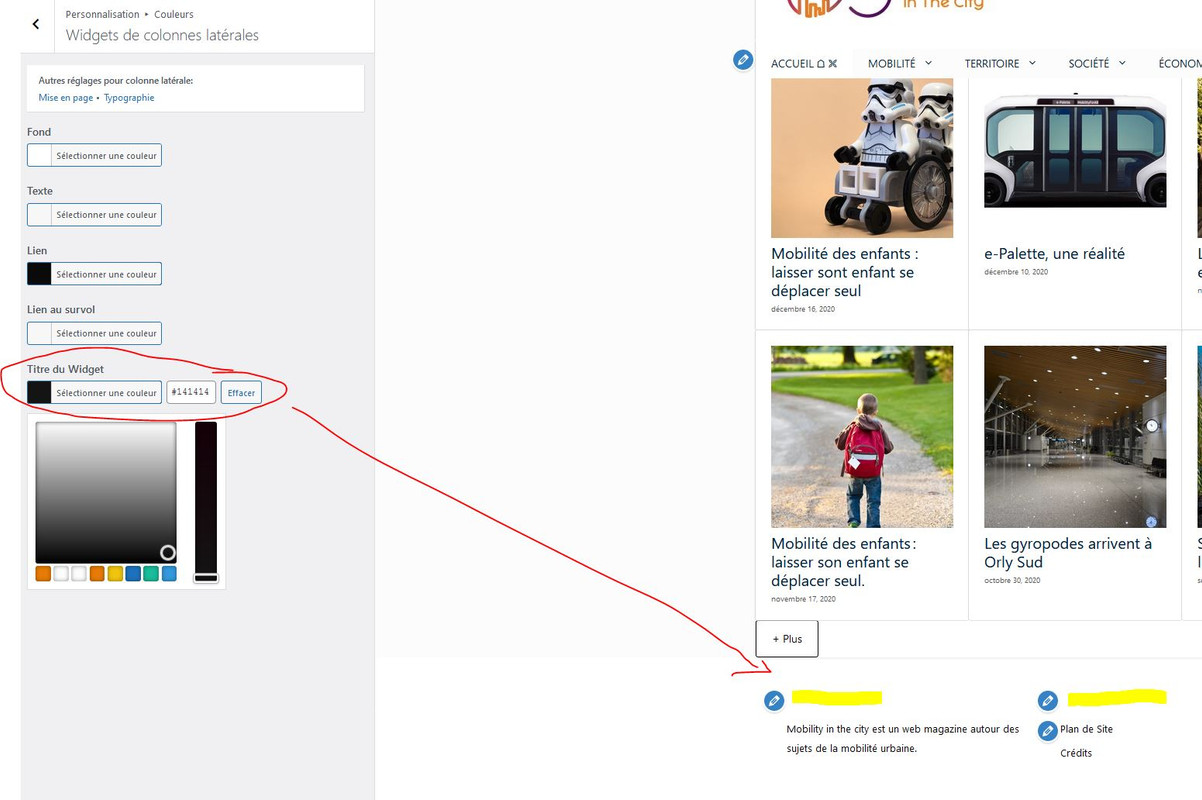
3) The title color of widget seems not working. I could change all colors except this one even if there is the option.
Thanks,
Hi Morgan,
1) Can i have a “specific element” for each category ? Change color, background image, etc.
Not sure I fully understand your question, do you mean Block element? If so, yes, you just need to assign them to different categories in display rule.
2) I would like to show the category description. How can i do that ?
You can add a dynamic content block to the current page hero, choose term description:
https://www.screencast.com/t/S6ebGIAxf
3) The title color of widget seems not working. I could change all colors except this one even if there is the option.
It should work, could you link me to the site so I can inspect what's going on?
Here's a documentation about block element - page hero should be useful:
https://docs.generatepress.com/article/block-element-page-hero/
Hello, I give you the url
1. Which element are you referring to here?
2. The solution Ying provided above should work.
3. Looks like you were able to get it work and change them to white? The original site isn't white:
https://www.screencast.com/t/SeGs6DZh
This option should definitely work:
https://www.screencast.com/t/CiZO5X1ktnf
Hi,
That's now ok for points 1 & 2. But for the 3 i still have an issue with the texte color for title in the footer widget.
Hi there,
in your Child Theme styles.css you have this CSS:
.inside-footer-widgets .widget-title {
  color: #fff !important;
}
delete that to stop it overriding the customizer settings.