
Archived topic
Blocks are not aligned on top inside Container > Grid
4 replies · Started by Sascha on January 27, 2022
Hi
on this page I have created a container > grid > 2xcontainer layout with default values and
left > image & paragraph
right > paragraph
but as you can see on this screenshot, the top border of the left image is not aligned with the right paragraph.
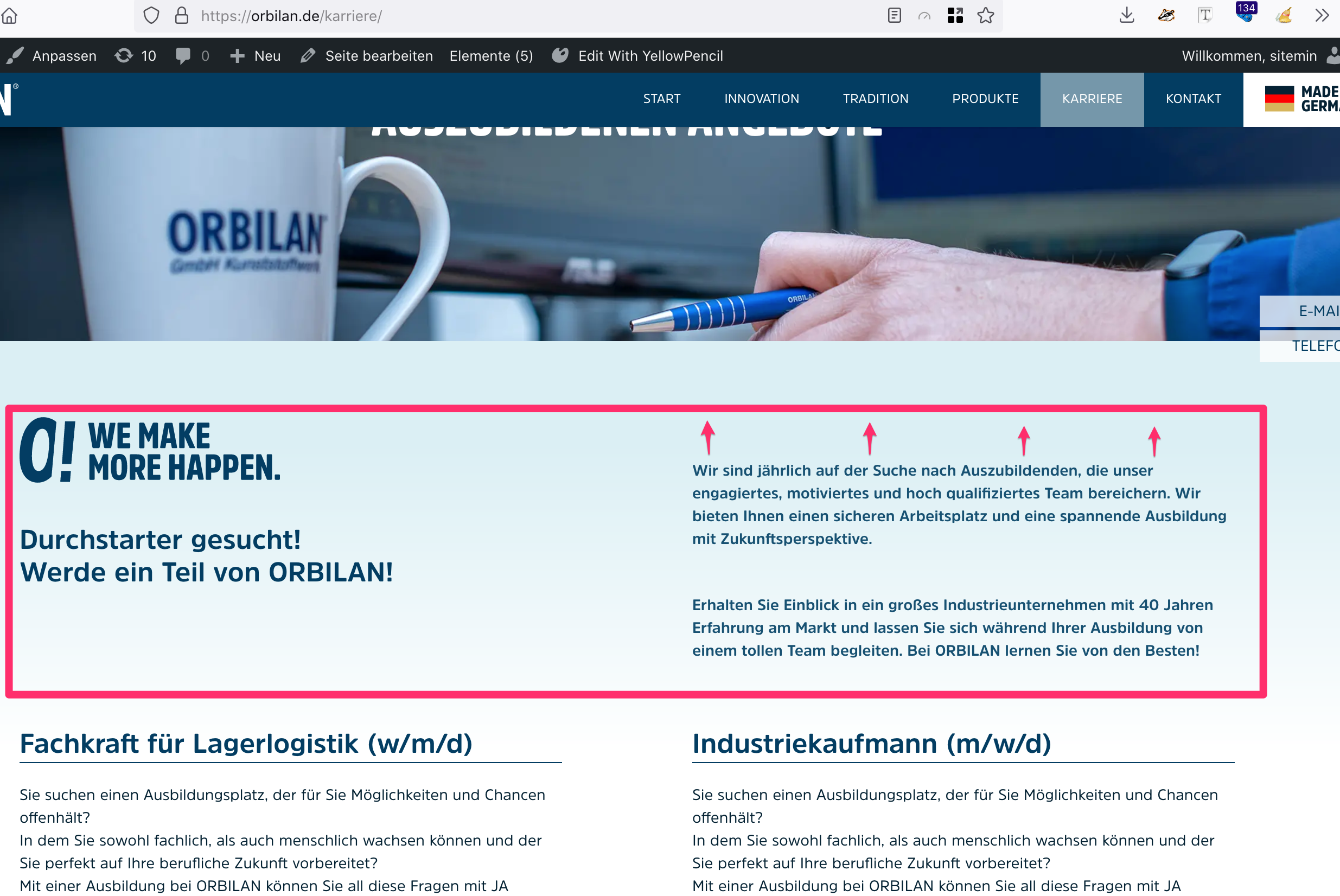
I have changed "Vertical Alignment" in grid settings to "Top", but didn't bring the result.
Can you please help me with this? Credentials below
Thank you in advance and kind regards,
Sascha
Well, this happened only, when I have used the Headline Block > Paragraph. After switching to default Paragraph Block, the upper border has gone.
Why did the Headline Block (Paragraph mode) has this huge top-border? Neither Marging nor Paddings were defined …
Hi there,
without seeing the issue i can't explain that.
Perhaps the block had a Global Style or other CSS class applied to it ?
I close this, because other issues I have currently open are more important ;-)
No problems