
Archived topic
Add banner beside the site logo
7 replies · Started by Kelvin on October 3, 2021
Dear Sir/Madam,
I refer to the article https://docs.generatepress.com/article/hooks-visual-guide/, may I know how I can add a banner beside the site logo? (see the screenshot from Private information), it looks not like the generate_before_logo_hook or generate_after_logo_hook, please advise how I can do that.
Best regards,
Kelvin.
Hi there,
you can use a Hook Element ( for HTML ) or a Block Element ( using Block editor ) both found in Appearance > Elements, and select the after_logo hook to add your content in that place. Make sure to set the Elements > Display Rules.
Dear David,
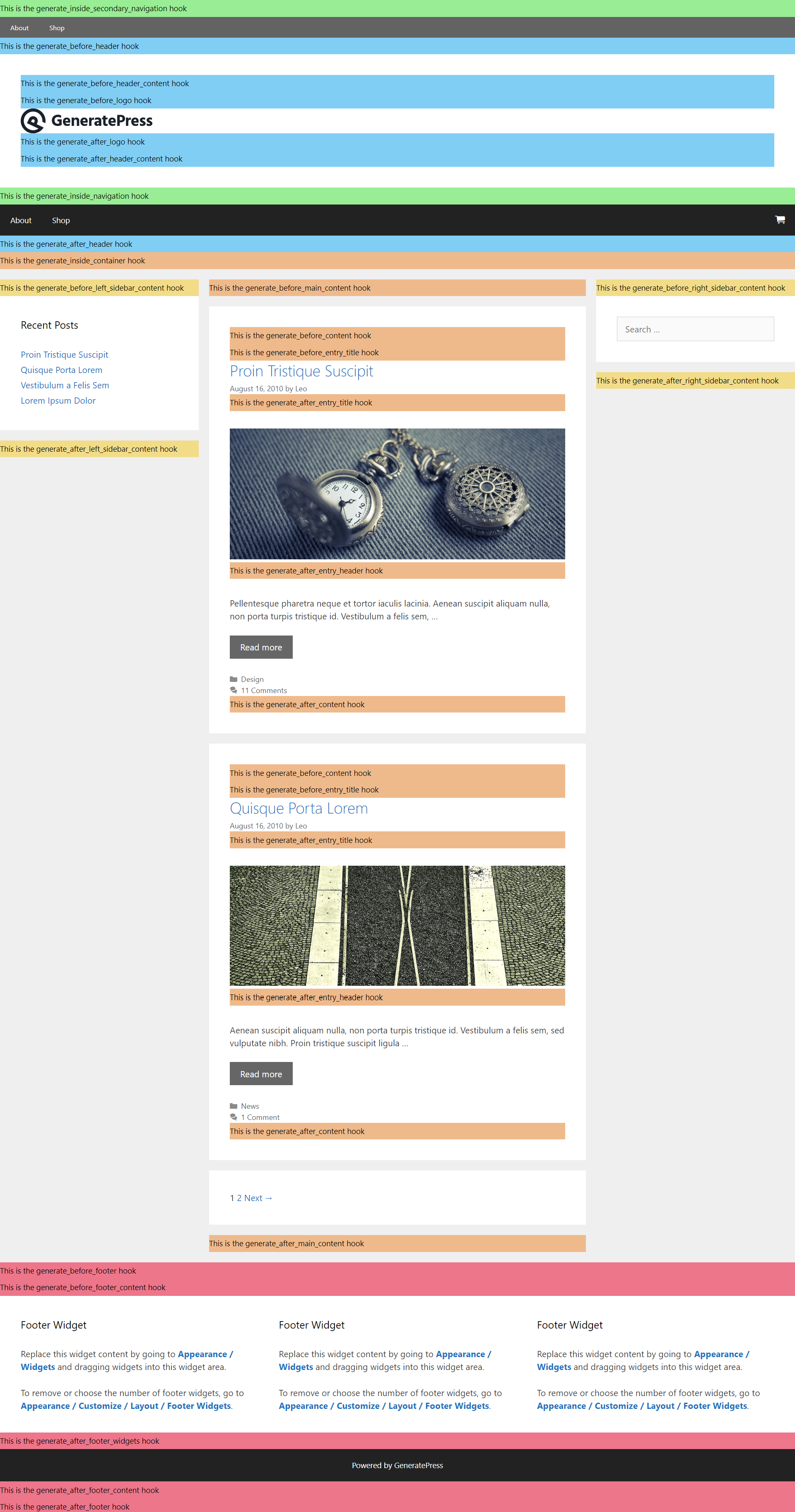
Refer to https://docs.generatepress.com/wp-content/uploads/2018/07/hooks-postspage.png, it looks the block after_logo is under the logo rather than beside the logo. Could you show me how I can put the banner beside the logo?
Best regards,
Kelvin.
The hooks in the Visual guide just display the code order not necessarily where it is displayed, it may require a little CSS to position your banner. If you can add it to your site and share a link to it i can advise.
Dear David,
How can I ensure that the Elements be shown on the 404 page the same as the normal page?
I have an element hook after_logo ( see Elements setting ) including the 404 page, but don't know how I can showed the advertisement banner on the 404 page.
Please advise how I can do it.
Best regards,
Kelvin.
That should work... can you link me to your site so i can see whats happening?
Dear David,
Just simply visit the home page https://elderlyservices.852ebiz.com/ and any 404 page for example https://elderlyservices.852ebiz.com/error404
I attached the screenshot of the Element setting in private information for your reference.
The hook is working on the 404 page, but for some reason the first image block is empty.:
https://www.screencast.com/t/HXD3Ez03j
Can you try changing the Image you have added to that block, and clear any caches.