Archived topic
Action buttons at top banner
1 reply · Started by Kris on June 3, 2021
Viewing posts 1–2 of 2
Hi guys,
How would you go about creating a few actionable buttons at the top banner?
Currently we have just a background banner image in the Header area:
https://www.beaumontcare.com.au/
but I would need to place 2 buttons next to the logo. See below:
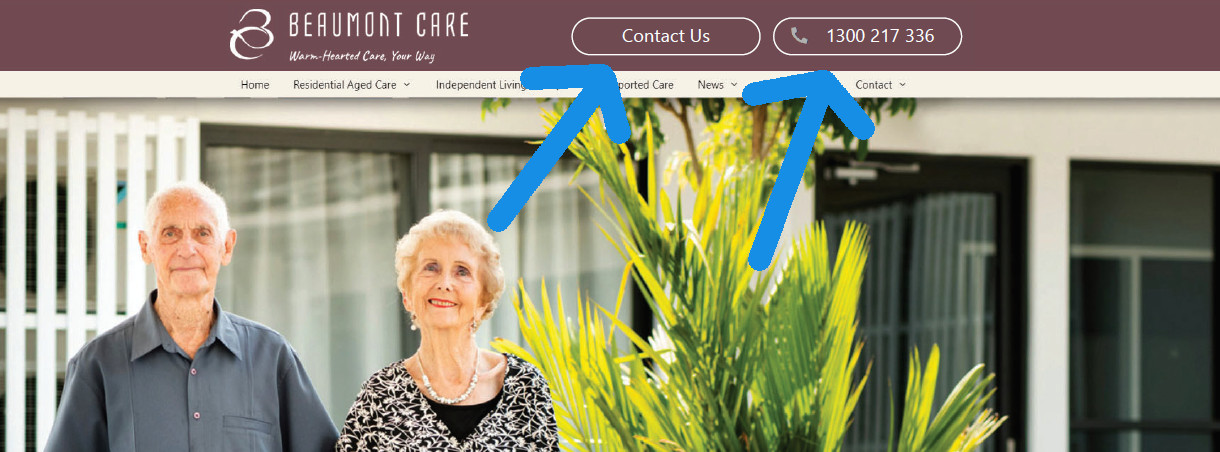
Appreciate your advice on this.
Cheers,
Kris
Hi Kris,
You can insert these buttons through different methods.
The simpler one is by adding it through widgets. Go to Appearance > Widgets and add in your own HTML for buttons on the Header widget area.
You can also use Block Element to create those buttons and hook it in beside the logo using generate_after_logo hook.
This archived topic is closed to new replies.