
Archived topic
A few questions
3 replies · Started by Roi on April 6, 2018
Hello, I'm using the Premium version and have a few questions:
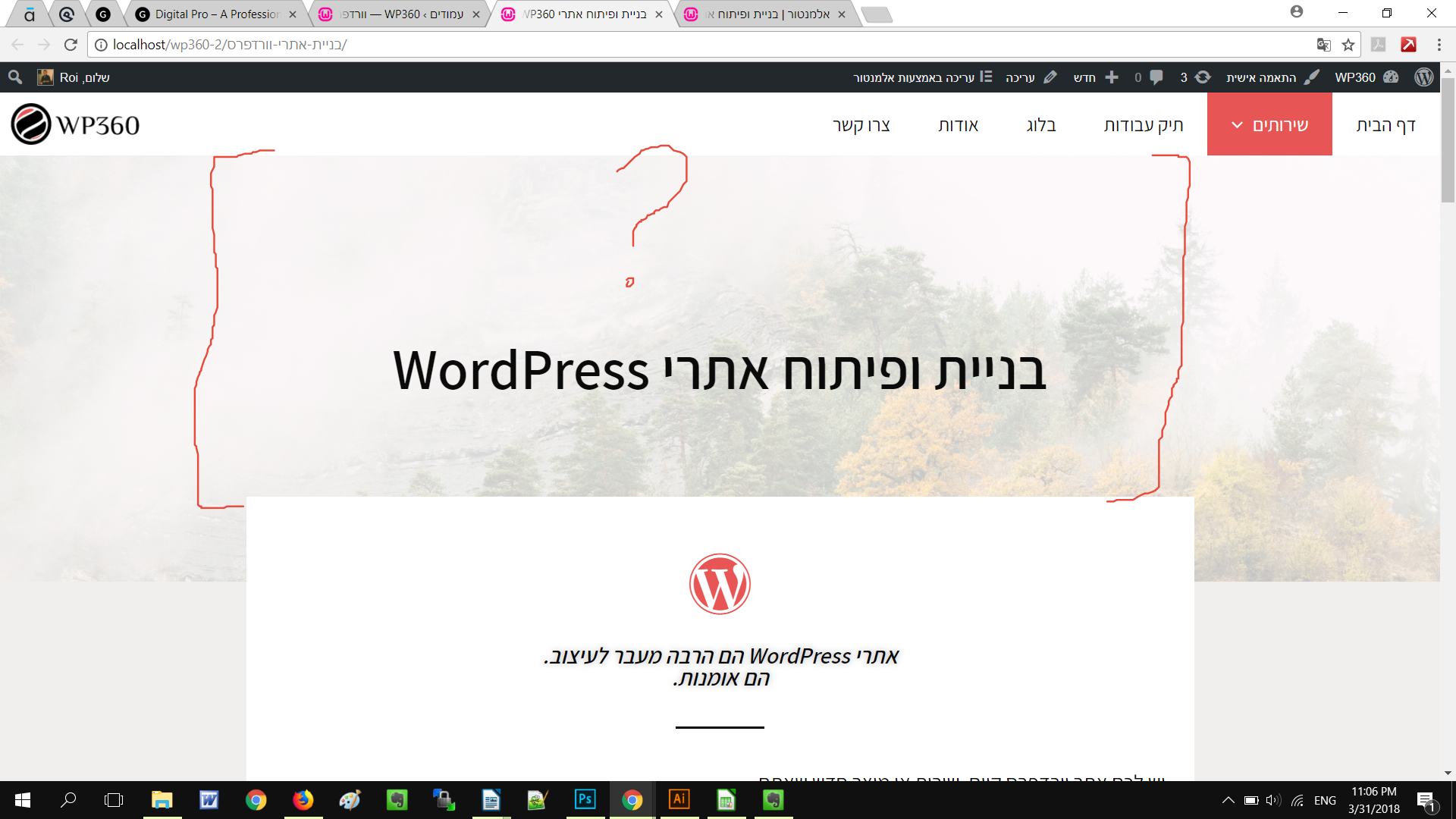
1. How can I control the height/padding of the in-page header? https://snag.gy/p0MoZK.jpg https://wp360.co.il/%d7%91%d7%a0%d7%99%d7%99%d7%aa-%d7%90%d7%aa%d7%a8%d7%99-%d7%95%d7%95%d7%a8%d7%93%d7%a4%d7%a8%d7%a1/
2. How can I insert a sidebar in a page through Elementor and make it look identical to the one here: https://wp360.co.il/%d7%9c%d7%9e%d7%94-%d7%9e%d7%94%d7%99%d7%a8%d7%95%d7%aa-%d7%94%d7%90%d7%aa%d7%a8-%d7%a9%d7%9c%d7%9b%d7%9d-%d7%92%d7%95%d7%a8%d7%9e%d7%aa-%d7%9c%d7%9b%d7%9d-%d7%9c%d7%94%d7%a4%d7%a1%d7%99%d7%93/
This is what it looks like currently: https://wp360.co.il/blog/
3. How can I create a new footer layout for tablet view? I want only 2 widgets to show, and to appear side by side.
4. How can I increase the bottom padding of a page title in mobile? https://snag.gy/V7bYjT.jpg https://snag.gy/2l90ic.jpg


5. How can I translate the word "Menu" of the hamburger menu in mobile?
6. How can I add a subtitle to a page?
7. Just a suggestion... create a showcase of websites built on your framework!!! :)
Thanks, truly appreciate it!
Hi there,
1. The page header height is controlled by top and bottom padding: https://docs.generatepress.com/article/page-header-content/#top-bottom-left-right-padding
2. If you are using Elementor then you'd have to ask their support.
3. We can use CSS to hide one of them on tablet. Can you link me to the page and let me know which one you would like to hide?
4. The page title inside of the page header? The screenshots aren't really showing which element you are looking at.
5. You can just type in whatever language here: https://docs.generatepress.com/article/mobile-menu-label/
6. A plugin like this might help: https://en-ca.wordpress.org/plugins/subtitles/
Lots of others out there too if you Google "Subtitles WordPress"
7. Check these out:
https://generatepress.com/forums/topic/want-your-site-showcased/
https://generatepressgallery.com/
Let me know :)
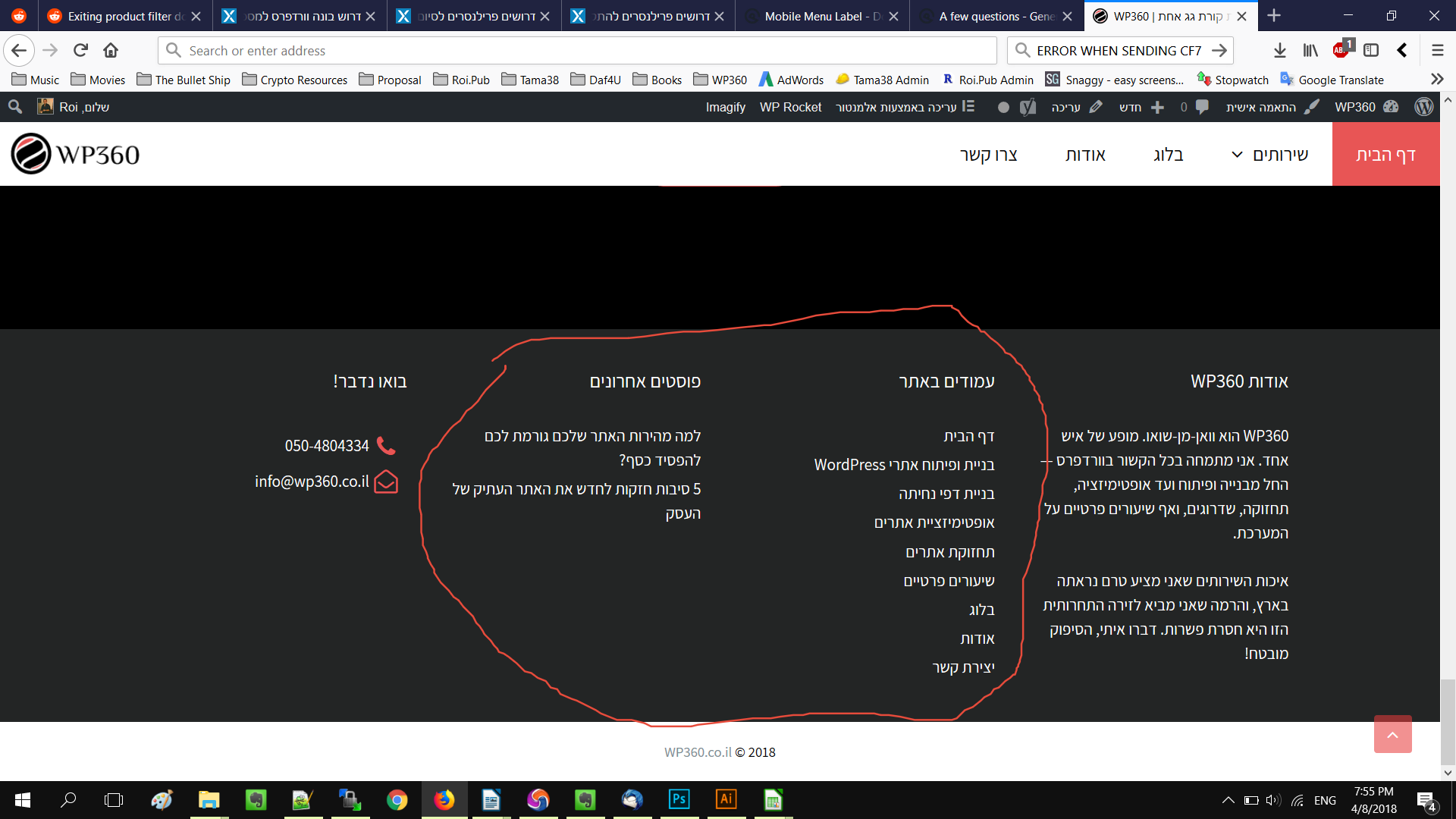
3. This is the site: https://wp360.co.il/ and I want it to be applied sitewide. My goal is to hide these widgets: https://snag.gy/fmbFJT.jpg and when viewed in tablet, for the visible widgets to be side by side.
4. Yes, the page title inside of the page header.
5. When I scroll up using the scroll up anchor, the scroll is very laggy. How can I make is smooth?
Thanks buddy.
3. Try this CSS:
@media (min-width: 769px) and (max-width: 1024px) {
    .footer-widget-1, .footer-widget-2 {
        display: none;
    }
}
4. The problem is that you have the negative margin in the Elementor content below:
@media (max-width: 767px) {
    .elementor-13815 .elementor-element.elementor-element-6c30>.elementor-element-populated {
        margin: -60px 12px 0 12px;
        padding: 30px 12px 30px 12px;
    }
}
You should be able to remove that in Elementor then it should work.
5. Not sure if I understand? The question was about the mobile menu text?