Welcome to GP Premium 1.11.0! This is a huge update that includes new features, performance improvements and tons of bug fixes.
As you might have noticed, we’ve been working very hard lately to offer more functionality and modernize our products. With the introduction of GenerateBlocks this summer, we’re updating GP Premium and GeneratePress to be better than ever before. GPP 1.11.0 is the first step!
Block Elements
Our Elements module has been a favorite of our users since it was introduced in GPP 1.7.0, and it just got a whole lot better. Block Elements!
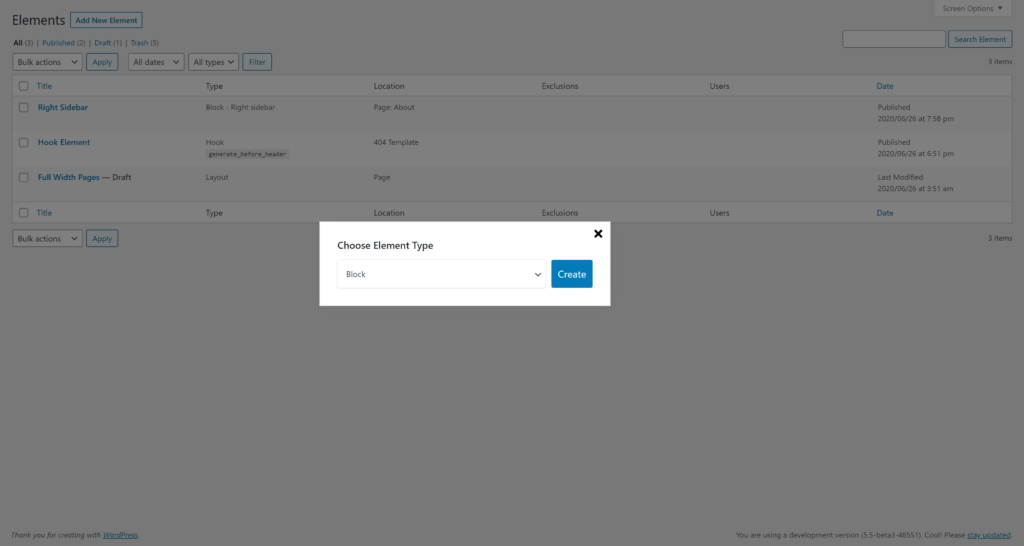
Block Elements work just like our other Elements, but they allow you to use the block editor to build your Element content instead of needing to use HTML. When combined with GenerateBlocks, you can now build custom headers, sidebars, and footers. You can also use the Block Element as a regular hook to add content anywhere throughout your website!
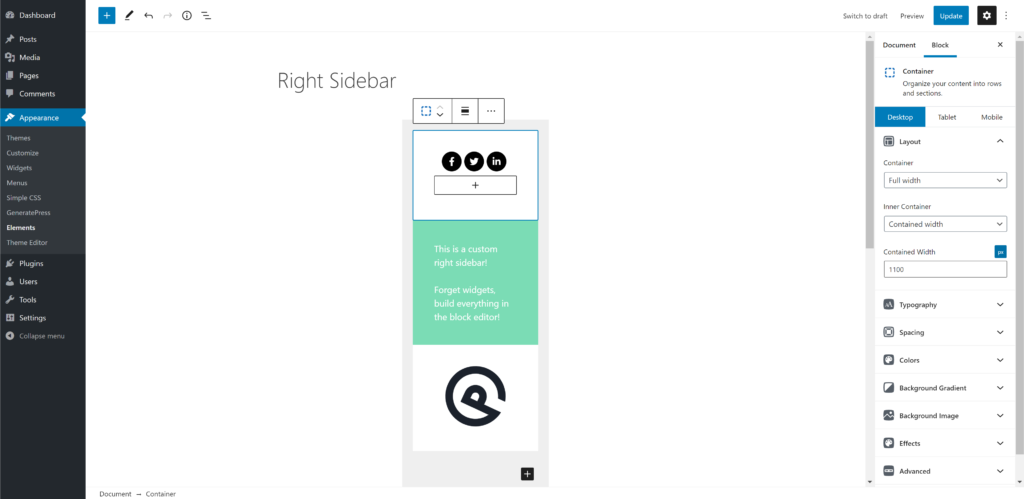
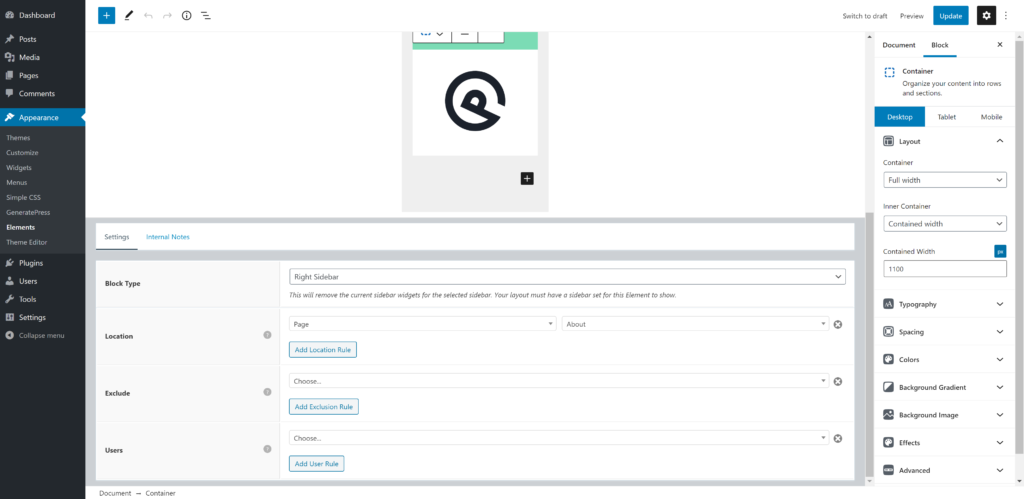
What makes Block Elements extra powerful is you still have access to the Display Rules. This means you can build conditional sidebars, footers etc..
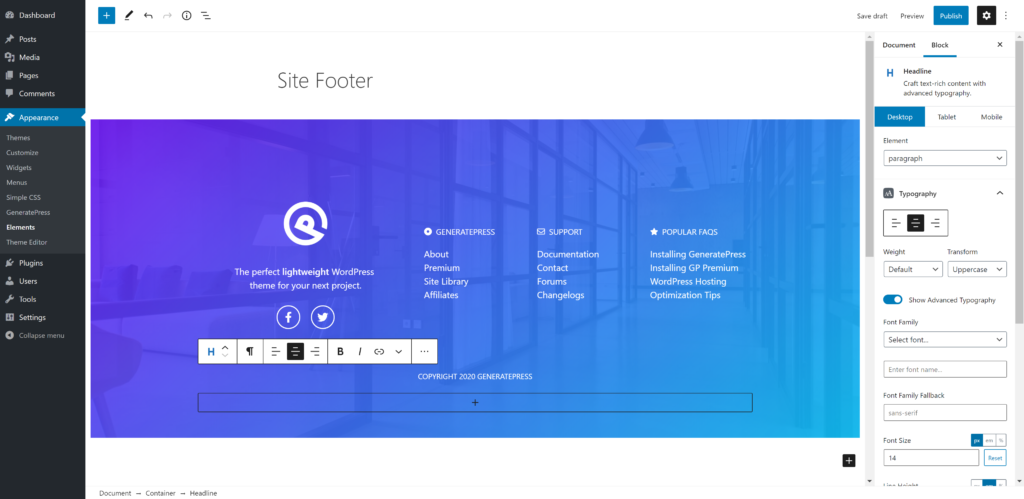
Block Elements open up endless possibilities. Another example is building a site footer, which has always been somewhat limited in GeneratePress. Now, there are no limits.
This is just the beginning. We have big plans for Block Elements moving forward!
Layout Elements
Layout Elements are super powerful and allow you to set things like your sidebar layout and content width across your entire site. However, before 1.11.0, your Layout Element settings didn’t apply to the block editor.
This was always an annoyance for me personally. If I disabled sidebars within all of my pages, I want the editor to reflect that change so I can get a realistic view of what my content will look like.
As of 1.11.0, your Layout Elements will take effect in the block editor!
External File Dynamic CSS
If you’ve been using GeneratePress for a while, you have probably noticed that the CSS generated by your Customizer options is added inline below the main theme stylesheet.
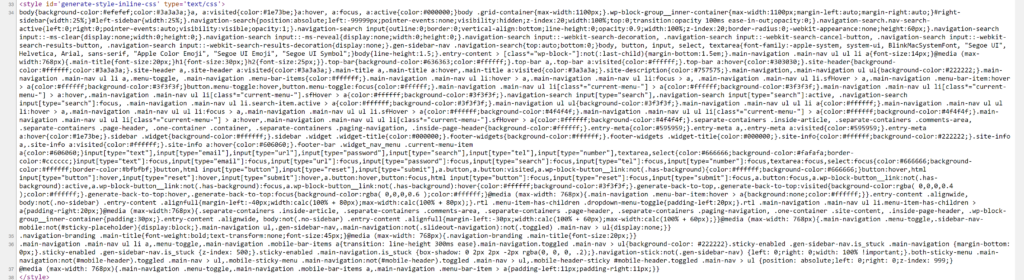
You can now choose to generate this CSS in an external file instead of displaying it inline. Not only will this clean up your HTML, but there are also performance benefits to doing so. Once the CSS is generated, it’s added to the file which is cached by your browser. That means the CSS doesn’t have to generate on every page load, which is a big bonus!

While inline dynamic CSS is still necessary in some cases, this should help further improve performance, especially when you’re using a lot of options. This option can be turned on and off in the Customizer.
Preparing for GeneratePress 3.0
That’s right, GeneratePress 3.0 is right around the corner. GP Premium 1.11.0 has tons of tweaks to all of its modules to prepare for 3.0, so be sure to update before you start testing/using 3.0 in the near future.
Both versions are the beginning of a new generation when it comes to GeneratePress. We’ve been in the game for a long time now, and things have changed. GP Premium 1.11.0 is step one, and we’re excited to get things in motion!
Full Changelog
1.11.0
- New: Block Elements
- New: Apply Layout Element options to the block editor if set
- New: Generate dynamic CSS in an external file
- Blog: Separate CSS and load only when needed
- Blog: Add column width classes to stylesheet
- Blog: Disable featured image itemprop if microdata is disabled
- Blog: Add generate_blog_masonry_init filter
- Blog: Add generate_blog_infinite_scroll_init filter
- Blog: Fix archive page header overlap when using no featured image padding/one container
- Blog: Replace screen reader text with aria-label in read more buttons
- Disable Elements: Add option to disable the Mobile Header
- Disable Elements: Disable top bar disables it even when combined with Secondary Nav
- Disable Elements: Use generate_show_post_navigation filter to disable single post navigation
- Elements: Use full hook name with generate_ prefix in dropdown
- Elements: Rebuild how Element types are chosen
- Elements: Add chosen hook under type column in edit.php
- Menu Plus: Add generate_after_mobile_header_menu_button filter
- Menu Plus: Add sticky placeholder only when nav becomes sticky
- Menu Plus: Add class to sticky nav when scrolling up
- Menu Plus: Fix navigation branding/mobile header layout when using RTL languages
- Page Header: Prevent PHP notices
- Secondary Nav: Clean up CSS
- Secondary Nav: Add generate_after_secondary_navigation hook
- Secondary Nav: Add generate_before_secondary_navigation hook
- Secondary Nav: Integrate with future flexbox option
- Secondary Nav: Add has-top-bar class if needed
- Secondary Nav: Add screen reader text to mobile menu toggle if no text exists
- Secondary Nav: Remove microdata if disabled
- Secondary Nav: Add generate_secondary_menu_bar_items hook
- Spacing: Set sidebar width in Customizer for future flexbox option
- WooCommerce: Add generate_woocommerce_show_add_to_cart_panel filter
- WooCommerce: Integrate with future flexbox option
- WooCommerce: Ensure WC()->cart is set
- WooCommerce: Remove left margin from SVG menu cart icon
- WooCommerce: Show sticky add to cart panel on sold individually products
- WooCommerce: Remove bottom margin from related/upsell products
- WooCommerce: Fix cart menu item spacing in RTL languages
- WooCommerce: Fix menu item cart dropdown design in RTL languages
- General: Update selectWoo
- General: Update select2
- General: Run all CSS through PostCSS
- General: Fix various text domains
- General: Fix JS error when toggling nav as header option without Colors/Typography modules
- General: Update all translations over 90% complete
- General: PHP cleanup/coding standards
- General: Add off_canvas_desktop_toggle_label to wpml-config.xml
Leave a comment